


How Google Shopping Ads Let Customers See Your Product Before They Even Click

Let me describe something that happens millions of times every single day — and that most people experience without ever thinking about why it works the way it does.
Someone picks up their phone and types into Google: “blue cotton kurta for men.”
Before they see a single blue link. Before they read a single website description. Before they visit a single online store.
They see photographs.
Actual photographs of actual blue cotton kurtas — multiple of them, lined up across the top of the search results, each with a price displayed beneath it and a store name below that. They can see the colour, the cut, the style, the fabric texture — all before clicking anything.
They look at the images. One of them catches their eye immediately — the colour is exactly right, the style is what they had in mind, and the price is within their budget. They tap on it. They are taken directly to the product page. They read the details. They buy it.
The entire journey from search to purchase took four minutes. And the most important decision — which product to click on — was made based almost entirely on what the product looked like, not on what any website said about it.
This is Google Shopping Ads. And it represents one of the most significant shifts in how online retail works — a shift that fundamentally changes the relationship between a product, a customer, and the moment of discovery.
The Problem With Traditional Online Advertising for Products
To truly appreciate what Google Shopping Ads do, you need to understand the problem they were built to solve.
Before shopping ads existed, if you were an online retailer and you wanted to reach customers through Google, you had two primary options.
The first was organic SEO — optimising your website so that it appeared in regular search results for relevant queries. Effective but slow, competitive, and uncertain. Getting a product page to rank organically for a competitive product keyword could take months or years of effort with no guaranteed outcome.
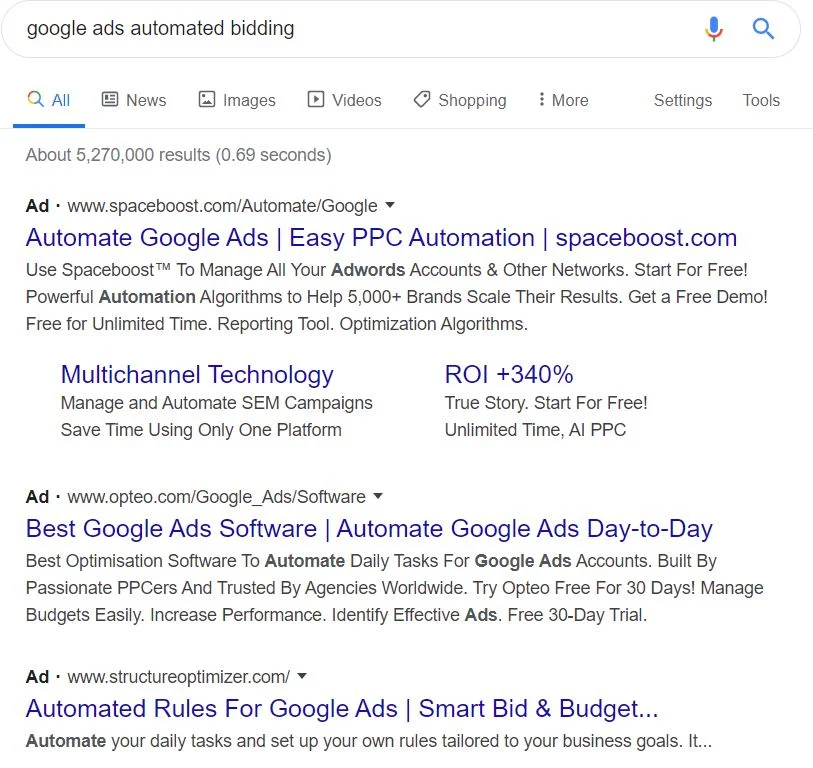
The second was Google Text Ads — the standard search ads that appear as text links at the top of search results. You write a headline, two lines of description, and a URL. The customer sees the text, reads it, and decides whether to click.
Text ads work well for many types of products and services. But for physical products — things whose appearance, colour, style, and visual qualities are central to the purchase decision — text ads have a fundamental limitation.
They cannot show the product.
A text ad for a blue cotton kurta might say: “Blue Cotton Kurta — Soft Premium Fabric — Free Delivery — Shop Now.” That is useful information. But it does not answer the question that a buyer of clothing is actually asking: what does it look like? Is the blue the shade I am imagining? Does the style match what I want?
The customer cannot answer those questions from a text ad. So they click through to the website, discover the product does not match what they envisioned, and leave. The retailer has paid for a click that was always going to convert — because the product and the customer’s expectation were misaligned from the start, and there was no way to know that without clicking.
Google Shopping Ads solved this problem by putting the product image at the centre of the advertising unit itself. The customer can see the product before clicking. And this seemingly simple change has profound implications for everything — for click-through rates, for conversion rates, for customer satisfaction, for return rates, and for the economics of online retail.
What Google Shopping Ads Actually Are
Let us be precise about what we are talking about, because Shopping Ads have a specific technical structure that is worth understanding.
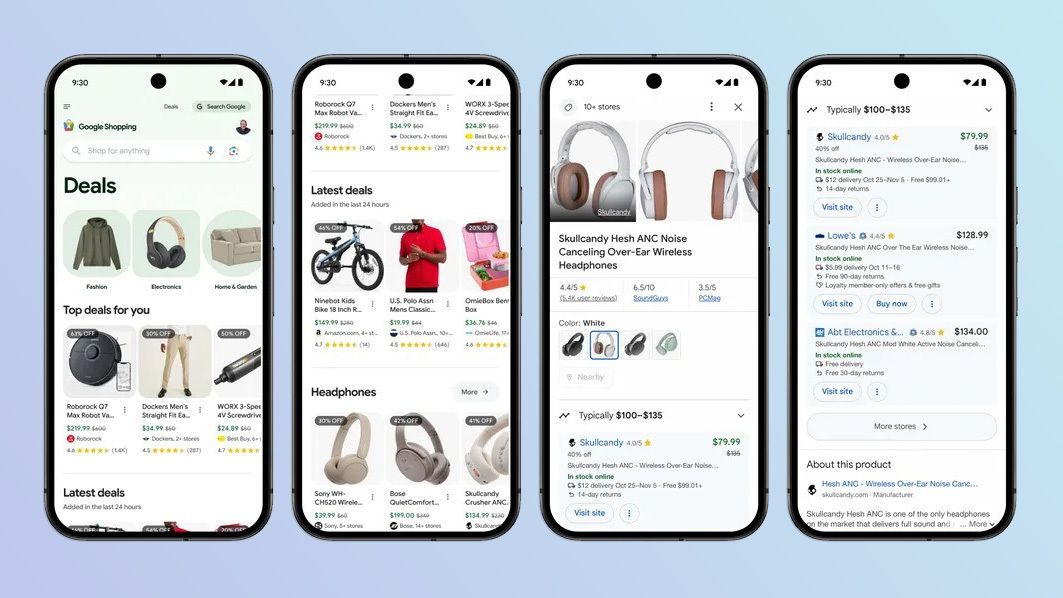
Google Shopping Ads — also known as Product Listing Ads or PLAs — are a type of advertisement that appears in Google Search results and on the Google Shopping tab. They display a product image, the product name, the price, and the store name. Sometimes they also show additional information like special offers, ratings, or shipping details.
They appear in a visually distinct format — usually a horizontal strip of product cards at the top of the search results page, or sometimes as a prominent sidebar. On mobile devices, they often dominate the top of the screen before any other results appear.
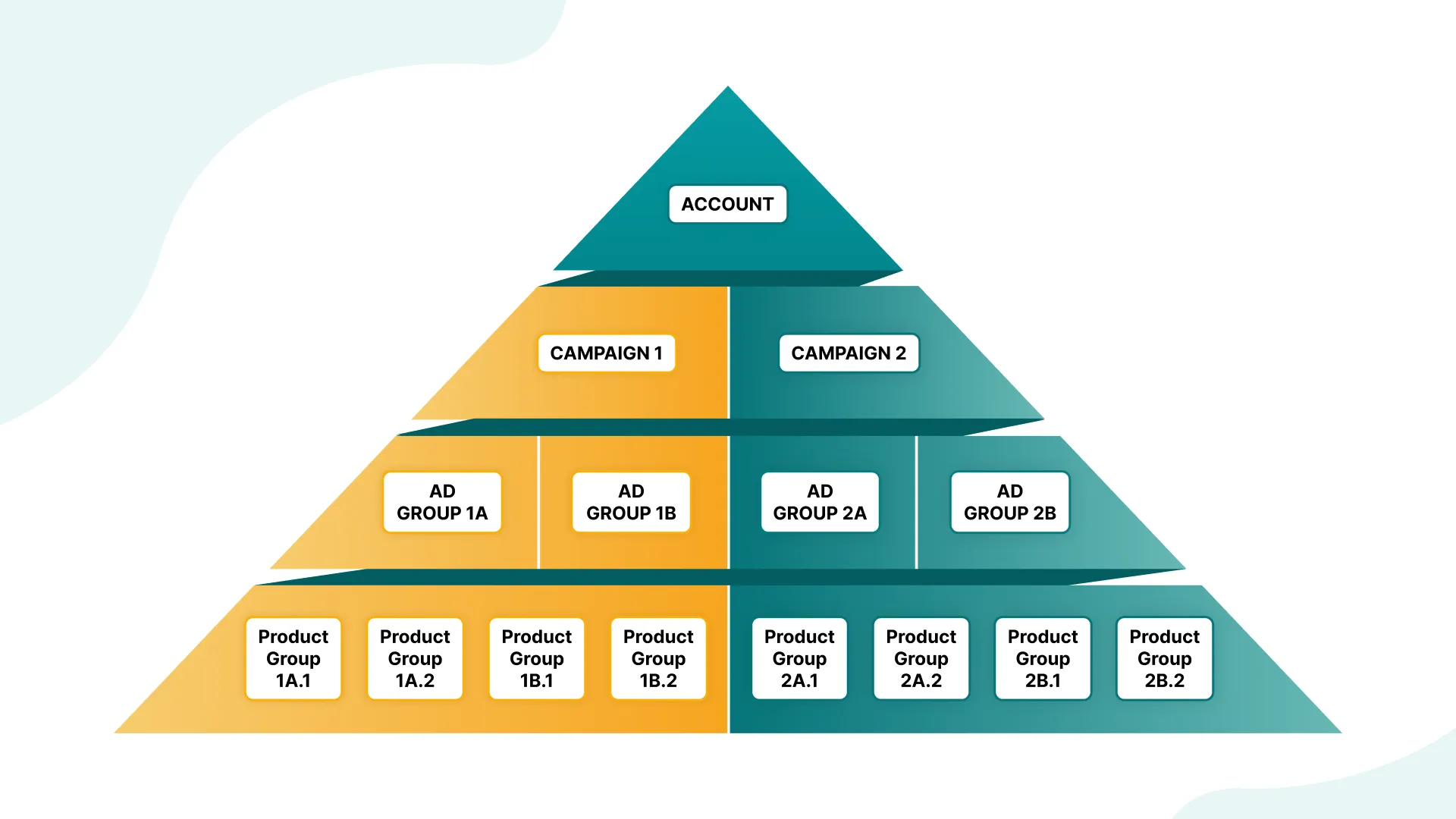
What makes Shopping Ads technically different from regular text ads is how they are created and managed. Regular text ads are written manually — you compose the headline, the description, the display URL. Shopping Ads are generated automatically from a product data feed.
A product data feed is essentially a structured file — usually a spreadsheet or XML file — that contains detailed information about every product in your catalogue: the product name, description, category, price, availability, product image URL, and other attributes. You upload this feed to Google Merchant Center — a free platform separate from but connected to Google Ads. Google then uses this data to automatically generate Shopping Ad cards for your products.
When someone searches for something that matches your products, Google’s algorithm determines which of your products is most relevant to that search and displays the corresponding Shopping Ad card. It pulls the image from your product feed, the price, the title, and your store name — and assembles the ad card automatically.
This automatic generation is significant because it means your entire product catalogue can be advertised simultaneously — potentially thousands of products — without manually writing a single ad. The feed does the work of creating the ads. Your job is to ensure the feed is accurate, complete, and well-optimised.
The Pre-Click Qualification — Why This Changes Everything
The most important concept in understanding why Google Shopping Ads are so powerful is what I call pre-click qualification.
In traditional advertising — and in traditional text-based search ads — qualification happens after the click. The customer reads your ad, finds it interesting enough to click, arrives at your website, sees the product, and then decides whether it matches what they want.
If it matches — great. You have a potential buyer on your product page.
If it does not match — they leave. You have paid for a click that was never going to convert. The customer’s time was wasted. Your budget was wasted.
With Google Shopping Ads, the qualification process moves to before the click.
The customer sees the image, the price, and the product name in the search results. Based on that information, they make a preliminary judgment: is this what I am looking for? Does it look right? Is the price within my range?
If the answer to any of these questions is no — they do not click. They might look at the next product card. Or they might refine their search. But they do not click on your ad. And you do not pay for that non-click.
If the answer is yes to all of them — they click. They arrive on your product page with a much higher level of pre-existing alignment between what they wanted and what you are offering. They have already seen the product. They have already processed the price. They are arriving at your page not to discover whether they might be interested, but to confirm the details and complete the purchase.
This shift from post-click to pre-click qualification has measurable, significant impacts on conversion rates. Visitors who arrive at a product page through a Shopping Ad convert at substantially higher rates than visitors arriving through many other channels — because by the time they click, they have already made a preliminary yes decision.
The click, in a Shopping Ad context, is not the beginning of the evaluation process. It is closer to the end of it.
What the Customer Is Seeing — And What That Means

Let us walk through the actual experience of a customer encountering Google Shopping Ads, because the details of that experience reveal why the format is so effective.
A woman in Mumbai is looking for a gift for her daughter’s birthday. She types “silver anklet for teenager” into Google on her phone.
The first thing she sees — before organic results, before text ads — is a row of Shopping Ad product cards. Each card shows a photograph of a silver anklet, a price, and a store name.
She scans the images quickly. Most of them are too plain or too elaborate for what she has in mind. But one catches her attention — a delicate design with small stars, exactly the style her daughter tends to like, priced at ₹850. She registers all of this information in approximately three seconds without clicking anything.
She taps on that product card.
She arrives on the product page. The image matches what she saw in the search results. The price is ₹850. She reads the description — 925 sterling silver, hypoallergenic, suitable for sensitive skin. She checks the return policy. She sees four-star reviews. She adds it to cart and purchases.
Total time from search to purchase: under six minutes.
Now notice what happened in that experience. Before she clicked, she already knew what the product looked like, what it cost, and where it was being sold. The click was made with nearly all of the relevant information already in hand. The product page existed to confirm and complete — not to introduce and persuade.
This is the profound practical advantage of image-first advertising for physical products. For any product where visual appearance is part of the purchase decision — which is almost every physical product — showing the product before the click reduces friction, increases qualification, and accelerates the purchase journey in a way that no text-based format can match.
The Merchant Center — The Engine Behind the Ads
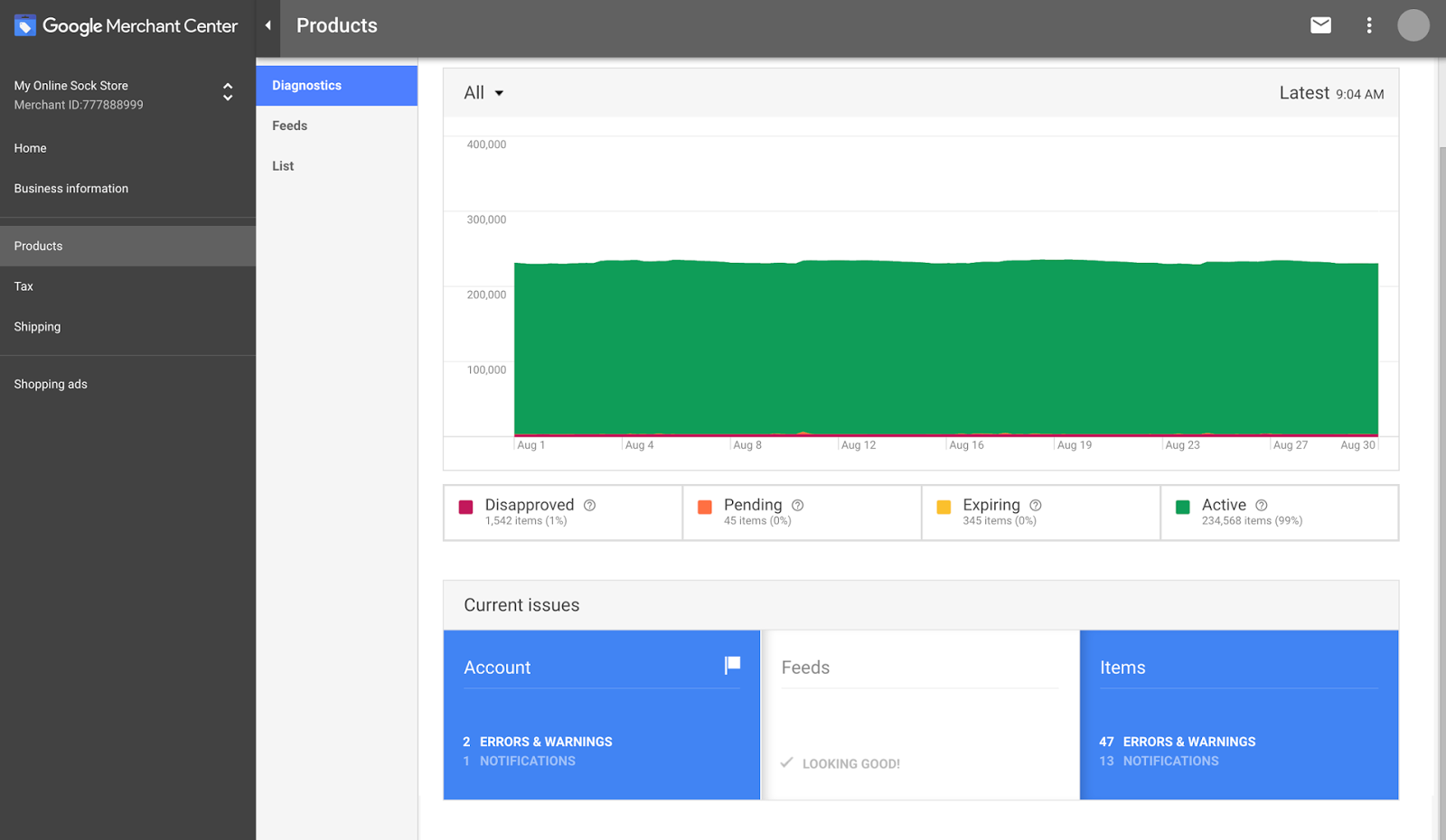
Understanding Google Merchant Center is important because it is the infrastructure that makes Shopping Ads possible — and the quality of your Merchant Center setup directly determines the quality of your Shopping Ads.
Google Merchant Center is a free platform where online retailers upload and manage their product data. Think of it as the bridge between your product catalogue and Google’s advertising systems. Your products live in Merchant Center. Your Shopping Ads in Google Ads draw from Merchant Center. If your Merchant Center data is accurate, complete, and well-structured, your Shopping Ads will be high-quality. If your data is incomplete, inaccurate, or poorly structured, your ads will underperform — or not run at all.
Setting up Merchant Center involves several steps.
First, you create a Merchant Center account and verify that you own your website. This requires adding a small piece of code to your site or verifying through Google Search Console.
Second, you configure your business information — shipping settings, tax settings, return policy. These details appear in your Shopping Ads and influence both Google’s willingness to show your ads and the customer’s willingness to click on them. A clearly stated free return policy, for example, can meaningfully increase click-through rates.
Third — and most importantly — you create and upload your product feed. This is the structured data file containing all your product information. The quality of this feed is the foundation of your entire Shopping Ads performance.
A well-constructed product feed includes accurate and descriptive product titles, detailed product descriptions, high-quality product images, precise categorisation using Google’s product taxonomy, current and accurate pricing, real-time inventory status, and all relevant product attributes — size, colour, material, brand, GTIN or SKU numbers.
Each of these elements serves a specific purpose. The title tells Google what the product is and which searches it should match with. The description provides additional context for Google’s matching algorithm. The image is what the customer sees first. The price is a key filter for customers with budget constraints. The availability status prevents ads from showing for out-of-stock products — which wastes ad spend and frustrates customers.
Product Titles — The Underappreciated Key to Shopping Ad Performance
Of all the elements in a product feed, the product title is the one that most directly influences which searches your Shopping Ad appears for — and therefore which customers see it.
Most online retailers make the same mistake with product titles: they write them for aesthetics rather than for search relevance.
They name a product “Ethereal Blue Dream Kurta” because it sounds evocative and brand-aligned. The problem is that nobody searches for “Ethereal Blue Dream Kurta.” They search for “blue cotton kurta for men XL” or “casual blue kurta below 1000.”
Google uses the product title as one of the primary signals for determining which searches to show the product for. A title that accurately describes the product using the language real customers use in search will match with more relevant searches and appear in front of more potential buyers.
A poorly optimised title: “Ethereal Blue Dream Kurta — Summer Collection”
A well-optimised title: “Men’s Blue Cotton Kurta — Casual Fit — Regular Length — Sizes S to XXL”
The second title contains the words people actually search for: men’s, blue, cotton, kurta, casual. Google can match this title to a far wider range of relevant search queries than the first.
For a large catalogue, optimising every product title individually is a significant undertaking. But the return on that investment is substantial — because every improvement in title quality translates directly into better matching and better ad performance.
Product Images — The Visual Front Door of Your Brand
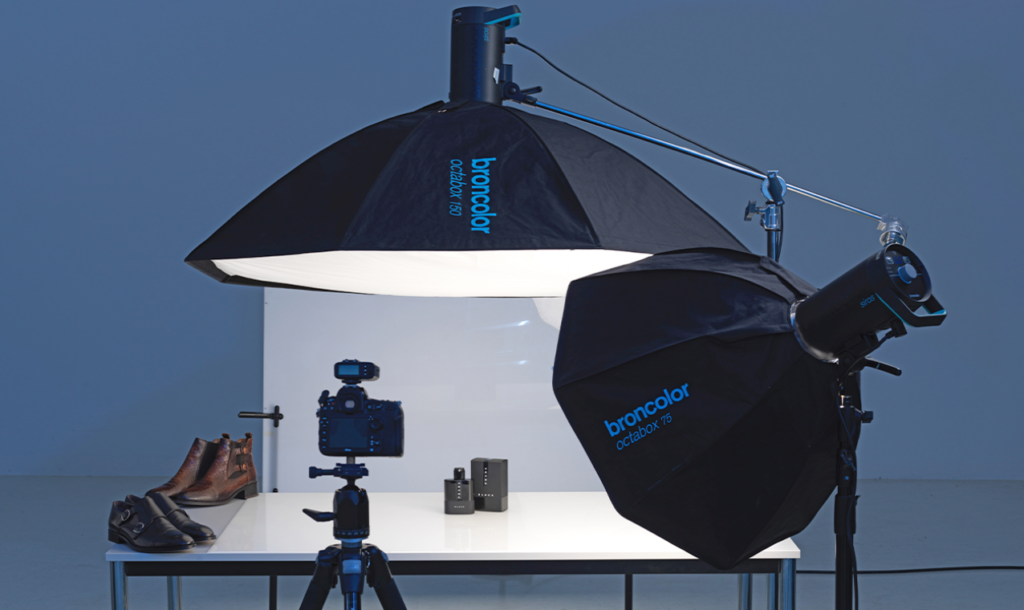
If product titles are the engine of Shopping Ads — the mechanism that determines which searches your products appear for — product images are the face. They are what the customer actually sees and reacts to.
And in a format where the customer is making a preliminary purchase decision based largely on a thumbnail photograph, image quality is not a nice-to-have. It is a fundamental determinant of whether anyone clicks on your ad.
Google has specific technical requirements for Shopping Ad images — minimum dimensions, no watermarks, no promotional overlays, no borders. But beyond the technical requirements, there are quality considerations that separate high-performing Shopping Ads from mediocre ones.
High-performing product images are clean and uncluttered. The product is the subject of the image, not a supporting element in a busy scene. The background is typically white or very light — which makes the product pop visually and ensures it does not clash with the white background of the Shopping Ad card format.
High-performing product images show the product clearly and accurately. The colour in the image matches the actual colour of the product. The scale is apparent. If relevant, the product is shown from multiple angles — and Google allows multiple images per product, which it can rotate to test which performs best.
High-performing product images are consistent across a catalogue. When a customer scrolls across a row of Shopping Ad cards, a catalogue with consistent, clean, professional imagery looks established and trustworthy. A catalogue with inconsistent imagery — some products with white backgrounds, some with lifestyle scenes, some shot in poor lighting — looks unprofessional and erodes confidence.
For many small retailers, product photography is the single highest-impact improvement they can make to their Shopping Ads performance. A one-time investment in professional product photography — or even a well-executed DIY shoot with a clean backdrop, good natural light, and a decent smartphone — can meaningfully lift click-through rates across an entire catalogue.
Pricing Transparency — The Radical Honesty of Shopping Ads
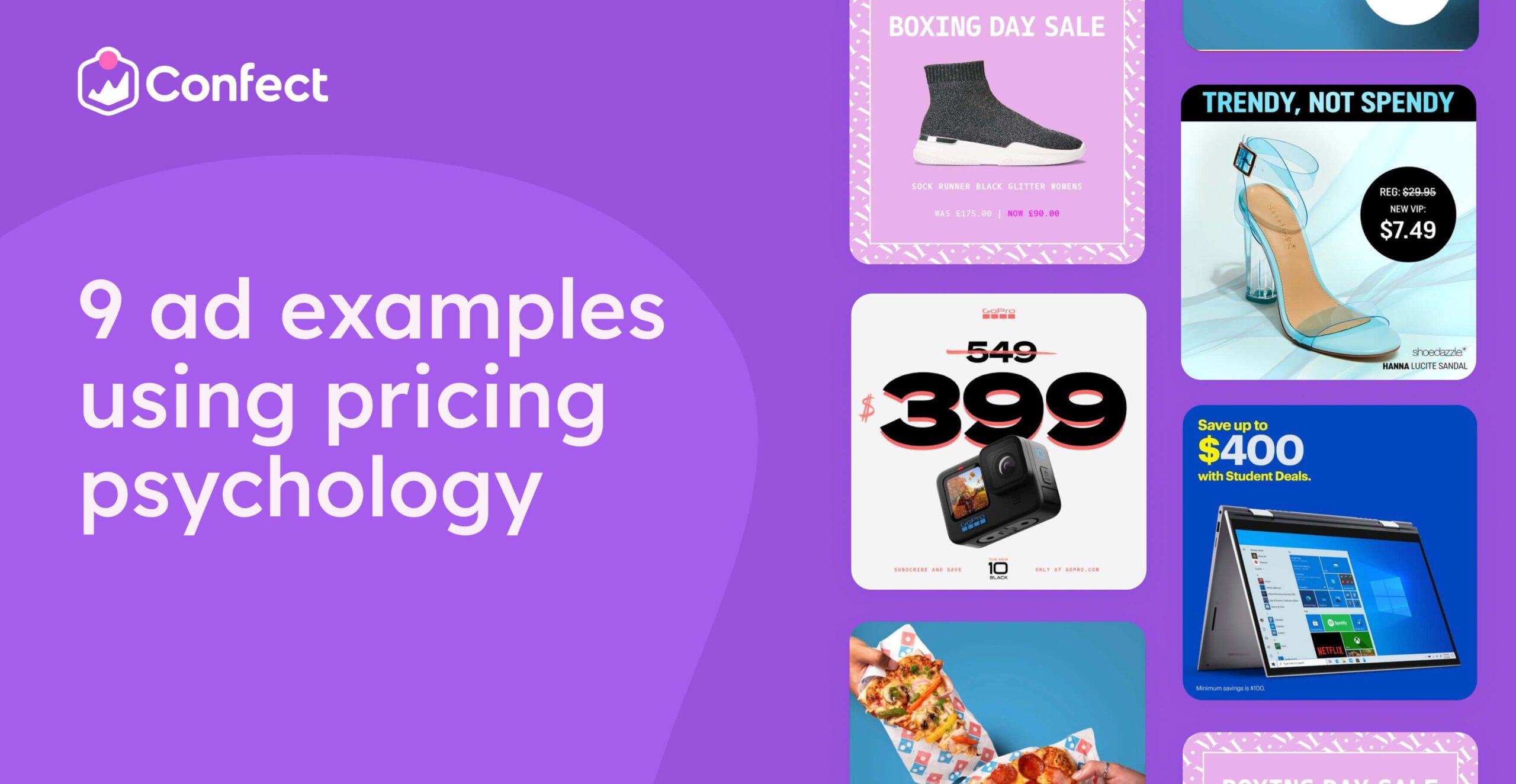
One of the most psychologically interesting aspects of Google Shopping Ads is the price transparency they enforce.
In most forms of advertising, prices are optional. A television ad rarely mentions a specific price. A hoarding for a jewellery brand does not display a price list. Even many text search ads omit pricing, choosing instead to drive curiosity clicks that land on a product page where the customer discovers the price.
Shopping Ads show the price upfront. Always. It is a required element of every Shopping Ad card.
This feels exposing for some retailers — especially those who are not the cheapest option in their category. And it is true that price-sensitive customers will quickly filter out products they cannot afford based on the price shown in the Shopping Ad card.
But here is the other side of that coin: the customers who do click after seeing your price are customers who have already accepted your price point. They are not clicking to discover the price and then decide. They already know and they clicked anyway.
This means the customers arriving at your product page through Shopping Ads are pre-filtered for price acceptance. They are not going to see the price on the page and abandon because it is too high — they already know what it is. One of the most common causes of e-commerce abandonment — price shock on the product page — is largely eliminated for Shopping Ad traffic.
For premium or mid-range retailers, this is a significant advantage. Yes, bargain hunters will filter themselves out at the search results stage. But the customers who click are genuinely interested buyers who are comfortable with the price. The quality of the traffic is higher precisely because the qualifying has already happened.
Competitive Landscape in the Search Results — What Multiple Shopping Ads Actually Tell Customers
Here is a dimension of Google Shopping Ads that most retailers do not think about but that has real strategic implications.
When someone searches for a product on Google, they typically see multiple Shopping Ads from multiple retailers simultaneously — all displayed side by side in the same horizontal strip.
This is, in one sense, competitive exposure. Your product is sitting next to your competitors’ products, prices visible, images side by side. The customer can compare at a glance.
For a retailer with inferior product quality, uncompetitive pricing, or poor product photography, this direct comparison is a problem. Their product will lose the visual comparison every time.
But for a retailer with good product quality, competitive pricing, and excellent product photography, this direct comparison is actually a powerful advantage.
Because in that side-by-side display, differentiation happens automatically and immediately. The customer is not reading about why your product is better. They are seeing it — with their own eyes, in the moment of comparison. A better image, a cleaner design, a more attractive price-to-quality signal, a more compelling product — all of these things communicate themselves visually in seconds.
The Shopping Ads format rewards the retailer with the better product and the better presentation. It is a meritocratic display format in a way that text-only ads can never be — because text can obscure difference through clever writing, but images reveal it.
Performance Max — The Evolution of Shopping Ads
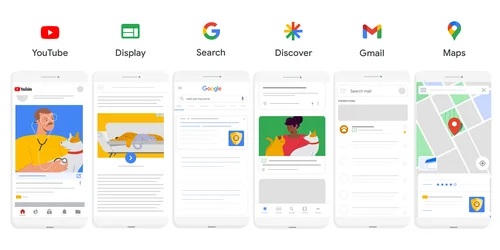
Google’s advertising products evolve continuously, and the most significant recent evolution in Shopping Ads is the introduction of Performance Max campaigns.
Performance Max — often abbreviated as PMax — is Google’s automated campaign type that uses machine learning to show your products across all of Google’s advertising channels simultaneously: Search, Shopping, Display, YouTube, Gmail, and Maps. It uses your product feed from Merchant Center as its core input and automatically determines where, when, and how to show your products to maximise conversions.
The advantage of Performance Max is reach and automation. Rather than manually managing separate campaigns for Shopping, Display, and YouTube, PMax manages all of them in a single campaign, optimising automatically toward your conversion goals.
The trade-off is control. With standard Shopping campaigns, you have granular control over which products appear for which searches, at what bids. With Performance Max, you cede much of that control to Google’s automation. The algorithm makes decisions based on conversion data — which is powerful when you have sufficient conversion history, but can be less predictable when data is thin.
For most e-commerce retailers, the recommended approach is to start with standard Shopping campaigns to build conversion data and understand which products and search terms perform best. Once that foundation is established — with a reasonable volume of conversions giving the algorithm enough to learn from — transitioning to or supplementing with Performance Max can broaden reach and improve efficiency through Google’s machine learning.
The Feed Quality Flywheel — Why This Gets Better Over Time
One of the most valuable characteristics of Google Shopping Ads for retailers who invest in them seriously is that the returns compound over time in a meaningful way.
As your product feed improves — better titles, better images, more complete attributes — your ads become more relevant to more searches. More relevant ads get higher Quality Scores from Google, which means lower costs per click and better ad positions.
As your Shopping Ads drive more conversions, Google’s algorithm learns more about which customers are most likely to purchase your products. This learning improves the targeting and efficiency of future ad delivery.
As you optimise your product pages based on Shopping Ad traffic — improving images, descriptions, page load speed, and checkout flow — conversion rates improve. Better conversion rates mean more purchases from the same number of clicks, which reduces your effective cost per acquisition.
And as your product catalogue grows — more products in Merchant Center means more potential ad cards, reaching more search queries, covering more of the potential demand for products in your category.
Each of these improvements feeds the others. Better feed quality leads to better targeting leads to more conversions leads to better algorithm performance leads to better efficiency leads to the ability to scale investment leads to more data leads to further optimisation.
This flywheel is not immediately obvious when you are setting up your first Shopping campaign. The early weeks feel like learning and iteration with modest results. But the businesses that persist through that initial phase and continue improving their feed quality, product photography, and landing pages find that the system becomes progressively more efficient and more powerful with each passing month.
Who Should Be Using Google Shopping Ads — And Who Should Not

Google Shopping Ads are extraordinarily powerful for the right businesses. But they are not the right tool for every business, and being honest about that is more useful than a blanket endorsement.
Shopping Ads are most powerful for businesses that sell physical products with clear visual appeal — clothing, jewellery, electronics, home decor, furniture, sporting goods, beauty products, accessories. Basically, anything where the customer’s purchasing decision is influenced by what the product looks like.
They are also effective for businesses selling commodity products where price comparison drives decisions — if you sell a well-known brand of headphones at a competitive price, appearing in Shopping results puts you in front of buyers who are already searching for that product and allows your price to do the competitive work.
They are less suited for services — you cannot put a photograph of a consulting engagement or a coaching session in a Shopping Ad card. They are not appropriate for highly customised or bespoke products where standard product attributes do not apply. They are challenging for very niche products with extremely low search volume — if nobody is searching for what you sell, Shopping Ads will not generate impressions regardless of feed quality.
And they require an e-commerce infrastructure — a website where products can be purchased online, with accurate pricing and inventory information that can be fed into Merchant Center. A physical-only retailer without an online purchasing capability cannot fully leverage Shopping Ads, though they can use Local Inventory Ads — a related format that shows in-store product availability to nearby searchers.
The Future of Shopping — Where This Is Going
Google Shopping Ads are not a static format. They are evolving rapidly, driven by improvements in visual search technology, augmented reality integration, and artificial intelligence.
Visual search — the ability to search for products using an image rather than words — is growing steadily. A customer who sees a pair of earrings they like on a friend can photograph them and search Google for similar products. Shopping Ads are increasingly integrated with this visual search capability, meaning that retailers with well-structured product feeds and high-quality images will surface in visual search results as the technology matures.
Augmented reality features — allowing customers to virtually try on glasses, see how furniture looks in their home, or preview how a paint colour would look on their wall — are being integrated with Shopping results, and the retailers whose product data and images are structured to support these experiences will have a significant advantage as adoption grows.
AI-powered feed optimisation — automatically improving product titles, descriptions, and attribute matching based on performance data — is making it progressively easier for smaller retailers to compete on feed quality with larger ones who have dedicated teams managing their product data.
The direction of all of these developments is consistent: more visual, more personalised, more frictionless. The gap between seeing a product and purchasing it continues to narrow. And the retailers who invest in the infrastructure — quality product data, excellent imagery, seamlessly optimised product pages — are the ones who will benefit most as that gap closes.
The Insight That Changes How You Think About Online Retail
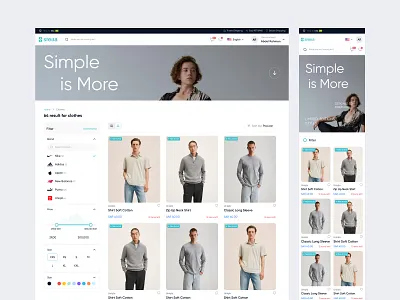
Let me bring this back to the moment we started with.
A customer searches for a blue cotton kurta. Before clicking anything, before visiting any website, before reading any product description — they see the product. They evaluate it visually. They see the price. They make a preliminary decision.
That moment — the pre-click evaluation — is not a small feature of the Shopping Ad format. It is the entire value proposition.
Because in that moment, the retailer with the best product, presented with the best image, at a competitive price, achieves something that no other advertising format can deliver: a customer who has already said yes before they even arrive.
Every other advertising format — text ads, display ads, social ads, billboards, television — is trying to create interest in a product the customer has not yet seen. Shopping Ads start from a fundamentally different place. They show the product first. They let the product speak for itself. They put the visual reality of what you are selling at the very front of the customer journey.
For physical products, this is not just a better advertising format. It is the natural format — the digital equivalent of a shop window that passers-by can browse before deciding whether to walk in.
The shop window has always been one of retail’s most powerful selling tools. Google Shopping Ads are its digital evolution — available not just to the businesses on the best commercial streets, but to every retailer with a product worth showing and the knowledge of how to show it well.
Written by Digital Drolia — practical digital marketing insight for businesses that want to grow intelligently in the digital age. Found this useful? Share it with an online retailer who is still relying on text-only ads to sell products that deserve to be seen