


Why Jump Cuts Are the Most Used Editing Technique by Top YouTubers in 2026

Let me show you something you have already seen thousands of times without necessarily knowing what it was called.
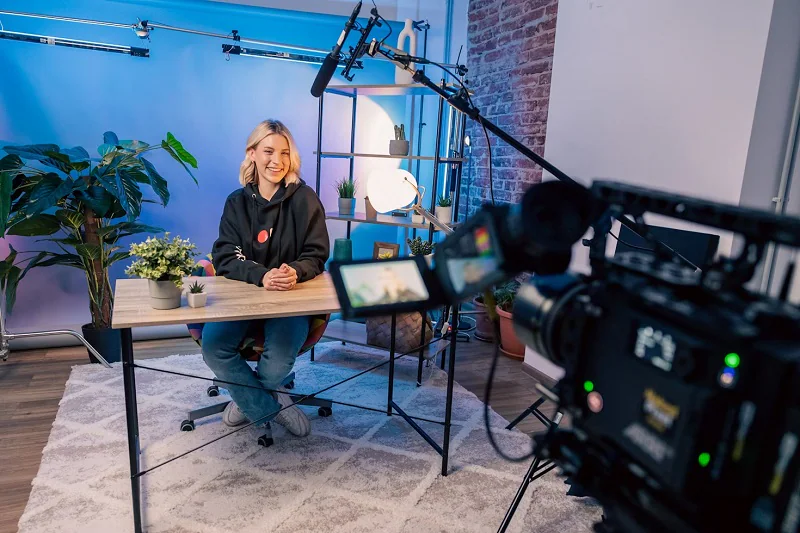
You are watching a YouTuber. They are sitting in front of their camera, talking directly to you. Maybe they are explaining how to invest in index funds. Maybe they are reviewing a new phone. Maybe they are telling a story about something that happened to them last week.
And then — so quickly you barely notice — something shifts. The YouTuber’s head is in a slightly different position. Their hand has moved. Their mouth is mid-sentence in a new thought. The camera angle has not changed. The background has not changed. But something jumped.
You are not confused by this. You do not feel disoriented. You barely register it consciously at all. You just keep watching, absorbing the information, following the story.
What just happened was a jump cut.
And if you counted how many times it happened in the average YouTube video you watched this week, you would probably be surprised. Ten times. Twenty times. Sometimes sixty or seventy times in a single ten-minute video.
Jump cuts are everywhere. They are in virtually every talking-head video produced by professional YouTubers. They are in brand content, in vlogs, in tutorials, in commentary channels, in interviews, in documentaries made for online platforms. They have become so embedded in the visual language of online video that most viewers do not consciously notice them — they simply experience their effect, which is a video that moves with energy, removes wasted time, and holds attention with a kind of relentless forward momentum that raw, unedited footage never achieves.
In 2026, the jump cut is not just a technique. It is the defining visual grammar of online video content. Understanding why — and understanding how to use it well — is one of the most practical things any video creator can know.
What a Jump Cut Actually Is — Precise Definition
A jump cut is a cut between two shots that are nearly identical in framing and subject but are discontinuous in time — creating a visible jump in the action or speech without any transition to smooth the gap.
In traditional filmmaking, jump cuts were considered errors. The grammar of classical cinema was built on continuity — the careful maintenance of an illusion that time and space flow uninterrupted from shot to shot. When a cut between two shots broke this continuity — when a person’s position shifted inexplicably, when a sentence was interrupted mid-word and resumed mid-different-word — it was considered a technical failure, evidence that the editor had not done their job.
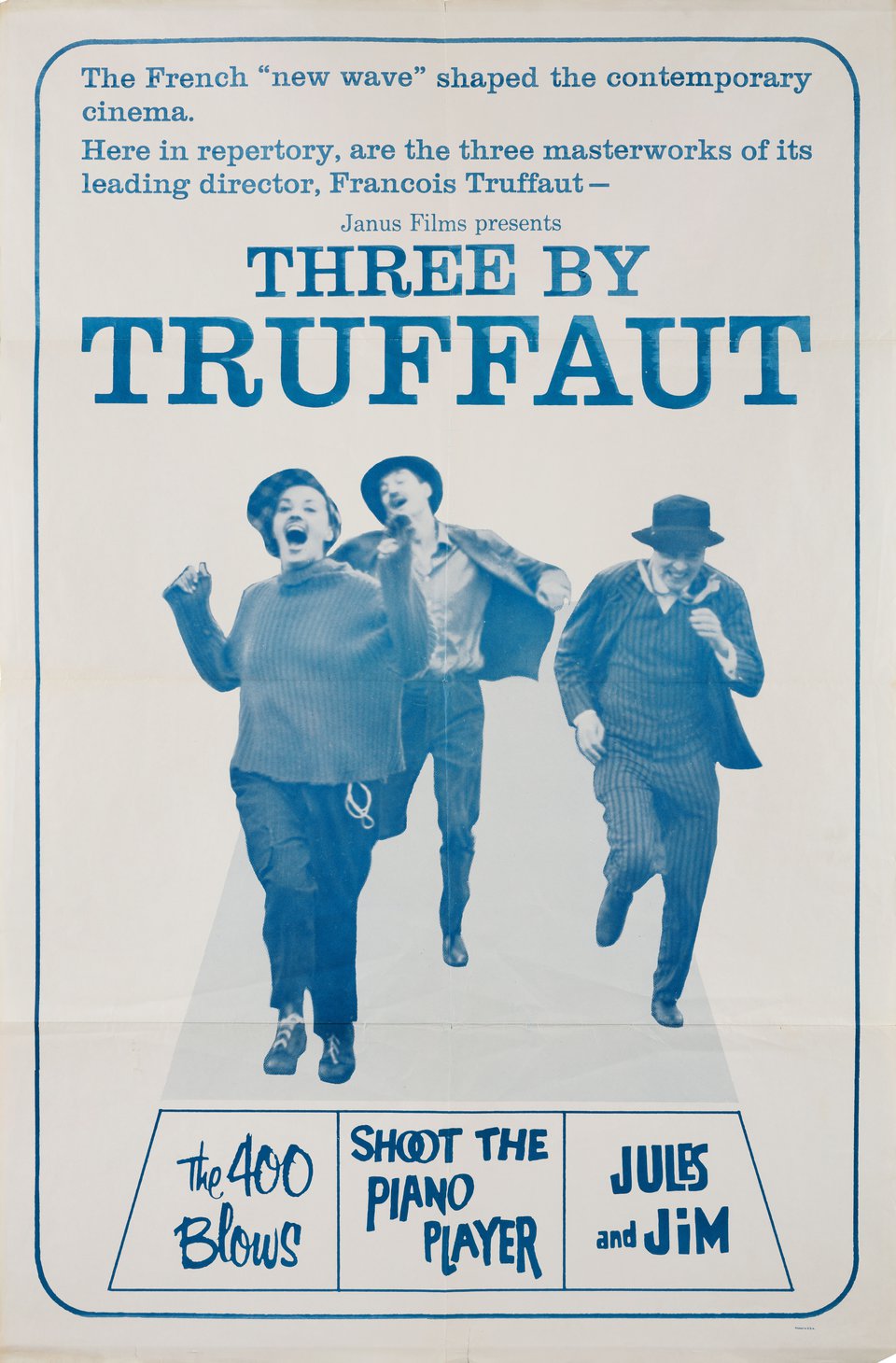
The French New Wave filmmakers of the late 1950s and early 1960s — Jean-Luc Godard most famously, in films like Breathless — began using jump cuts deliberately, as a stylistic statement. They wanted their films to feel disruptive, self-aware, alive to their own artificiality. The jump cut was a way of breaking the smooth surface of cinematic illusion and reminding the viewer that they were watching something constructed.
This deliberate, artistic use of jump cuts was provocative and influential in cinema. But it remained a niche technique — something you chose for artistic reasons, not something that appeared in the ordinary language of mainstream film and television.
YouTube changed this completely. And it changed it not through artistic intention but through practical necessity — and then through the discovery that practical necessity had accidentally produced exactly the right aesthetic for online video.
How YouTube Created the Jump Cut Era
When YouTube launched in 2005 and the first generation of video creators began making content, they were working with constraints that established filmmakers and television producers did not face.
They had no editors. No post-production teams. No continuity supervisors. They were one person — or occasionally two or three — filming themselves with a webcam or a consumer camcorder, in their bedroom or their living room, talking about things they found interesting.
When they filmed, they made mistakes. They lost their train of thought and restarted. They stumbled over a word and tried again. They paused for too long, searching for the right phrase. They went off on tangents and came back. They coughed. Their cat walked across the desk.
All of these moments were in the raw footage. And the simplest way to remove them was to cut them out — to splice the footage so that the moment before the mistake ran directly into the moment after it, with no attempt to disguise the join. A jump cut.
These early YouTubers were not making artistic statements. They were solving a practical problem with the fastest available solution. The jump cut was not chosen for aesthetic reasons. It was chosen because it took thirty seconds instead of thirty minutes.
What nobody predicted was that viewers would not just tolerate this visual discontinuity — they would prefer it to the alternative.
Compared to unedited footage that included every pause, every stumble, every tangent and restart, the jump-cut version felt tight, energetic, and respectful of the viewer’s time. The jumps that theoretically broke the rules of visual continuity were doing something far more valuable in practice: they were removing every moment that did not add value, leaving only the moments that did.
The aesthetic that had been a pragmatic solution became a stylistic norm. And as the first successful YouTubers developed audiences, the jump cut style they used became the visual language that new creators learned to imitate — not because they were solving a pragmatic problem but because that aesthetic had become inseparable from what online video was supposed to look and feel like.
By 2026, a talking-head video edited with smooth, slow, traditional transitions — the kind of editing conventions that television and film had used for decades — feels oddly formal and slow to an audience raised on YouTube. The jump cut aesthetic is not just acceptable. It is expected. Its absence feels like something is wrong.
The Psychology of Why Jump Cuts Work
The instinctive reaction to learning about jump cuts from a traditional film grammar perspective is to wonder why they work. They break continuity. They interrupt the smooth flow of time. They draw attention to the fact that something has been removed. By all the rules of classical editing, they should be disorienting.
Why are they not?
The answer involves several converging psychological factors.
Cognitive efficiency and the removal of dead time
The human brain is extraordinarily efficient at pattern completion. When a speaker is mid-thought and a jump cut brings them to mid-next-thought, the viewer’s brain does not experience this as a missing piece of information. It bridges the gap automatically — inferring that the removed section was a pause, a hesitation, or a repetition, and moving smoothly forward with the content that remains.
This bridging happens unconsciously and in milliseconds. The viewer is not aware of doing it. They simply experience a video that moves without wasted moments.
In contrast, unedited footage forces the brain to wait — to sit through the pause, the hesitation, the stumble — without any new information arriving. This idling is cognitively uncomfortable. The brain, expecting new information, receives nothing. Attention drifts. The viewer reaches for their phone.
Jump cuts eliminate the idling. Every moment of the video is delivering something — information, humour, argument, story. The brain is continuously engaged.
The authenticity signal
Perhaps counterintuitively, jump cuts carry a strong authenticity signal in the specific context of online video.
Traditional broadcast media — television, film — used smooth, invisible editing to create an illusion of polished, continuous reality. The production values of traditional media signalled professionalism through the very absence of visible craft.
YouTube created a counter-aesthetic where visible craft — the jump cut being the most literal example — became a signal of authenticity rather than a sign of amateur production. A video with visible jump cuts is a video where a real person clearly filmed themselves, edited out the rough parts, and left the genuine content. It is a video that has not been smoothed into an illusion of seamless production. It feels like a person talking to you rather than a broadcast speaking at you.
This authenticity signal resonates particularly powerfully with younger audiences who have grown up with online video and who have a finely calibrated sensitivity to the difference between genuine communication and produced performance. Jump cuts, in this context, are not evidence that the creator does not know what they are doing. They are evidence that the creator is not pretending to be something other than what they are.
The energy and pacing effect
Jump cuts create rhythm. In a talking-head video, the cuts between sentences and thoughts function similarly to the beat of music — they create a pulse, a tempo, a sense of forward movement that holds attention the way rhythm holds a listener.
A video with well-timed jump cuts feels alive. It has energy. The viewer feels pulled through the content rather than sitting through it. This energetic quality is partly why jump-cut-heavy YouTubers feel more engaging than traditionally filmed and edited talking-head content, even when the information content is identical.
The Different Types of Jump Cuts — Not All Are the Same
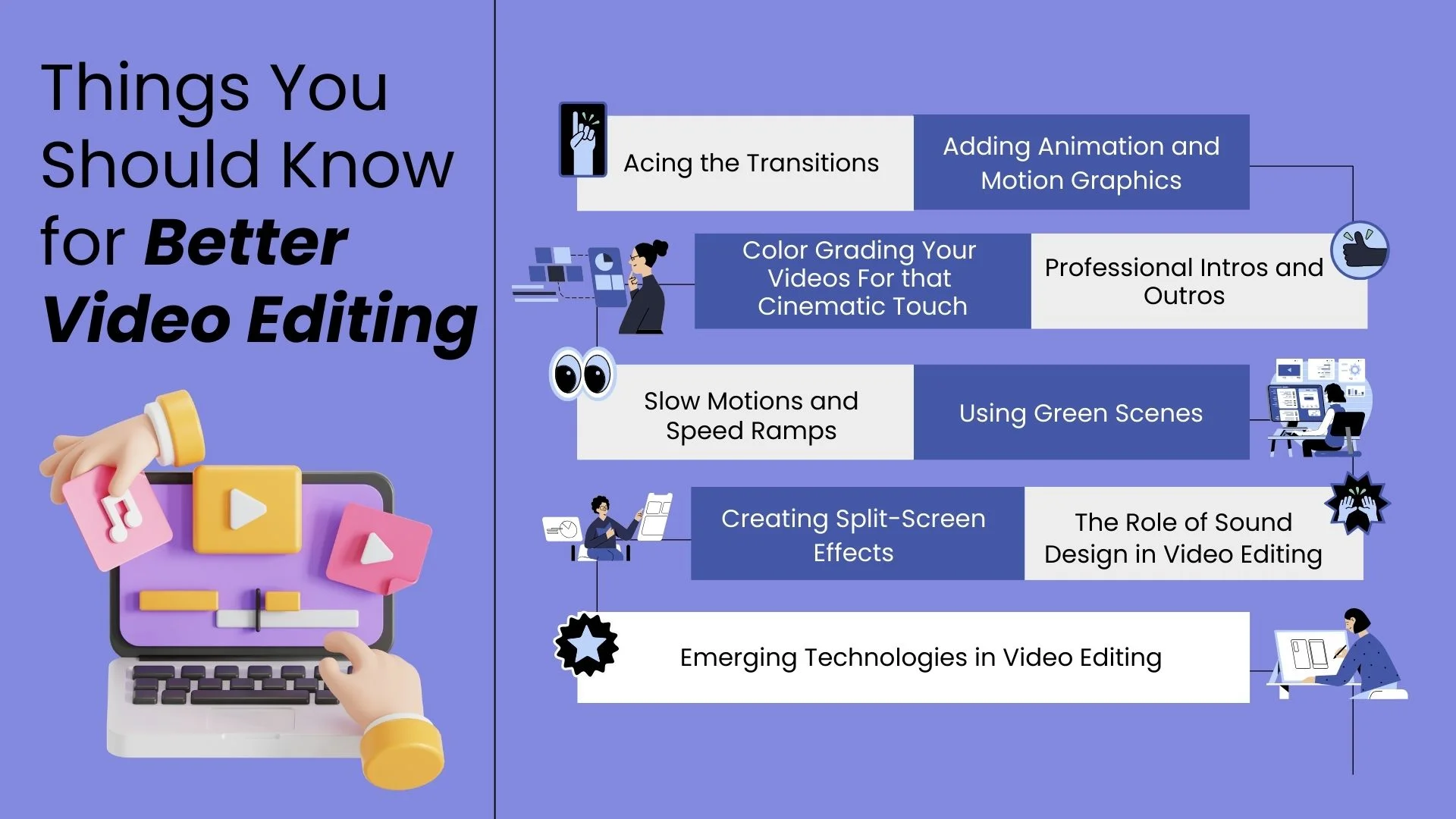
“Jump cut” is used as a single term but it describes several related but distinct techniques, each with slightly different purposes and effects.
The Silence Jump Cut
The most basic form. The creator pauses between sentences or mid-sentence — to think, to breathe, to collect their thought. The jump cut removes the pause. The cut is between two continuous pieces of speech with the silence between them eliminated.
This is the jump cut that beginners learn first and use most. It is applied to every pause in the footage. The result is speech that runs without gaps — continuous, forward-moving, dense with content.
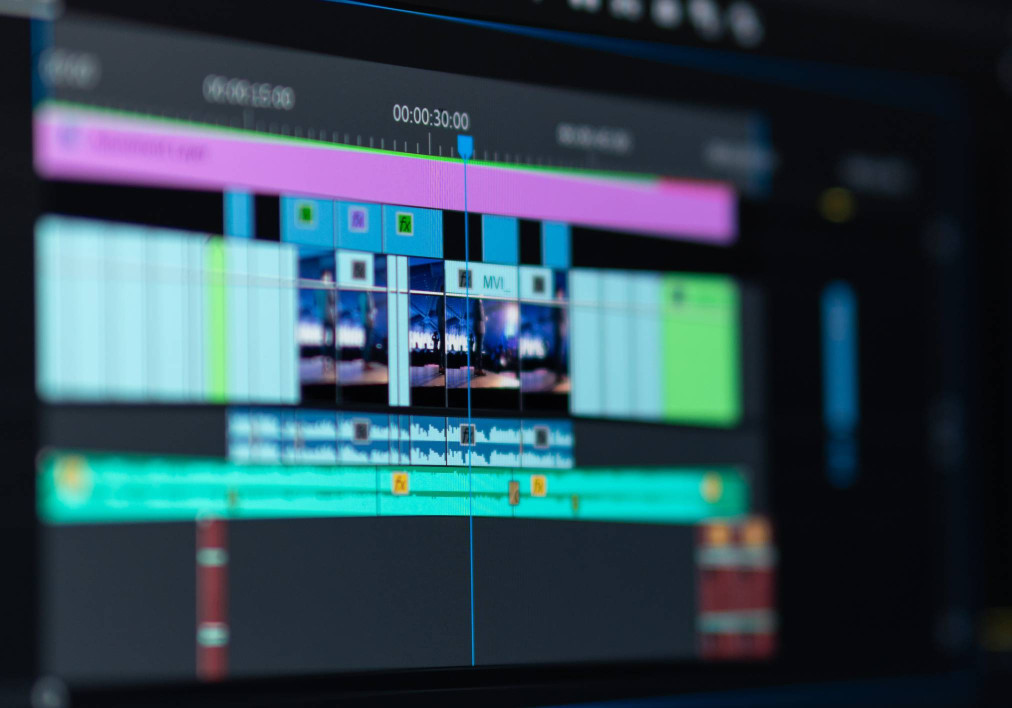
The silence jump cut is the foundation of efficient talking-head editing. Every pause in raw footage is an opportunity to apply it. In a ten-minute talking-head video filmed without scripting or tight preparation, removing every significant pause through silence jump cuts can reduce the video from ten minutes to six or seven — a dramatic improvement in perceived energy and efficiency.
The Mistake Jump Cut
The creator stumbles, mispronounces, restarts a sentence, loses their train of thought, or says something they want to restate more clearly. The jump cut removes the error and begins immediately with the clean version.
This is the jump cut that replaces retakes. Instead of stopping filming, resetting, and filming the same section again — which takes time, disrupts flow, and produces footage that is harder to edit because you have multiple takes to choose between — the creator simply continues, says “let me redo that,” and says it again. In the edit, the mistake and the restart instruction are removed and only the clean version remains.
The viewer has no idea this happened. They see a single, fluent, confident statement. The creator had to say it twice or three times to get there. The editing removed the evidence of the process.
The Tangent Jump Cut
The creator goes off on a tangent — an anecdote that is interesting but not central to the video, a digression about context that would extend the video without adding proportionate value, a repeated point that was covered adequately earlier. The tangent is removed entirely, with a jump cut connecting the end of the relevant content before the tangent to the beginning of the relevant content after it.
This is the most editorially significant type of jump cut because it requires judgment about content — about what adds value and what does not. The silence jump cut and the mistake jump cut are purely technical decisions. The tangent jump cut is a structural decision. The editor is deciding what the video should contain, not just how the contained content should flow.
Used well, tangent jump cuts are responsible for the tightness that distinguishes good YouTube videos from rambling ones. They are the difference between a creator who talks for twenty minutes and delivers ten minutes of value and a creator who talks for twenty minutes and delivers twenty minutes of value — by editing out the ten minutes that were not adding anything.
The Energy Jump Cut
This is the stylistic rather than practical application — used deliberately to create an abrupt, energetic change in pace rather than to remove unwanted content.
A creator might use an energy jump cut between a slow, quiet passage and an animated, fast one — cutting directly between the two without a transition to create a deliberate jolt of contrast. Or they might use a series of rapid jump cuts in succession — three or four in quick succession — to create a frenetic, comedic rhythm.
The energy jump cut is most associated with YouTubers whose editing style is itself part of their brand — channels where the editing is flamboyant and performative rather than invisible. It is a technique that requires confidence and intentionality to use effectively, because without clear intention it reads as erratic rather than energetic.
The Jump Cut in Practice — How Top YouTubers Use It
Watching successful YouTubers with an analytical eye reveals not just that they use jump cuts but how they use them — and the patterns reveal a sophistication that is not immediately obvious to a casual viewer.
The pace varies by content type
Top creators do not apply jump cuts uniformly throughout their videos. They vary the pace of cuts to create the sense of emotional and informational rhythm that we discussed in our post about music.
Dense, information-heavy passages — where the creator is explaining a concept, making an argument, working through a calculation — tend to have faster jump cuts, creating a sense of efficiency and confidence. The viewer feels pulled through the explanation at exactly the pace that keeps them engaged without losing them.
Moments of emotional weight — a personal story, a vulnerable admission, a moment where the creator pauses genuinely rather than performatively — tend to have fewer cuts, or no cuts at all. The creator is allowed to breathe. The viewer is given time to feel. The contrast between the tight, energetic pace of the informational sections and the more spacious pace of the emotional sections makes both more effective.
The J-cut and L-cut modify the jump cut
Experienced editors rarely use pure jump cuts — cuts that are identically framed before and after the join. They combine jump cuts with subtle audio techniques — the J-cut, where the audio of the next section begins a fraction of a second before the video cut, or the L-cut, where the audio of the current section continues briefly after the visual has cut to the next.
These audio bridges make jump cuts feel smoother than they technically are. The viewer’s brain registers the audio continuity and interprets the visual jump as less abrupt than a pure cut would feel. The result is editing that is tight and efficient without feeling choppy.
The camera angle change resets the clock
One of the most effective techniques that YouTubers use to maintain the benefits of jump cut editing while preventing viewer fatigue is changing the camera angle periodically.
A series of jump cuts in the same frame becomes visually repetitive after a while — the viewer starts to notice the pattern, which means the technique is no longer invisible. But if the creator cuts to a different angle — a wider shot, a tighter close-up, a slightly different angle on the same talking position — the jump cut between shots of different framing feels natural, like an editing choice rather than a mechanical removal of pauses.
Many successful YouTubers film themselves with two cameras simultaneously for this reason — a primary camera at normal talking distance and a secondary camera at a different focal length or slight angle. The secondary camera footage exists primarily to give the editor the ability to use angle changes to smooth out jump cut sequences that would otherwise feel choppy.
The zoom and reframe
An alternative to the second camera is the reframe — a post-production technique where the editor digitally zooms into the footage between jump cuts, creating a different apparent framing without having filmed with a different camera.
A shot at 100 percent of its original scale becomes a shot at 115 percent of its original scale at the next cut — creating a subtle push-in that disguises the jump as a deliberate camera movement. Done conservatively, this is largely imperceptible to the viewer. Done too aggressively, it looks like the footage has been zoomed into and the image quality deteriorates visibly.
Filmora’s reframe and zoom tools make this technique accessible without requiring either a second camera or advanced compositing skills — one of the reasons it has become so widely used in independently produced YouTube content.
The Jump Cut and Platform Dynamics in 2026
In 2026, the jump cut’s dominance is reinforced by the platform dynamics of the major video distribution channels — and understanding these dynamics explains why the technique has become more prevalent, not less, as online video has matured.
YouTube’s algorithm rewards watch time and completion rate
YouTube’s recommendation algorithm gives significant weight to watch time — how long viewers spend watching a video — and to completion rate — what percentage of the video the average viewer watches. Videos with high watch time and completion rates are recommended more broadly, creating a virtuous cycle of wider reach.
Jump cut editing directly improves both metrics. By removing every moment that does not add value, it reduces the incentive for viewers to click away at any particular point. Every remaining moment is content — information, entertainment, emotion — and the absence of dead time removes the most common trigger for viewer abandonment.
This algorithmic reinforcement means that well-edited videos with effective jump cuts perform better in YouTube’s recommendation system than equivalent content that has not been edited with the same tightness. The technique that began as a pragmatic solution is now reinforced by the platform’s own distribution mechanics.
Short-form platforms intensify the aesthetic
YouTube Shorts, Instagram Reels, and the broader short-form video landscape have created a secondary training environment where jump cut aesthetics are taken to an even greater extreme.
In a sixty-second video, there is no room for any dead time at all. Every second must contribute or the viewer swipes away — and the swiping away is instantaneous, not a gradual drift of attention. The jump cut discipline required for short-form content makes the same technique in long-form content feel relatively relaxed by comparison.
Creators who have developed their editing sensibility primarily on short-form platforms bring an intense version of the jump cut aesthetic to their longer-form content — and their audiences, trained by short-form consumption, respond positively to it.
The attention span adaptation
There is ongoing debate about whether heavy jump cut editing has shortened audience attention spans or whether it is responding to attention patterns that were always there. Whichever is true, the practical reality is that audiences who consume significant quantities of online video in 2026 have developed a tolerance for — and preference for — the pace of editing that jump cuts enable.
Content that does not match this pace does not just feel slow. It feels like the creator is not respecting the viewer’s time. Whether this preference is innate, culturally learned, or algorithmically trained is an interesting question. Whether it is the reality that content creators need to respond to is not in question.
Jump Cuts Across Different Content Types — Where They Work and Where They Do Not
The jump cut is extraordinarily versatile but it is not universal. Understanding where it works well and where other approaches are more appropriate is part of using it with craft rather than habit.
Where jump cuts work best
Talking-head videos of any kind — tutorials, commentary, opinion pieces, educational content, vlogs, personal stories — are the natural home of the jump cut. These formats involve a single person speaking directly to camera, and the technique was essentially developed for this format. Anywhere the primary content is one person talking, jump cuts are the appropriate tool for tightening.
Interview content benefits substantially from jump cut editing — removing the hesitations, tangents, and restarts that make raw interview footage feel meandering and allowing the best moments to be assembled into something cohesive and engaging.
Vlog and behind-the-scenes content — where the creator is moving through environments and events — benefits from jump cuts used to remove the connecting tissue between the interesting moments. Rather than watching someone walk from one location to another, the jump cut takes them there instantly.
Where jump cuts require modification
Emotional narratives — personal stories about loss, recovery, transformation — can use jump cuts but require a lighter touch. The tight, energetic pace of standard jump cut editing can undercut emotional weight. Spaces need to be preserved. Moments need to breathe. The discipline of removing dead time applies, but “dead time” is defined more conservatively — some silences are not dead, they are weighted.
Nature and landscape content — where the experience is about presence in a place rather than efficient information delivery — is typically better served by longer takes with fewer cuts, allowing the viewer to inhabit the visual experience rather than be rushed through it. Jump cuts in this context feel impatient.
Character-driven documentary content — where the viewer is being introduced to real people whose personalities need time to be understood — benefits from allowing subjects to take the time they need. Over-cutting in pursuit of efficiency can reduce complex people to efficient information delivery machines, stripping the humanity that makes documentary compelling.
Where jump cuts actively hurt
Highly formal or ceremonial content — corporate speeches, official announcements, ceremonial events — would look amateurish and disrespectful if edited with heavy jump cuts. The visual grammar of these contexts expects continuity.
Content where authenticity of the unedited moment is the specific value proposition — live streams, real-time reactions, certain documentary formats — would undermine their own premise by using jump cuts. The viewer has specifically chosen an unedited experience. Editing it defeats the purpose.
Learning to See Jump Cuts — The Exercise That Accelerates Your Skill
The fastest way to develop your own jump cut sensibility is a simple exercise that you can do while watching any YouTube video.
Watch the video twice. On the first watch, simply enjoy it as a viewer. On the second watch, do nothing but count the jump cuts. Note when they happen — between sentences, within sentences, at the beginning of a new point. Note the pace at which they occur — faster in some sections, slower in others. Note how your experience as a viewer changes in the sections with more cuts versus the sections with fewer.
Then ask yourself: where would I have cut if I were editing this? Are there moments where the cut comes a fraction too early, before the thought is complete? Are there moments where the cut comes too late, after the moment has already lost its energy?
This analytical watching — training yourself to see the craft that is normally invisible — accelerates your editorial intuition in a way that no amount of passive consumption can. Every video you watch analytically is a free lesson in editing from the creator who made it.
The top YouTubers whose editing you admire have spent years developing this intuition — about where the cut should be, how tight the pace should run, when to let a moment breathe. Their editing looks effortless because the intuition is now reflexive. But the intuition was built from exactly this kind of analytical observation, compounded over thousands of hours of watching and making.
Practical Jump Cut Workflow in Filmora
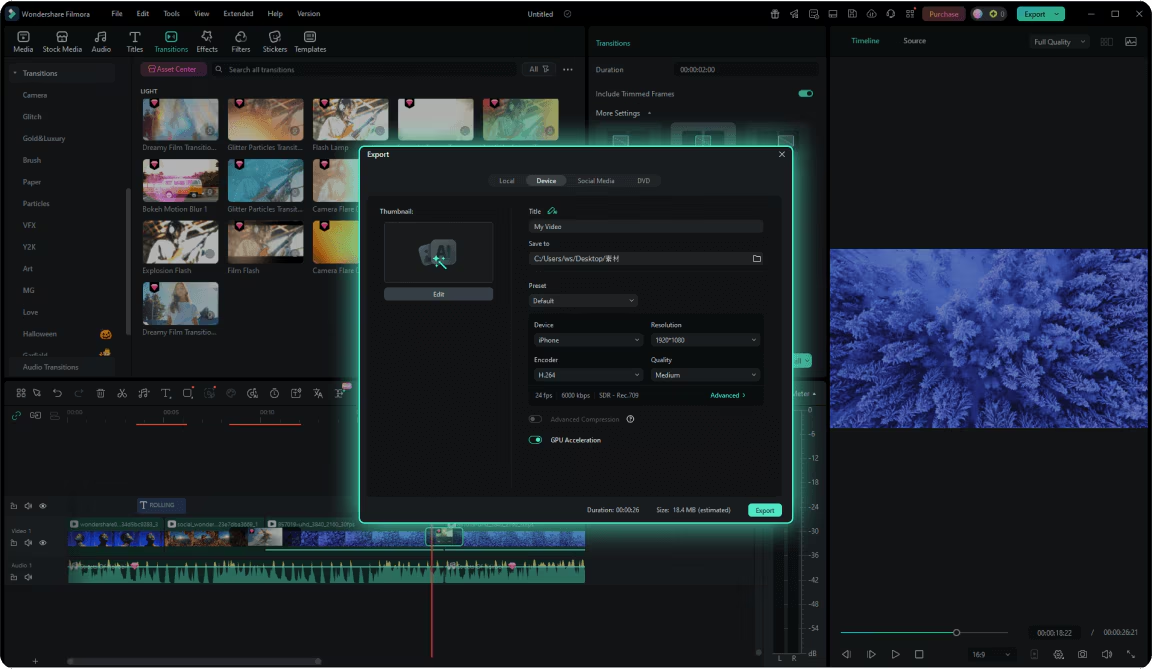
For creators using Filmora — or any professional editing tool — here is the specific workflow for efficient jump cut editing.
Import all footage and create a rough assembly
Do not edit on the raw footage itself. Import everything into the project and create a rough assembly — place all the clips in sequence on the timeline in roughly the order they were filmed. This gives you a complete picture of what you have before making any decisions about what to remove.
Watch the rough assembly once through without touching anything
Watch it completely. Make notes. Mark the timestamps of the parts that are genuinely good — the moments of clarity, energy, humour, or insight that you definitely want to keep. Mark the timestamps of the parts that are clearly dead weight — the false starts, the pauses, the tangents, the repetitions.
Apply rough jump cuts first
Using Filmora’s razor tool or blade tool, make rough cuts to remove the most obvious dead weight — the long pauses, the clear mistakes, the extended tangents. Do not try to be precise at this stage. Make the cuts roughly and get the rough cut down to approximately the target length.
Refine the cuts
With the rough structure established, go through the timeline cut by cut and refine each one. For silence jump cuts, trim each cut to remove the last fraction of silence before the next word begins — the difference between a tight, energetic cut and a slightly saggy one is often a single frame. Filmora’s trimming tools allow frame-by-frame precision.
Apply audio bridges where needed
Identify the jump cuts that feel slightly abrupt even after visual refinement. Apply J-cuts or L-cuts to these moments — adjusting the audio in and out points to create a slightly overlapping audio bridge that smooths the visual jump.
Add the reframe variation pass
Go through the edited timeline and identify sequences of three or more consecutive jump cuts in the same framing. For each such sequence, apply a subtle zoom variation to alternate cuts — 100 percent, 105 percent, 100 percent — to create the illusion of camera movement that disguises the jump cut sequence.
Final watch on full screen
Export a draft version or switch Filmora to full-screen preview and watch the complete edited video. Pay attention to where your attention drifts — those are the places where the pace is still too slow or the content is still not tight enough. Make the final adjustments. Export the final version.
The Jump Cut as Philosophy — What It Represents Beyond Technique
There is a broader meaning to the dominance of the jump cut in 2026 that goes beyond its technical function.
The jump cut is a technique that is fundamentally about respect for the viewer’s time. Its entire purpose is to remove every moment that asks the viewer to wait without providing value in return. It is the editorial enactment of a contract with the viewer: I will never waste your time.
This contract is not just stylistic. It is ethical — or at least it has an ethical dimension. In a world where everyone’s time is finite and the demands on attention are unlimited, choosing to remove the waste from your content is a choice to honour the viewer’s investment in it.
The creators who use jump cuts most effectively are not doing so because it is the fashionable technique. They are doing so because they have internalised the perspective of their viewer deeply enough to be ruthless on the viewer’s behalf — cutting everything that the viewer would not miss, and keeping everything that the viewer came for.
This is the deepest expression of what all the greatest editors have always understood: that editing is fundamentally an act of service. Not to the creator’s vision alone, but to the viewer’s experience. The jump cut is the technique that most directly enacts this service — every single cut a small act of respect for the person watching.
That is why it has become the most used editing technique by top YouTubers in 2026. Not because it is trendy. Not because the algorithm rewards it. Not because viewers have shorter attention spans than previous generations.
Because it works. Because it has always worked. Because removing everything that asks for attention without earning it is the oldest and most fundamental principle of great storytelling — and the jump cut is the technique that does it, one frame at a time.
Closing Thought — The Cut Is the Sentence. The Jump Is the Edit.
Every writer learns early that a sentence should contain no unnecessary words. Every word should earn its place. The sentence that has been trimmed to its essential meaning is stronger than the sentence that carries excess weight — not because brevity is an end in itself, but because every unnecessary word dilutes the impact of every necessary one.
The jump cut is the video equivalent of removing the unnecessary words.
Every frame that remains after a jump cut has been chosen. Every moment earns its place. The video that results is not shorter for the sake of being short — it is more powerful because everything in it is contributing, and nothing in it is merely filling time.
The woman by the window from our post about music — the one who became heartbreaking with the right music — only has the power to be heartbreaking if the jump cut has already removed the seven seconds where the camera was still being set up before she sat down.
The technique makes the emotion possible. The craft serves the content. The cut serves the viewer.
That is why, in 2026, the jump cut is not just the most used technique by top YouTubers. It is the foundational act of respect that every video made for a viewer’s attention deserves.
Written by Digital Drolia — helping creators understand the craft behind content that holds attention, builds audiences, and earns the time people choose to give it. Found this valuable? Share it with a creator who is still uploading raw footage and wondering why viewers are not watching till the end.