

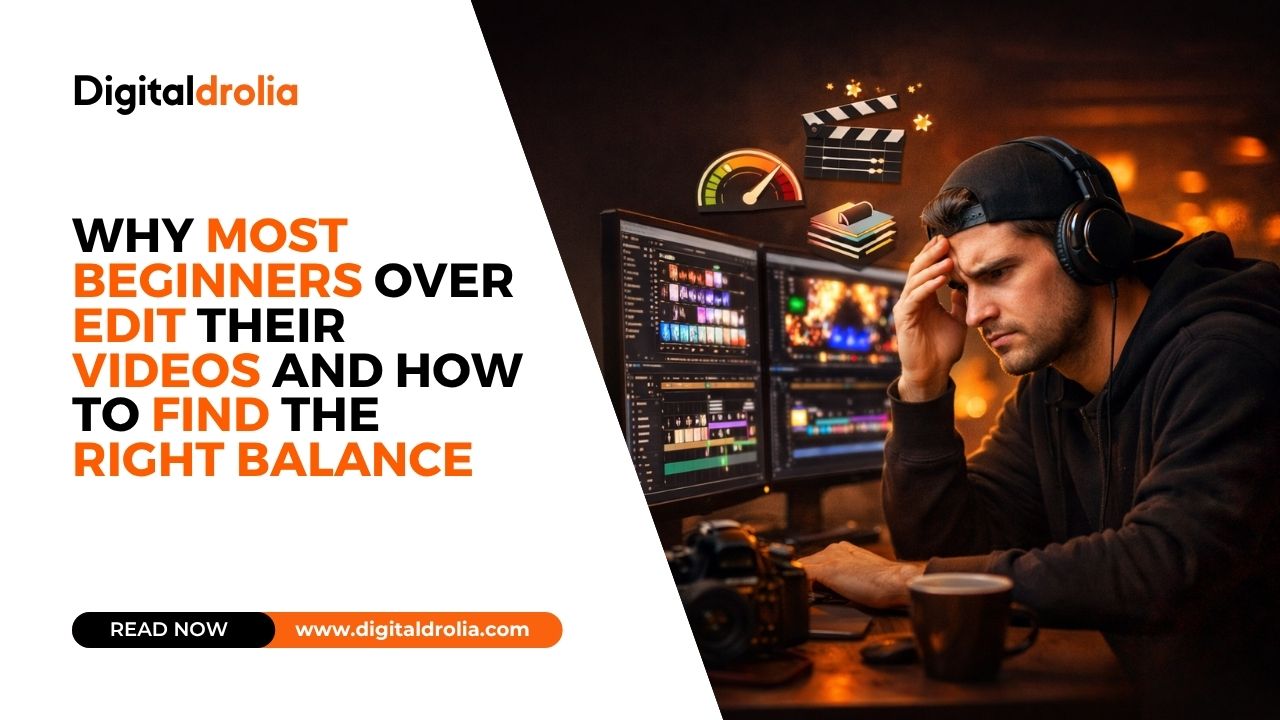
Why Most Beginners Over Edit Their Videos and How to Find the Right Balance

Let me tell you about the second video Priya Malhotra ever uploaded to YouTube.
Priya had been watching YouTube tutorials about video editing for three weeks before she filmed her first proper video — a recipe tutorial showing how to make dal makhani from scratch. She had spent those three weeks absorbing everything she could find about colour grading, transitions, text animations, sound effects, and cinematic techniques. She had downloaded Filmora, spent hours in the interface learning where every tool was, and practised on random clips from her phone’s camera roll.
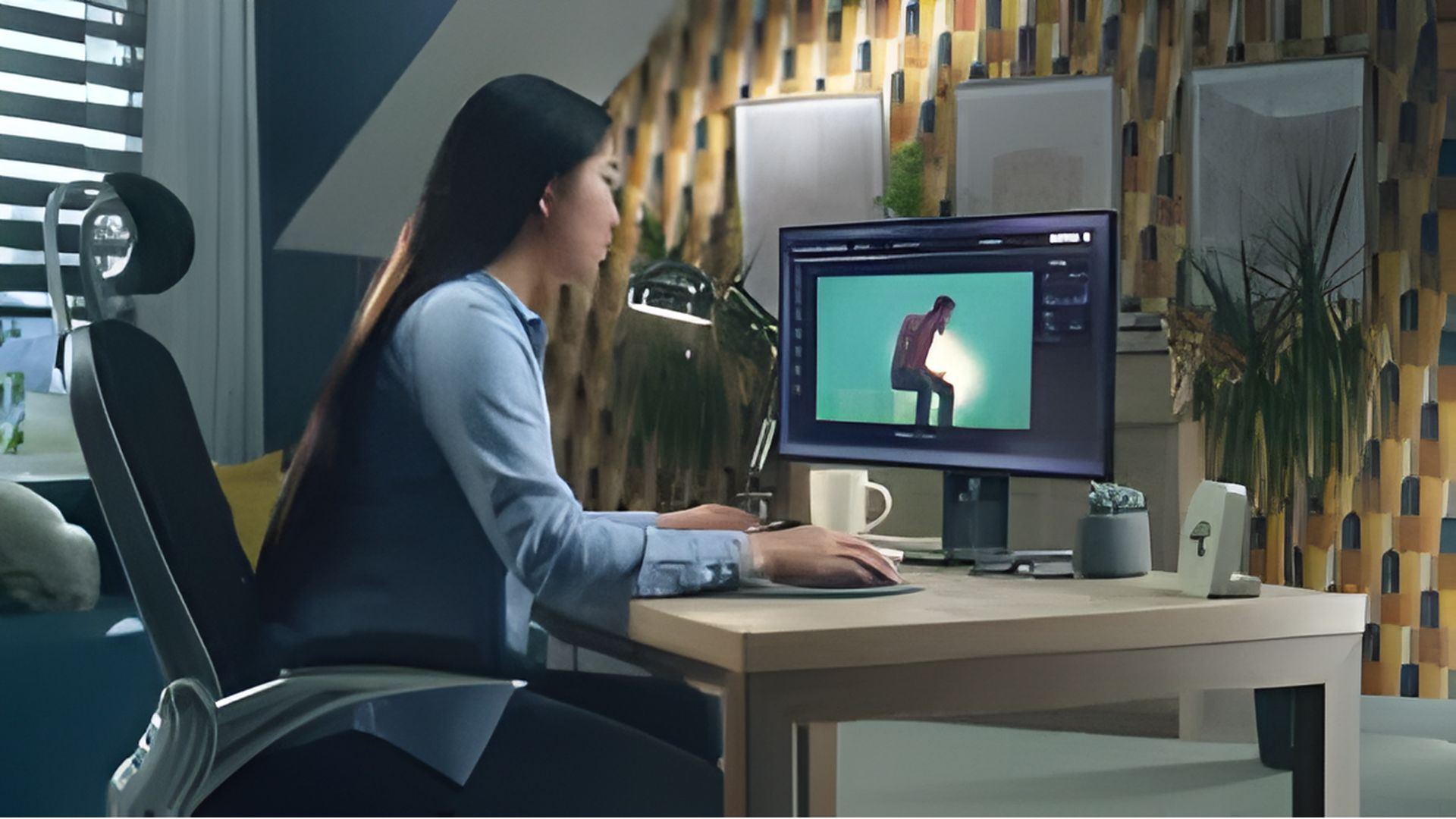
When she filmed the dal makhani video and sat down to edit it, she was ready to use everything she had learned.
She colour graded every clip individually, pushing the colours toward a warm, golden look she had seen in a food documentary. She added a transition between every single shot — not jump cuts, but animated wipes and cross-dissolves and zoom transitions that she had downloaded from a free effects pack. She added text animations for every ingredient measurement, with different entrance effects for each one. She added a whoosh sound every time the text appeared. She found a piece of upbeat music and added it at full volume. She added a vignette to every clip. She zoomed in and out within shots to create movement. She added a grain effect over the entire video because she had read that grain made videos look cinematic.
The finished video was four minutes and thirty seconds long. It had taken her nineteen hours to edit.
She watched it back before uploading. Something felt wrong but she could not identify what.
She uploaded it anyway.
The comments, when they arrived, were confused. Several people said they found it difficult to follow. One person said it felt dizzying. Another said they gave up halfway through. A kind commenter gently noted that the constant transitions were making it hard to focus on the food.
Priya went back and watched the video again with fresh eyes. This time she could see it clearly. Every few seconds, something was demanding her attention — a new transition, a new text animation, a new sound effect, another colour shift. The video was never still. It was never quiet. It never let the beautiful dal makhani simply exist on screen.
She had not made a food video. She had made a demonstration of how many editing techniques she knew.
The Over-Editing Epidemic — Why It Happens to Almost Everyone
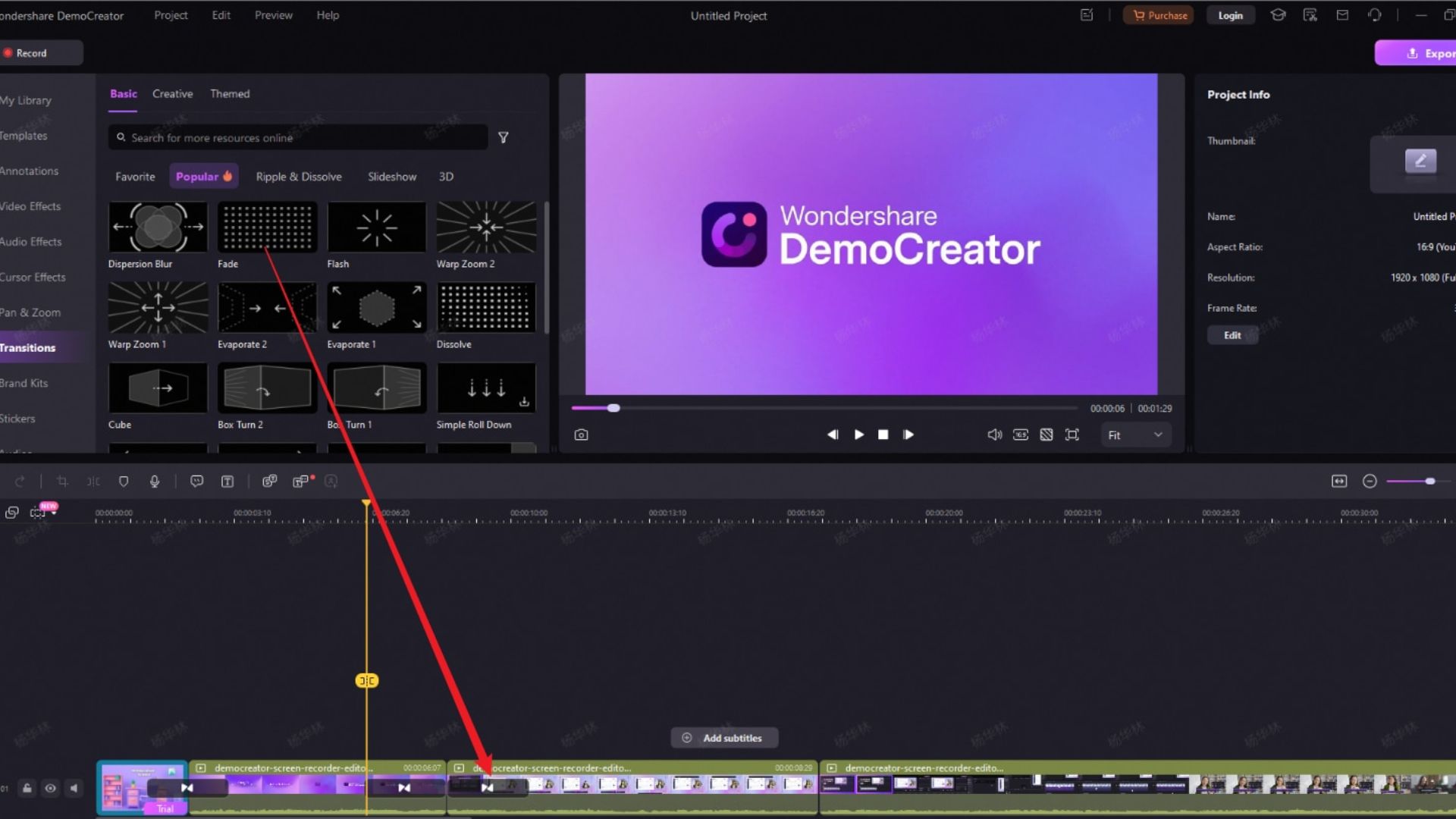
Priya’s experience is not unusual. It is so common among beginners that it might be the defining characteristic of beginner video editing — the phase that almost every creator goes through and must consciously work past.
Understanding why it happens is the first step toward moving beyond it.
The new tool problem
When you learn a new skill, the learning and the doing are temporarily fused in a way that will eventually separate. A beginner musician plays every technique they know in every piece — the arpeggios, the chord inversions, the fancy runs — because the techniques are new and exciting and the playing of them is still partly about demonstrating the learning rather than serving the music.
A beginner video editor does the same thing. Every transition they have downloaded, every colour grade they have practised, every animated text style they have discovered — all of it gets used, because the use of it is still inseparable from the excitement of having learned it. The editing is partly about the editor rather than the viewer.
This phase passes naturally for most creators as the techniques become familiar enough to stop being exciting in themselves. The transition from zoom-in is no longer thrilling to execute after you have done it five hundred times. At that point, you use it when it serves the video rather than every time you can.
But understanding that this phase is happening can accelerate the transition — by helping you consciously direct your attention from what the techniques feel like to execute to what the techniques do to the viewer’s experience.
The fear of simplicity
Many beginners are afraid that simple editing will look like they have not done much work. The fear is that a clean, unadorned cut between two shots will look like they did not know how to add a transition. That a shot without a text overlay will look like they forgot to add one. That quiet footage without a constant sound effect layer will sound like they neglected the audio.
This fear is understandable but completely inverted. Restraint is harder to achieve than excess. A simple, clean edit that holds a shot exactly as long as it needs to be held, cuts when the cut serves the content, and trusts the viewer to engage without constant stimulation — this is the work of an experienced, confident editor.
The beginner packs their timeline with effects because they are not yet sure that the footage and the content can hold the viewer on their own. The experienced editor trusts the footage — and when the footage cannot hold the viewer on its own, they address the problem at the filming and content stage rather than compensating with editing excess.
The consumption-creation gap
Most beginners learn editing by watching highly polished, highly produced content — YouTube channels with full production teams, Netflix documentaries with dedicated post-production departments, commercial videos made with six-figure budgets. They see the finished product of these productions and assume that the editing is what makes them look the way they do.
But the editing in high-production content is almost always more restrained than it looks. The production value comes from the quality of the cinematography, the lighting, the location, the direction — not from aggressive editing. The editing in a well-shot film or documentary is typically clean, purposeful, and minimal because the underlying footage is good enough that it does not need to be obscured or compensated by editing technique.
Beginners see beautiful, produced content and think: “I need to edit this hard to make it look like that.” But the relationship is actually the reverse. The more beautiful the raw footage, the less editing it needs. The more confidence a creator has in what they have filmed, the more they can let it breathe without covering it with effects.
What Over-Editing Actually Does to the Viewer
Beyond Priya’s anecdotal comments, there is a specific, describable set of things that over-editing does to the viewer’s experience — and understanding these effects makes the case for restraint much more concrete.
It destroys rhythm
Good editing, as we have discussed extensively in this series, is about creating rhythm — a pace of cuts and visual changes that feels like the natural heartbeat of the content. Rhythm requires some regularity, some predictability, some sense of a pulse that the viewer can settle into.
When every few seconds introduces a new type of transition, a new text animation style, a new colour shift, a new sound effect — there is no rhythm. There is chaos. The viewer’s nervous system cannot find a pattern to relax into. The experience is not energetic — it is exhausting.
The difference between a video that feels energetic and one that feels exhausting is often exactly this: the energetic video has a consistent rhythm that creates forward momentum, and the exhausting video has constant visual and sonic novelty that the viewer must continuously process without the relief of any settled pattern.
It competes with the content
Every editing element that draws attention to itself is an editing element that is drawing attention away from the content. When the transition from one cooking shot to the next is an elaborate animated wipe that takes a full second to complete, the viewer’s attention is on the transition for that second rather than on the food.
The fundamental purpose of editing is to serve the content — to present the information, story, or experience that the creator intends the viewer to receive. Every editing choice that draws attention to itself rather than directing attention toward the content is working against this purpose.
The transitions between shots in a cooking video should be invisible — their job is to get the viewer from one cooking moment to the next without interruption or distraction. A transition that the viewer notices and thinks “that was a nice effect” has failed, because in that moment the viewer was thinking about the effect rather than the food.
It signals insecurity
This is perhaps the most counterintuitive effect of over-editing, but experienced viewers feel it clearly even when they cannot articulate it.
A video packed with effects communicates that the creator does not trust their footage or their content to hold the viewer’s attention on its own. It is the visual equivalent of speaking too fast, laughing nervously, or talking over silence — the behaviours that signal anxiety rather than confidence.
A video that uses effects sparingly and with clear intention communicates the opposite: the creator is confident that what they have filmed and what they have to say is interesting and valuable without requiring constant visual stimulation to maintain engagement. This confidence is itself attractive to the viewer — it is the visual equivalent of the calm, assured speaker who takes their time and trusts their material.
It becomes genre-inappropriate
Different types of content have different editing registers that experienced viewers have learned to associate with quality in that genre. Documentary content looks different from entertainment content. Food content looks different from action sports content. Personal finance content looks different from music videos.
When editing choices from a high-stimulus genre are applied to content from a low-stimulus genre — when a recipe tutorial uses the editing style of a gaming highlight reel — the genre mismatch creates cognitive dissonance. The viewer senses that something is wrong with the register of the content even if they cannot identify what it is. They are watching food being prepared but being told by the editing style to treat it as urgent and exciting. The two signals conflict.
The False Hierarchy of Editing Techniques
One of the most damaging beliefs that beginners bring to editing is a false hierarchy of techniques — the idea that certain techniques are more advanced, more impressive, or more valuable than others.
In this false hierarchy, a complicated animated transition is more advanced than a simple cut. A heavily graded colour treatment is more sophisticated than a natural colour correction. A dense sound effect layer is more polished than minimal audio design.
This hierarchy is completely wrong. And understanding why it is wrong is one of the most liberating things a developing creator can understand.
The value of any editing technique is not intrinsic. It is entirely contextual — determined by whether it serves the specific video in the specific moment it is applied.
A simple cut is not less sophisticated than an animated transition. A simple cut is the right choice whenever the transition needs to be invisible — whenever the cut serves the content most effectively by not being noticed. Which is most of the time in most types of video content.
An animated transition is the right choice when the transition itself carries meaning — when the physical sensation of moving through space, or the visual metaphor of one thing becoming another, serves the narrative or emotional intention of that specific moment.
The skill is not in knowing how to execute the complicated technique. It is in knowing when to use the simple one and when to use the complicated one — and having the confidence to use the simple one when the simple one is right.
Most editing mistakes are made by people who believe that the simple choice is a compromise — a settling for less than they are capable of. The truth is that the simple choice, made with clear intention, is almost always the sophisticated choice. It requires more confidence and more editorial judgment than defaulting to complexity.
What Enough Actually Looks Like — A Framework for Calibrated Editing
Moving beyond over-editing is not about under-editing — adding less as a mechanical correction to having added too much. It is about developing a framework for evaluating each editing choice on its specific merits for the specific video you are making.
Here is a practical framework that works across content types.
The justification test
For every editing choice you make — every transition, every text element, every sound effect, every colour decision, every animation — ask one question: what does this choice do for the viewer?
Not: does this look good? Not: is this technically impressive? Not: does this demonstrate my editing ability?
What does this choice do for the viewer? Does it help them navigate the content? Does it create emotional impact? Does it provide information they need? Does it create a moment of genuine delight that serves the video’s tone?
If you cannot answer this question with a specific, honest answer — if the answer is essentially “it looks cool” or “I like this effect” or “I learned how to do this and wanted to use it” — the choice should not be in the final edit.
This test is rigorous and it will initially remove many things you worked hard on and liked. That is correct. The final edit is not a portfolio of your editing skills. It is a vehicle for the viewer’s experience. It should contain only what serves that experience.
The subtraction test
For any element you have added to the edit — a transition, a sound effect, a text animation — watch the video with that element and then watch it without it. Which version is better for the viewer?
This test is easier to apply than you might expect, because in most cases the version without the element will feel cleaner and more focused — particularly for subtler elements like transitions between clips and background sound effects. The presence of the element was creating minor friction you had not previously noticed.
The elements that pass the subtraction test — the ones whose removal makes the video feel worse — are the keepers. The ones whose removal makes the video feel better or makes no difference are unnecessary.
The genre calibration test
Look at the three to five creators in your specific genre whose work you most admire — not the most popular creators generally, but the ones whose content is most like what you are trying to make. Watch their videos not as a viewer but as a student of editing.
Count how often they use transitions and what type. Notice the frequency and style of their text elements. Listen to their sound design. Observe how they approach colour.
What you will find, in almost every case, is that the editing of genuinely excellent content in any genre is more restrained than you expected. The quality you admired came from somewhere other than editing complexity — from the quality of the footage, the clarity of the content, the strength of the storytelling, the creator’s personality and expertise.
Use this observation to calibrate your own editing choices. Your editing register should be similar to the best work in your genre — not identical, but in the same neighbourhood of restraint and intentionality.
The viewer perspective test
This is the most important test and the hardest to apply honestly. Watch your edited video as if you were a stranger who has never seen it — not a viewer who knows how hard you worked on it, who knows which shots were difficult to capture, who knows what you were trying to achieve with each editing choice.
This requires genuine imaginative empathy — setting aside your attachment to the work and attempting to experience it as someone who has no investment in it. What does a stranger see? What draws their attention? What confuses them? What slows their engagement? What holds them?
Many creators find this test easier to apply after leaving the edit alone for twenty-four hours and returning with fresh eyes. The distance of time genuinely does diminish the attachment to specific choices and allows a more honest evaluation.
The Transition Problem — When Effects Become Noise
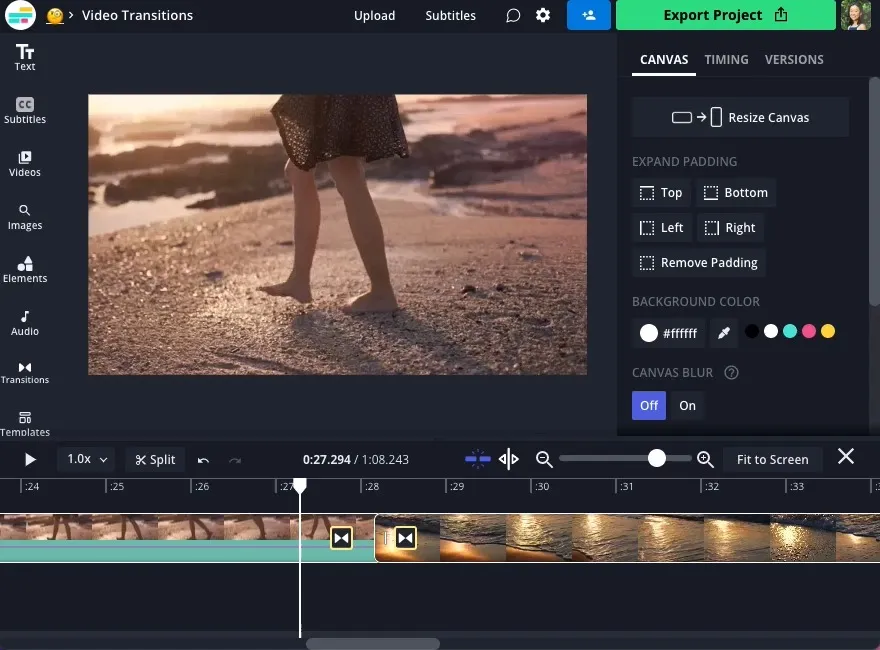
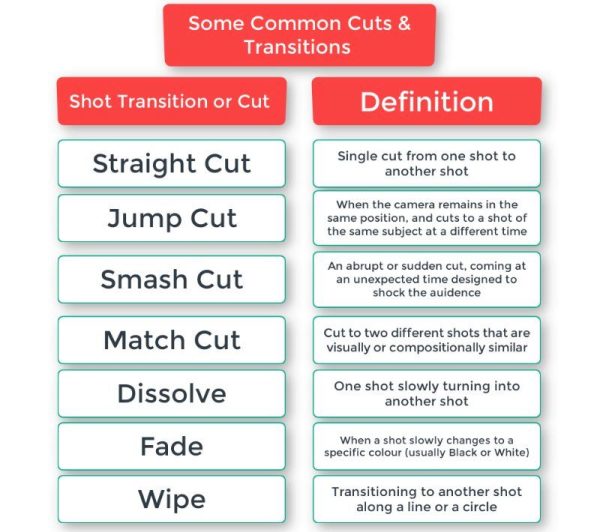
Transitions deserve a specific and extended discussion because they are the site of the most common and most visible over-editing — and because the right approach to transitions is counterintuitive enough to require careful explanation.
The default assumption of most beginners is that transitions should be visible — that the movement between two shots should be marked by a visual effect that makes the transition feel deliberate and designed. This assumption is incorrect.
In the vast majority of video editing — in documentary, tutorial, vlog, interview, food, travel, and most other non-music-video content — the cut is the correct transition. The cut — a direct, instantaneous splice from one shot to the next with no visual effect — is not the absence of a transition technique. It is a transition technique. It is the technique that says: we are in the same world, the same space, the same flow of time, and we are moving directly to the next important thing.
The cut is invisible because it matches the way the human visual system actually perceives the world. We do not experience dissolves or wipes or zoom transitions when our attention moves from one thing to another in real life. Our visual attention cuts — it is in one place and then it is in another place, with no visual effect in between. The cut in editing is mimicking this natural movement of attention, which is why it feels natural when used correctly.
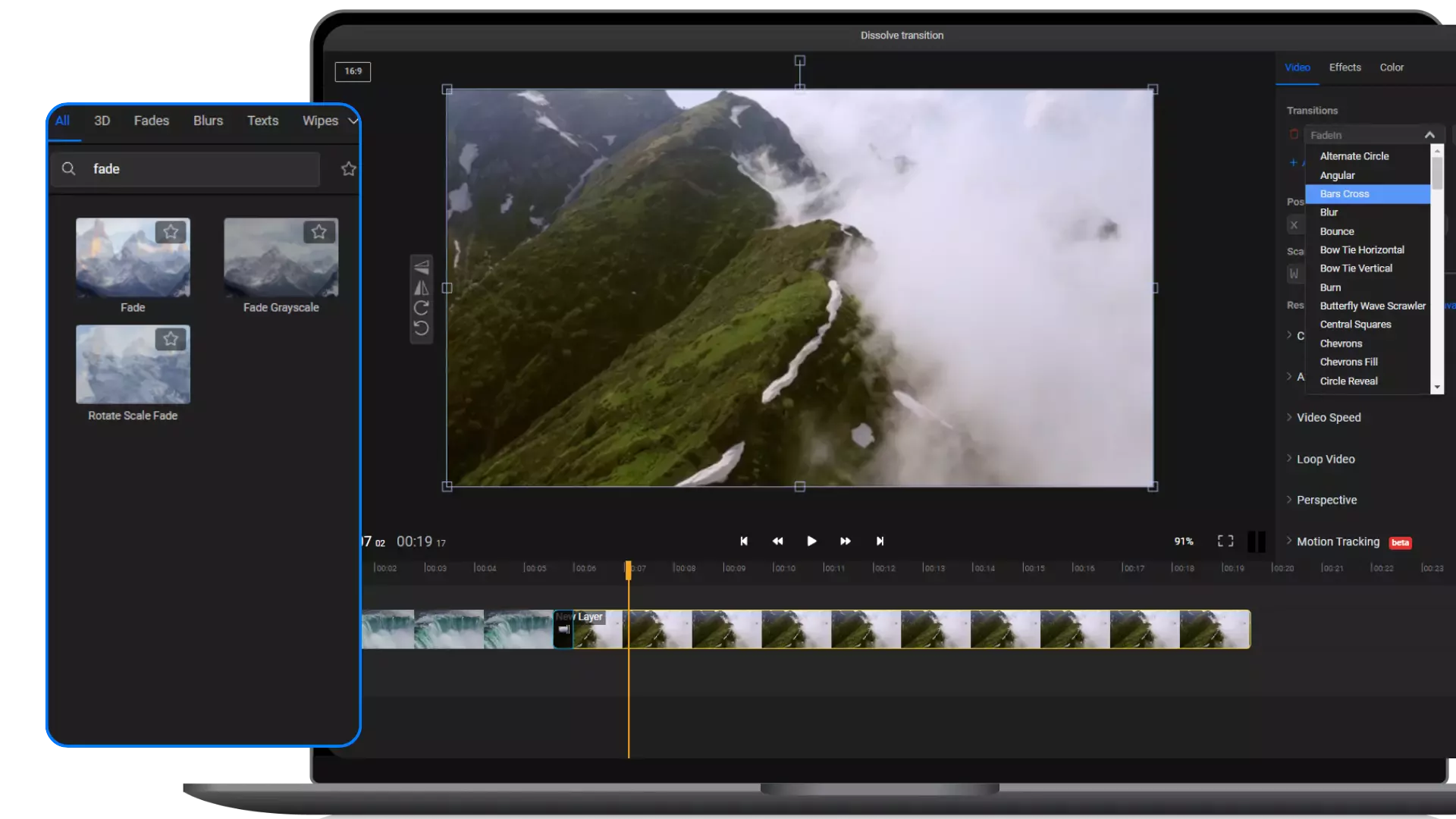
Animated transitions — wipes, dissolves, zoom-ins, swipes, glitches, spins — are appropriate in specific situations where the transition itself needs to carry meaning:
A dissolve between two shots that are separated in time can communicate the passage of time — the specific, soft quality of a dissolve suggests temporal distance in a way a cut does not.
A zoom transition can communicate movement into a new space or topic — particularly in content that uses visual metaphors deliberately.
A stylised transition can be part of a channel’s visual brand — consistent enough that the viewer recognises it as a signature rather than encountering it as a random effect.
Outside of these specific, intentional situations — transitions should be cuts. And the amount of video that contains appropriate non-cut transitions is much smaller than most beginners assume.
Text and Graphics — Less Language, More Clarity
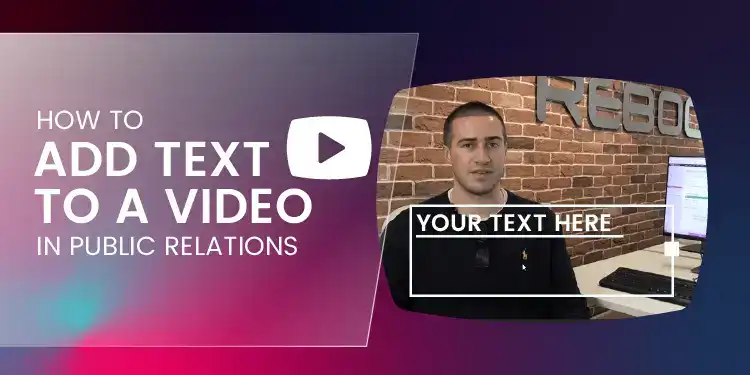
Text elements in video — lower thirds, stat callouts, explanatory overlays, subtitle-style text — are extraordinarily useful when used correctly and visually exhausting when overused.
The question to ask of every text element is the same as the question to ask of every other editing choice: what does this do for the viewer? The answers that justify text elements are specific:
This text provides information the viewer cannot get from the audio alone. A measurement in a cooking video, a name and title under a talking head, a statistic that is more easily processed visually than aurally — these are legitimate uses.
This text emphasises a point that benefits from visual reinforcement. A key takeaway that the creator wants the viewer to retain, presented in text as the creator says it aloud — this dual-channel reinforcement genuinely helps retention.
This text makes the video accessible to viewers watching without sound — captions and subtitles serve an essential accessibility function.
The answers that do not justify text elements are equally specific:
This text repeats exactly what is being said in the narration. If the creator is saying “the answer is forty-two” and the text overlay also says “the answer is forty-two” — the text is redundant. The creator is allocating visual real estate to a word that is already being delivered via audio.
This text is there to make the video feel designed. If the text is present primarily to make the frame look busier and more produced — rather than because it serves any informational or accessibility function — it should not be there.
This text uses an animated entrance effect primarily because the animation looks interesting. The entrance effect draws attention to the text arriving rather than to what the text says. This is the wrong priority.
A useful heuristic for text elements: every text element should be present for a specific reason that the viewer would recognise as useful if you explained it to them. “I added this text because I wanted you to be able to see the ingredient measurement clearly while your hands are occupied” is a legitimate reason. “I added this text because it makes the frame look more interesting” is not.
Colour Grading — Serving the Story, Not Demonstrating the Skill
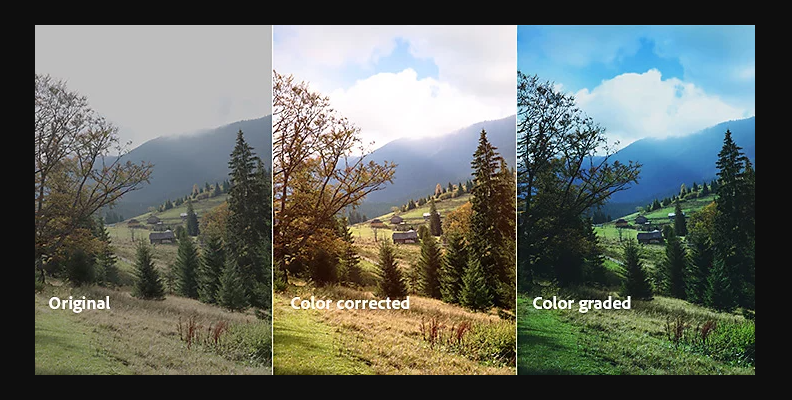
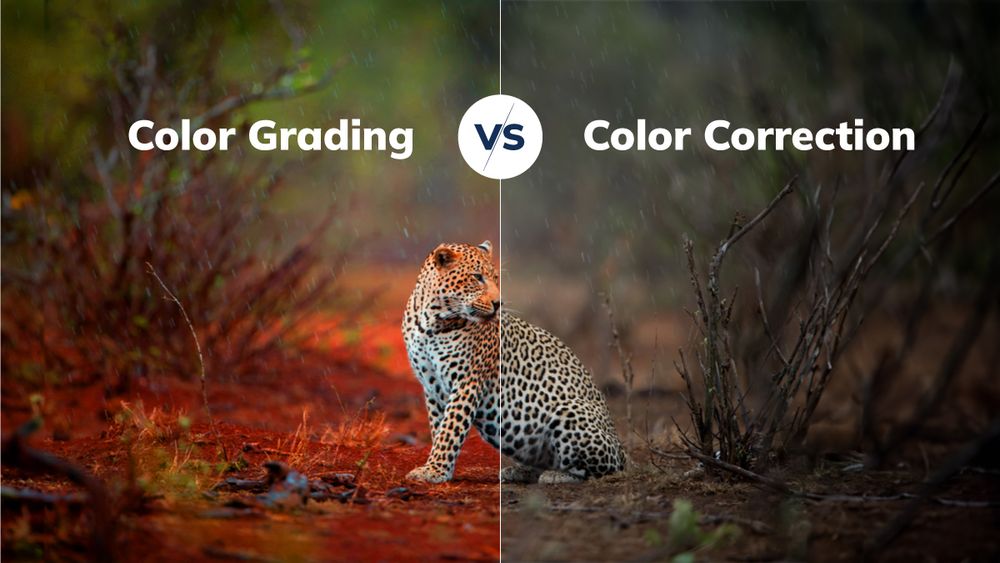
We have devoted a full post in this series to colour grading, but in the context of over-editing, colour grading deserves specific attention because it is the area where beginners most frequently overwork footage in ways that undermine rather than enhance the content.
The over-grading mistakes that appear most often in beginner content are predictable:
Oversaturation — colours pushed so far beyond natural levels that the image looks like a cartoon rendering of reality rather than footage of the actual world. Skin tones turn orange. Greens become fluorescent. The visual credibility of the footage is destroyed by the aggression of the colour treatment.
Inappropriate cinematic looks applied without consideration of the content type. A heavily crushed, teal-orange, high-contrast grade that looks stunning on a travel documentary looks bizarre on a straightforward tutorial where someone is explaining how to use a spreadsheet. The cinematic grade is not neutral — it carries associations of film and high production. When those associations do not match the content, the viewer experiences a register mismatch.
Inconsistency between clips. When every clip in a video receives a slightly different grade because the creator is experimenting with different looks, the video feels visually incoherent. The viewer’s visual system is constantly recalibrating to a new colour environment, which is tiring.
The calibrated approach to colour grading is precisely what Nandini does in her travel work: correct first to establish a technically sound foundation, then grade with intention to serve the specific emotional register of the content, then apply the grade consistently across the timeline.
The grade should be felt, not seen. When a viewer watches a well-graded video, they do not think “great colour grade.” They feel the warmth of Rajasthan or the lush mystery of Meghalaya. The grade has done its work invisibly. That invisibility is the goal.
Finding Your Editing Voice — What Comes After the Beginner Phase
There is an important distinction between over-editing as a beginner phase and over-editing as a persistent stylistic choice. Some genres and some creators use visual and sonic complexity as a genuine stylistic signature — and this is legitimate when it is consistent, intentional, and serves the specific type of content being made.
High-energy entertainment content, gaming channels, certain music video formats, and comedy content can sustain a higher density of editing effects than informational or documentary content because the viewer has come for the energy and stimulation. The editing register is appropriate to the genre.
The question is not whether your editing style uses many effects or few. The question is whether your editing choices are consistent with each other, appropriate for your genre and audience, and serving the content rather than demonstrating your technique.
Developing your own editing voice — the specific set of choices and sensibilities that make your videos recognisably yours — happens in the space between the beginner phase of using everything and the mature phase of using only what serves the work.
In that space, you begin to discover what your actual aesthetic preferences are — not what you find exciting to execute, but what genuinely resonates with how you want your content to feel. Some creators find their voice in restraint — clean, minimal, trusting the footage. Some find it in a specific visual richness — a particular colour palette, a signature motion style, a consistent graphic identity. Some find it in a specific sonic approach — heavily designed sound or deliberately natural and understated.
None of these are correct or incorrect. All of them are legitimate when they are genuinely yours — when they have been chosen through reflection on what serves your content and your viewer rather than inherited from the last tutorial you watched.
The path to your editing voice runs through the beginner phase of over-editing. You cannot skip it. You have to use every effect you have discovered, get it out of your system, see what it does to the viewer, and gradually learn which choices actually serve your work and which ones you were using because they were new and exciting.
Priya’s second video — the over-edited dal makhani — was a necessary step in her development as a creator. Not a failure to be embarrassed by, but a data point in the ongoing experiment of learning what editing actually is.
Her fifth video was noticeably more restrained. Her tenth was cleaner still. By her twentieth, she had developed a food video editing style that was warm, confident, and deliberately understated — letting the food exist beautifully on screen without demanding that the editing also be looked at.
The comments on her twentieth video said things like: “This feels so professional and calm to watch” and “I love how relaxed your editing style is, it makes me feel like I am actually in the kitchen with you.”
Not a word about the transitions, the text animations, or the sound effects. Because there was almost nothing to say. The editing was invisible.
That invisibility was the achievement.
A Practical Editing Audit — How to Evaluate Your Own Work
For any creator who suspects they may be over-editing their current videos, here is a practical audit process that will identify the specific areas for adjustment.
Export your most recent video and watch it on a device you do not typically use for editing — a phone if you usually edit on a laptop, a television if you usually watch on a phone. The change of context disrupts the familiarity that makes over-editing invisible to its creator.
Watch with a notepad and mark every time you notice the editing — every transition that pulls your attention away from the content, every text animation that feels excessive, every sound effect that feels unnecessary, every colour shift between clips that feels inconsistent.
Count the number of different transition types used. If it is more than two or three, you are probably using variety for its own sake.
Count the number of text elements that appear on screen. For each one, ask whether its removal would make the video harder to understand. Remove the ones whose absence makes no difference.
Listen to the audio with your eyes closed for sixty seconds. Does it feel like a coherent sound environment or does it feel like a collection of sound effects competing for attention?
Look at ten consecutive frames from the middle of the video. Without any context, does the visual aesthetic feel consistent with the type of content it is? Does it look like the best work in your genre?
The answers to these questions will tell you specifically where your editing balance needs adjustment — not as a general correction but as targeted changes to specific habits.
The Final Word — Trust Is the Opposite of Over-Editing
At the heart of over-editing is a lack of trust. Trust in the footage. Trust in the content. Trust in the viewer.
The over-edited video is a video that does not trust its footage to be interesting without being constantly intervened upon. It does not trust its content to hold the viewer without constant visual stimulation. It does not trust its viewer to be engaged without being continuously prodded.
The well-edited video trusts all three. It trusts that the footage, shot with care and intention, can hold a shot for as long as it needs. It trusts that the content, thoughtfully prepared and clearly presented, can hold the viewer’s attention without constant novelty. It trusts the viewer to bring their own engagement and intelligence to the experience.
This trust is earned through the experience of making many videos and discovering that the moments you were most afraid would lose the viewer — the unadorned shots, the quiet passages, the simple cuts — are often the moments that resonate most deeply.
Priya learned this. She learned that the beautiful sheen of dal makhani in a cast iron pot, held for three seconds in good light with the quiet sizzle of the oil, is more compelling than any transition she could have designed. Because it is real, and it is beautiful, and the viewer came to see it — not to see what editing tricks she had learned.
Get out of the way of your content.
That is the most advanced editing skill of all.
Written by Digital Drolia — helping video creators move from demonstrating their technique to serving their audience. Found this valuable? Share it with a creator who is spending nineteen hours editing a four-minute video and wondering why it still does not feel right.