



Why Your Google My Business Category Decides Which Customers Can Even Find You

Let me start with a story that will feel uncomfortably familiar to some business owners.
Deepak runs a small interior design studio in Hyderabad. He has been in the business for nine years. His work is excellent — he has transformed living rooms, offices, and retail spaces across the city, and his portfolio is genuinely impressive. He set up his Google Business Profile two years ago, uploaded some photos, got a few reviews, and considered it done.
But something was bothering him. His competitors — some of whom he knew personally and whose work he considered no better than his own — were consistently showing up at the top of Google Maps when people searched for interior designers in Hyderabad. He was nowhere to be found.
He tried everything he could think of. He added more photos. He asked clients for reviews. He updated his business description. Nothing moved the needle.
Then a digital marketing consultant looked at his profile for ten minutes and identified the problem immediately.
Deepak had set his primary Google Business Profile category as “Home Improvement Store.”
Not “Interior Designer.” Not “Interior Design Studio.” Not even “Renovation Company.” Home Improvement Store — which is a retail category, the kind of category used by shops that sell paint, tiles, and fixtures.
Why had he chosen it? Because when he was setting up his profile years ago, he had typed “interior” into the category search box, not found exactly what he was looking for in the first few suggestions, clicked on the first vaguely related option, and moved on.
Two years of excellent work, satisfied clients, and genuine quality — made virtually invisible to Google’s search algorithm by one careless dropdown selection made in about four seconds.
The consultant changed the primary category to “Interior Designer.” Within three weeks, Deepak’s listing was appearing in the Local Pack for multiple relevant search terms. Enquiries started coming in from people who had found him on Google — people who had never heard of him before.
Nothing else changed. Same photos. Same reviews. Same description. Just the right category.
This is the story of how something most business owners treat as a formality — a simple dropdown selection you make once and forget — is actually one of the most powerful and consequential decisions you make for your entire Google visibility strategy.
What Your Google Business Profile Category Actually Does
Most business owners think of their Google Business Profile category as a label. A way to tell Google what kind of business they are. A classification that sits in the background and does not really affect much.
This understanding is dangerously incomplete.
Your primary category is not just a label. It is the single most important signal you send to Google about which searches your business should appear in. It is the foundation on which your entire local search visibility is built. And it directly determines which potential customers can even find you — and which ones never will, no matter how many reviews you have or how many photos you upload.
Here is how it works.
When someone in your city searches for “interior designer near me” or “best home renovation company in Hyderabad,” Google does not just look at the text on your website or the words in your business description. It primarily looks at your category. It asks: which businesses in this area have told me, through their category selection, that this is what they do?
If your category says “Interior Designer” — you are in the running. You are a candidate. Google will evaluate your reviews, your photos, your activity level, your proximity to the searcher, and other factors to decide how high to rank you.
If your category says “Home Improvement Store” — you are not in the running for that search. You might as well not exist, as far as that particular customer journey is concerned. Google has already classified you as something different, and it is not going to override that classification based on what your description says or what your photos show.
Your category is the gate. Everything else — reviews, photos, posts, activity — happens inside the gate. But if the gate is wrong, none of it matters.
The Difference Between Primary and Secondary Categories
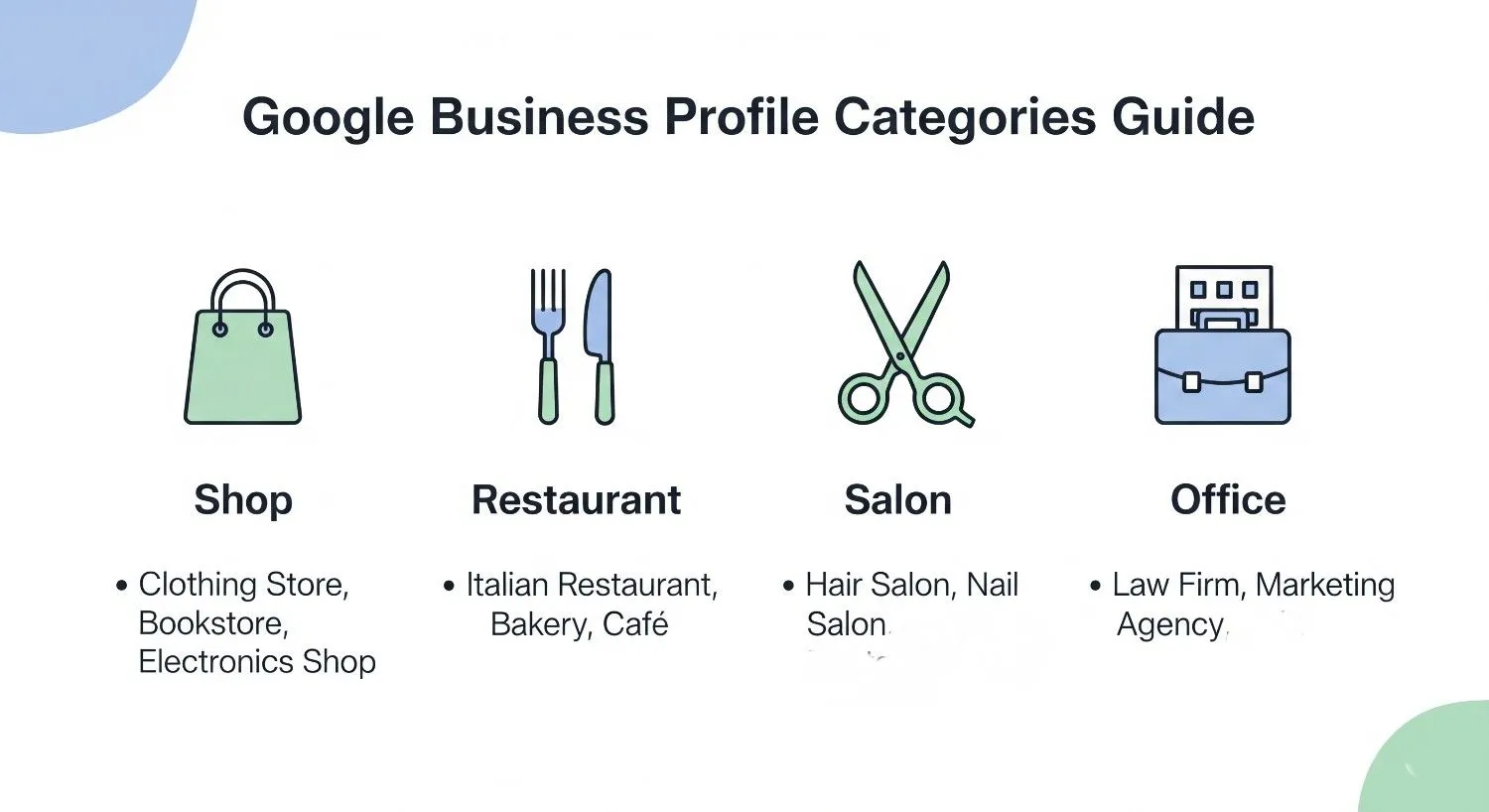
Google My Business allows you to select one primary category and up to nine additional secondary categories. Understanding the difference between these two is important.
Your primary category carries the most weight. It is the core classification that Google uses most heavily when deciding which searches to show you for. It should represent the single most important thing your business does — the core service or product that defines you.
Secondary categories are supporting classifications. They tell Google about additional things your business offers, expanding the range of searches you can potentially appear for. But they carry less weight than the primary category and should never be used as a substitute for getting the primary category right.
Here is a practical example. A clinic that primarily offers physiotherapy but also provides sports massage and rehabilitation services should have:
Primary category: Physiotherapist
Secondary categories: Sports Massage Therapist, Rehabilitation Center, Physical Therapy Clinic
The primary category anchors the listing in the most important search territory. The secondary categories extend the reach into adjacent search territory.
A common mistake is treating secondary categories as a primary category substitute — choosing a broad or less accurate primary category thinking it will cover more ground, and then relying on secondary categories to catch specific searches. This approach consistently underperforms compared to having a precise, accurate primary category that exactly matches your core business.
Google rewards precision. A listing that clearly, accurately represents what it is ranks better for relevant searches than one that tries to be everything to everyone through vague category selection.
The Most Common Category Mistakes — and Why They Are So Costly

Over years of helping local businesses optimize their Google presence, certain category mistakes come up again and again. Here are the most common ones — and why each of them is quietly destroying visibility.
The “Close Enough” Mistake
This is what happened to Deepak. When the exact right category does not immediately appear in the search suggestions, the business owner picks something that sounds vaguely related and moves on.
The problem is that Google’s category system is surprisingly granular. There are thousands of business categories available, covering a remarkable range of specializations. The exact right category almost always exists — but you may have to search a few different terms to find it.
A coaching centre that selects “School” instead of “Tutoring Service” because “School” came up first is making the close enough mistake. A florist who selects “Gift Shop” instead of “Florist” because it seemed to fit is making the close enough mistake. A nutritionist who selects “Health Consultant” instead of “Nutritionist” is making the close enough mistake.
In each case, the chosen category is not wrong exactly. But it is not right either. And in Google’s highly competitive local ranking system, not exactly right is effectively wrong.
The Overly Broad Mistake
Some business owners deliberately choose a broad category, thinking it will expose them to more searches. A restaurant owner who selects “Food and Drink” instead of a specific cuisine category. A fitness professional who selects “Health” instead of “Personal Trainer” or “Yoga Studio.”
The logic seems sound — cast a wider net, catch more fish. But it does not work that way on Google.
Broad categories have far more competition. When someone searches for “yoga studio near me,” Google is looking for listings that specifically identify themselves as yoga studios — not every health-related business in the area. A precise category in a specific search is worth far more than a broad category in a crowded general search.
Furthermore, customers who are searching with specific intent — “yoga studio,” “South Indian restaurant,” “paediatric dentist” — are more qualified leads than those searching broadly. They know exactly what they want. Being found by them is more valuable than being found by someone searching vaguely.
The Outdated Category Mistake
Businesses evolve. A studio that started as a photography business and expanded into videography and content creation may still have “Photographer” as its only category. A medical clinic that added a dermatology wing may still be listed only as “General Practitioner.” A coaching centre that expanded from academics to include competitive exam preparation may still be listed as “Tutoring Service” without the more specific “Test Preparation Center” category added.
Categories need to evolve with the business. Failing to update them means missing entire categories of search traffic for services you genuinely offer — which is both a visibility loss and a service to customers who would genuinely benefit from you.
The Wrong Primary Category Mistake
This is perhaps the most damaging mistake, and it is more common than you would expect.
A business that does multiple things sometimes puts its secondary or tertiary service as the primary category, either because they happen to think of it first when filling out the profile or because they assume all categories carry equal weight.
A law firm that primarily handles corporate law but selected “Family Law Attorney” as the primary category because one of the partners mentioned it during setup — is being shown to the wrong audience. A gym that primarily focuses on group fitness classes but listed “Personal Trainer” as the primary category because the owner is personally a trainer — is missing people searching for gyms in their area.
The primary category should always reflect the dominant, core, most-searched-for aspect of your business. Not what you like best. Not what came to mind first. What the majority of your customers are looking for when they find you.
How to Find the Right Category for Your Business

Given how important this decision is, it deserves more than thirty seconds of attention. Here is a systematic approach to finding the right categories for your business.
Start With What Your Best Customer Is Searching
Before you think about categories, think about customers. Specifically, think about your ideal customer — the person you most want to attract. When they pick up their phone and search for what you offer, what words do they type?
Not what you call yourself. Not the industry terminology you use internally. What does a regular person with a real need type into Google when they are looking for someone like you?
If you run a physiotherapy clinic, your ideal customer probably types “physiotherapist near me” or “physiotherapy clinic in [city]” — not “physical rehabilitation specialist” or “musculoskeletal therapy center,” even if those terms are technically accurate.
The customer’s language is your guide. Their search behavior tells you what category to be in.
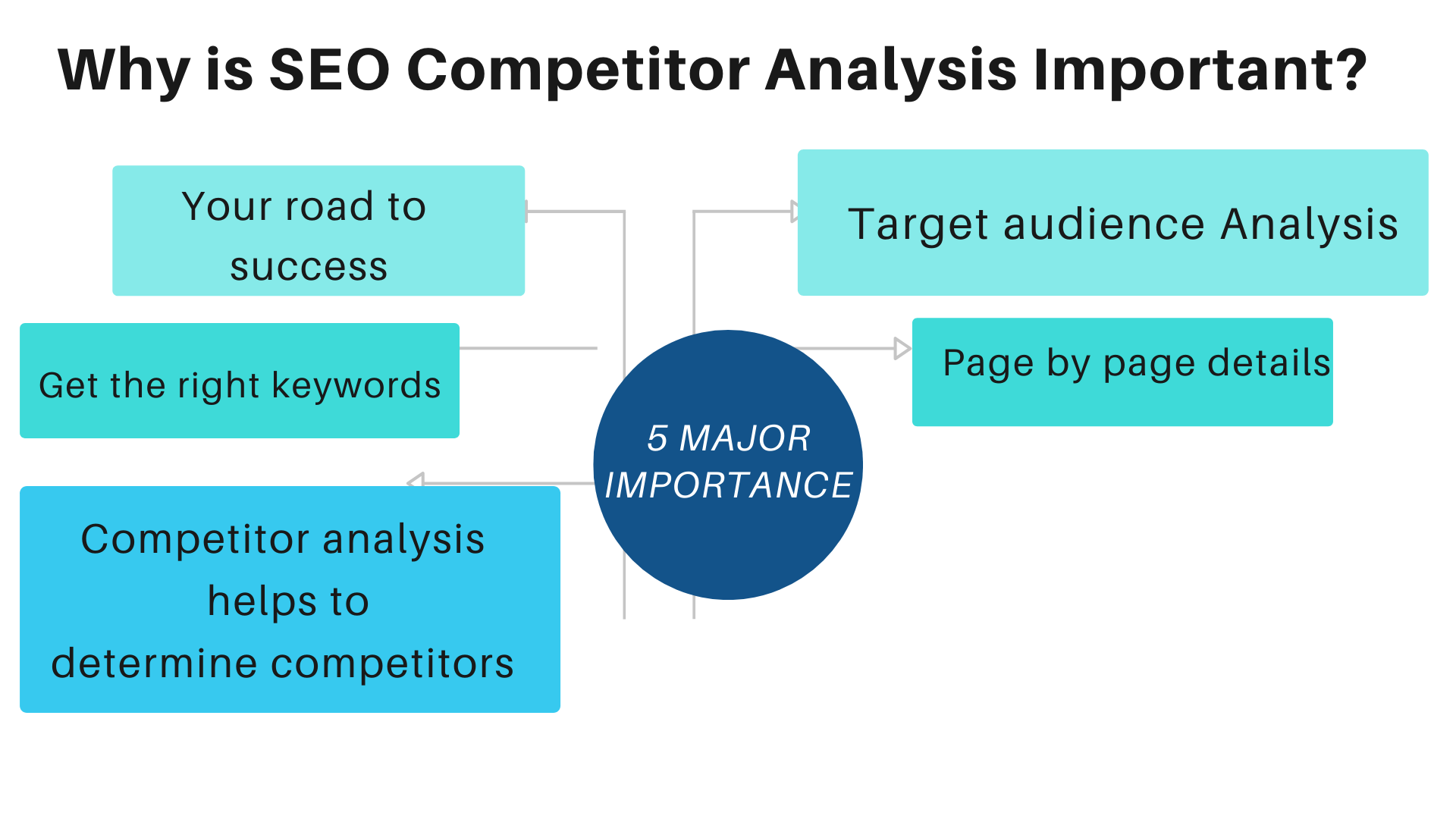
Search Google Maps Itself to See Which Categories Your Competitors Use
This is one of the most practical research techniques available, and almost nobody uses it.
Go to Google Maps and search for your type of business in your city. Look at the listings that appear at the top. These are your most visible competitors — the businesses Google has decided best match the search. Click on their profiles and look at their categories.
You will quickly see which primary categories the highest-ranking businesses in your niche are using. This is real-world evidence of what is working, collected directly from Google’s own search results. You do not need to guess what category is most effective — the top-ranking businesses are showing you.
Use Google’s Category Suggestions Intelligently
When you type a term into the category search box in Google Business Profile, it shows you suggestions. But the first suggestion is not always the best one. Type multiple variations of your business type and see what comes up.
For example, a business offering home cleaning services might try typing: “cleaning,” “home cleaning,” “house cleaning,” “maid service,” “domestic cleaning.” Each search might surface different category options, and the most accurate one might not appear until the third or fourth attempt.
Take a few minutes with this. Try different keywords. Look at the full list of suggestions for each. The exact right category — the one that will unlock the most relevant search visibility — is almost certainly in the system. Finding it is a matter of patience and systematic searching.
Add Relevant Secondary Categories to Expand Your Reach
Once you have your primary category right, think carefully about secondary categories. These should represent genuine services or specializations that your business actually offers — not aspirational additions or categories you think might attract more searches.
For each secondary category, ask: do I actually provide this service? Would a customer who specifically searched for this category be happy to find my business? If both answers are yes, add it. If there is any doubt, leave it out.
Google has mechanisms to identify businesses that select categories that do not accurately represent their offerings — and mismatched categories can actually hurt your ranking over time as user behavior signals tell Google that your listing is not what it claims to be.
How Category Affects More Than Just Ranking
The impact of your Google Business Profile category goes beyond just which searches you appear in. It ripples through multiple aspects of how your listing functions and how customers interact with it.
It Determines Which Features Are Available to You
Google enables different features for different business categories. Restaurants can display menus and enable table reservations. Hotels can show star ratings and room availability. Medical clinics can enable appointment booking. Service businesses can display service catalogs with pricing.
These features are unlocked based on your category selection. A business with the wrong category may not have access to the features that would make their listing dramatically more useful and conversion-friendly — not because Google is withholding them, but because the category they have selected does not qualify for them.
It Shapes How Google Describes Your Business to Customers
When customers see your listing in search results, they often see a small descriptor below your business name — a word or phrase that tells them what type of business this is. This descriptor comes from your primary category.
A listing that shows “Interior Designer” below the business name immediately communicates relevance to someone searching for interior design help. A listing that shows “Home Improvement Store” confuses and misaligns — the customer wonders if they have found the right kind of business.
First impressions in Google search results happen in under a second. The category-derived descriptor contributes to whether that first impression is one of immediate relevance or hesitant confusion.
It Influences Which Review Topics Google Highlights
Google increasingly pulls specific themes and topics from reviews and surfaces them on your listing — highlighting what customers consistently praise or mention. The topics that Google chooses to highlight are informed by your category.
A restaurant listing might see topics like “food quality,” “service,” and “ambience” highlighted. A tutoring service might see “teaching quality,” “results,” and “communication” highlighted. These highlighted topics help customers quickly understand what makes your business worth considering.
With the wrong category, the highlighted topics may be misaligned with what makes your business genuinely valuable — or this feature may not appear at all.
A Practical Walk-Through for Different Business Types
Let me walk through category selection for a few common business types, because the principles are clearest when they are specific.
For a Home Tutor or Private Tutor
The temptation is to choose “School” or “Education Center” because they sound credible. But the most accurate and search-effective categories are “Tutor” or “Tutoring Service.” Secondary categories might include “Test Preparation Center” if you focus on competitive exams, “Music School” if you teach an instrument, or “Language School” if languages are a specialty.
For a Beauty Salon
“Beauty Salon” is the primary category for a full-service salon. Do not choose “Spa” unless spa services are genuinely the core of your offering. Secondary categories can include “Hair Salon,” “Nail Salon,” “Eyebrow Bar,” and “Waxing Hair Removal Service” depending on what you actually offer.
For a Home Services Business — Plumber, Electrician, Carpenter
Be specific. “Plumber” outperforms “Home Repair Service” for plumbing searches. “Electrician” outperforms “Contractor” for electrical searches. The more specific your category, the more targeted your search visibility will be — and targeted visibility means more qualified leads.
For a Restaurant
Your cuisine type matters enormously here. “Restaurant” as a primary category is too broad. “South Indian Restaurant,” “Chinese Restaurant,” “Fast Food Restaurant,” or whichever cuisine you primarily serve will drive far more relevant traffic. Add “Restaurant” as a secondary category if you want, but lead with the specific cuisine.
For a Medical Professional
Specialization is everything. “Doctor” is too broad. “Dermatologist,” “Pediatrician,” “Orthopedic Surgeon,” “Dentist,” “Ophthalmologist” — these specific categories are what patients search for and what Google uses to match listings to searches. A general practitioner should use “General Practitioner” as primary and might add “Medical Clinic” or “Family Practice Physician” as secondary.
For a Fitness Business
“Gym” and “Fitness Center” are different categories and attract slightly different searches. “Yoga Studio,” “Pilates Studio,” “CrossFit Gym,” and “Personal Trainer” are distinct categories that serve specific search behaviors. Choose the one that most precisely describes your primary offering and add relevant secondary categories for everything else you genuinely provide.
How Often Should You Review Your Categories?
Given everything we have covered, the question of how often to review your category selection is an important one.
At a minimum, review your categories whenever something significant changes about your business — you add a major new service, you drop an old one, you pivot your focus, you expand into a new specialization.
Beyond that, a quarterly check is good practice. Take a few minutes every three months to look at your categories and ask: does this still accurately represent what we do? Are the searches we want to appear in reflected in our category selection?
Also keep an eye on your Google Business Profile Insights — particularly the search terms that are driving people to your listing. If you are appearing for searches that are not relevant to your business, that is a signal that your categories may be attracting the wrong audience. If you are not appearing for searches that should be highly relevant, that is a signal that your categories may not be reflecting your core offering accurately enough.
Categories are not set-and-forget. They are a living part of your profile strategy that deserves periodic attention.
The Category Is the Foundation. Everything Else Is the Building.
Here is the mental model I want you to take away from this post.
Your Google Business Profile is a building. Reviews are the walls. Photos are the windows. Posts and updates are the furniture. Activity and engagement are the electricity and running water.
But the category is the foundation.
You can have the most beautiful walls, the most stunning windows, the most elegant furniture. If the foundation is wrong — if it is placed on the wrong plot of land, facing the wrong direction, in the wrong neighborhood — nobody who matters will ever walk through the door.
Deepak the interior designer had beautiful walls and stunning windows. But his foundation was on the wrong plot. The moment the foundation was corrected — the moment his primary category said “Interior Designer” instead of “Home Improvement Store” — everything he had already built started working the way it was supposed to.
The same thing can happen for your business. And unlike many aspects of digital marketing, this one does not require budget, expertise, or ongoing effort. It requires one careful, informed decision — made once, reviewed periodically, and kept accurate as your business evolves.
Get your category right. It is the simplest, highest-impact thing you can do for your Google visibility today.
Your Category Audit — What to Do Right Now

Before you close this post, do this one thing. Open Google Maps on your phone. Search for your own business. Look at your listing.
What category does it show beneath your business name?
Is that the most precise, accurate, search-relevant description of what you primarily do?
If yes — great. Move on to your secondary categories and make sure those are right too.
If no — or if you are not sure — open your Google Business Profile dashboard right now, go to your business information, and spend fifteen minutes doing a proper category search. Find the exact right primary category. Add the right secondary categories. Save your changes.
That fifteen minutes could be the most valuable fifteen minutes you spend on your business this month.
Because the customers who need what you offer are searching for you right now. The only question is whether Google knows you are the right answer.
Your category is how you tell it that you are.
Written by Digital Drolia — helping local businesses get found by the right customers through practical, no-nonsense Google optimization strategies. Found this useful? Share it with a business owner who might be invisible on Google for reasons they have never even considered.