

Why Your Business Hours on Google Need to Be Accurate or You Will Lose Customers

Let me tell you about a Saturday afternoon that cost a restaurant owner in Lucknow more than just one table.
A family of five — parents, two kids, and a grandmother — had decided to go out for lunch. They had been craving good Mughlai food, and someone in the family remembered a place they had visited once, about two years ago. The food had been excellent. They wanted to go back.
They pulled up Google Maps. Searched the restaurant. The listing said it was open — hours showing 11 AM to 11 PM, seven days a week. It was 1:30 in the afternoon on a Saturday. Perfect timing.
They drove across town. Fifteen minutes in the car, grandmother included. They found the lane, found the building — and found a locked door with a handwritten note stuck to it saying the restaurant was closed for renovation until further notice.
The Google listing had not been updated in over a year.
The family did not reschedule a visit. They did not wait. They did not leave a sympathetic review wishing the restaurant well with its renovation. They went around the corner to a different restaurant — one they had never been to before — had a perfectly good meal, and the original restaurant lost not just that day’s revenue but potentially a loyal returning customer.
And the original restaurant owner had no idea any of this happened. He was busy with his renovation, thinking his Google listing was fine.
This kind of story plays out dozens of times every single day, in every city in India, across every category of local business. And it is entirely preventable.
The Silent Business Killer Nobody Talks About Enough
When people discuss what makes a Google Business Profile powerful, they talk about reviews, photos, rankings, and visibility. All of that matters enormously and deserves the attention it gets.
But there is a quieter, more fundamental element that sits underneath all of it — one that has the power to undo everything else you have worked to build.
Accurate business hours.
It sounds almost too simple to be worth a blog post. Of course your hours should be correct. Of course customers need to know when you are open. This feels like something that does not need explaining.
And yet — walk through Google Maps in any Indian city right now. Search for any category of local business. Open ten or fifteen listings at random. You will find, consistently, that a significant number of them have hours that are wrong, incomplete, or so outdated as to be meaningless.
Some show hours that were set when the business first opened and never updated after that. Some show hours that are wildly optimistic — the owner listed 9 AM to 9 PM because that is what he aspired to, not what he actually maintains. Some have no hours listed at all, which Google sometimes fills in with an estimate that may or may not be accurate.
And every single one of those inaccuracies is quietly, invisibly costing that business customers.
Why Business Hours Are Not a Minor Detail
Here is what most business owners do not fully appreciate: your Google Business Profile hours are not just a convenience feature for curious browsers. They are a core decision-making input for customers who are ready to visit you right now.
Think about the sequence of events when someone finds your business on Google.
They searched for something — “hardware shop near me” or “café in Indiranagar” or “dermatologist in Andheri West.” Your listing appeared. They looked at your rating, glanced at your photos, maybe skimmed a review or two. They are interested. They are leaning toward you.
And then they do something that most business owners never think about: they check if you are open right now.
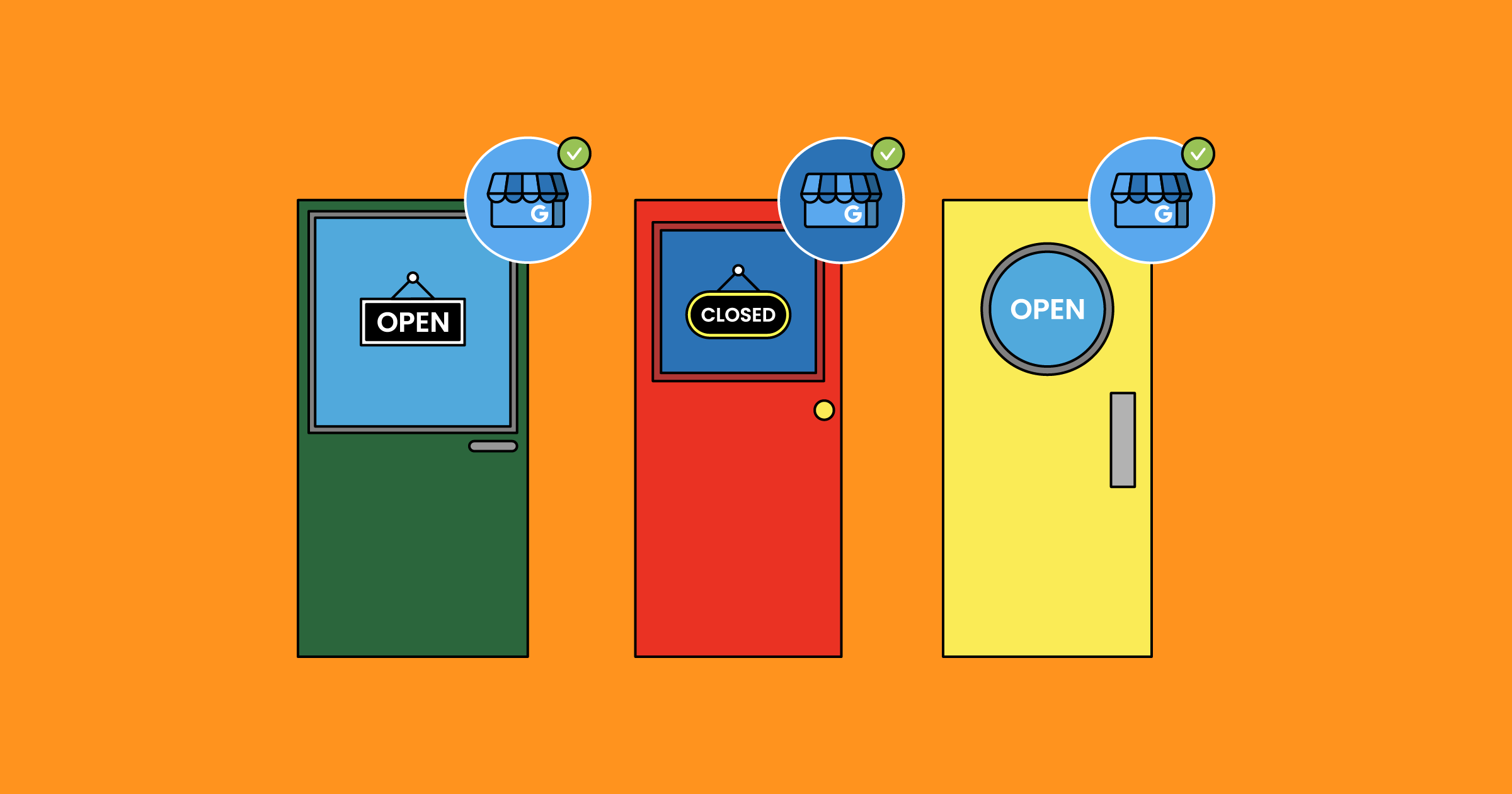
Google displays your current status prominently at the top of your listing. It shows either a green “Open now” or a red “Closed” — and if closed, it shows when you will next open. This is one of the first things a potential customer’s eye lands on.
If it says “Open now” and you are actually closed — they come, they find a locked door, and they feel misled. They are annoyed, their time has been wasted, and their trust in your business has been damaged possibly beyond repair.
If it says “Closed” when you are actually open — they move on to the next option. They never call. They never visit. You had a customer standing at the virtual door and your listing turned them away.
Both scenarios result in lost business. Both are caused by the same problem: inaccurate hours.
The Trust Equation — And Why One Bad Experience Costs More Than You Think

Let us talk about trust for a moment, because this is where inaccurate business hours cause their deepest damage.
Trust is the foundation of every customer relationship. It is built slowly, through many small positive experiences, and it can be destroyed in an instant by a single bad one.
When a customer checks your Google listing, confirms you are open, makes the effort to travel to your location, and then finds you closed — several things happen simultaneously in their mind.
First, they feel the immediate frustration of wasted time. Nobody likes having their time wasted. It is one of the most viscerally annoying experiences a consumer can have.
Second, they make a judgment about your business. Not just about the listing, but about you. If you cannot be bothered to keep something as basic as your opening hours accurate on Google, what does that say about how you run your business? Are your prices accurate? Is the address right? If I need to call you, will you actually answer?
Third — and this is the part that really stings — they tell people. Maybe they text a friend who was going to join them. Maybe they mention it at dinner. Maybe, if they are particularly frustrated, they leave a one-star review that says simply: “Showed up and they were closed. Google says they are open. Very disappointing.”
One inaccurate listing. One wasted trip. One lost customer who now actively discourages others from visiting.
The ripple effect of that single failure extends far beyond the missed transaction of that one afternoon.
How Google Uses Your Hours to Rank You
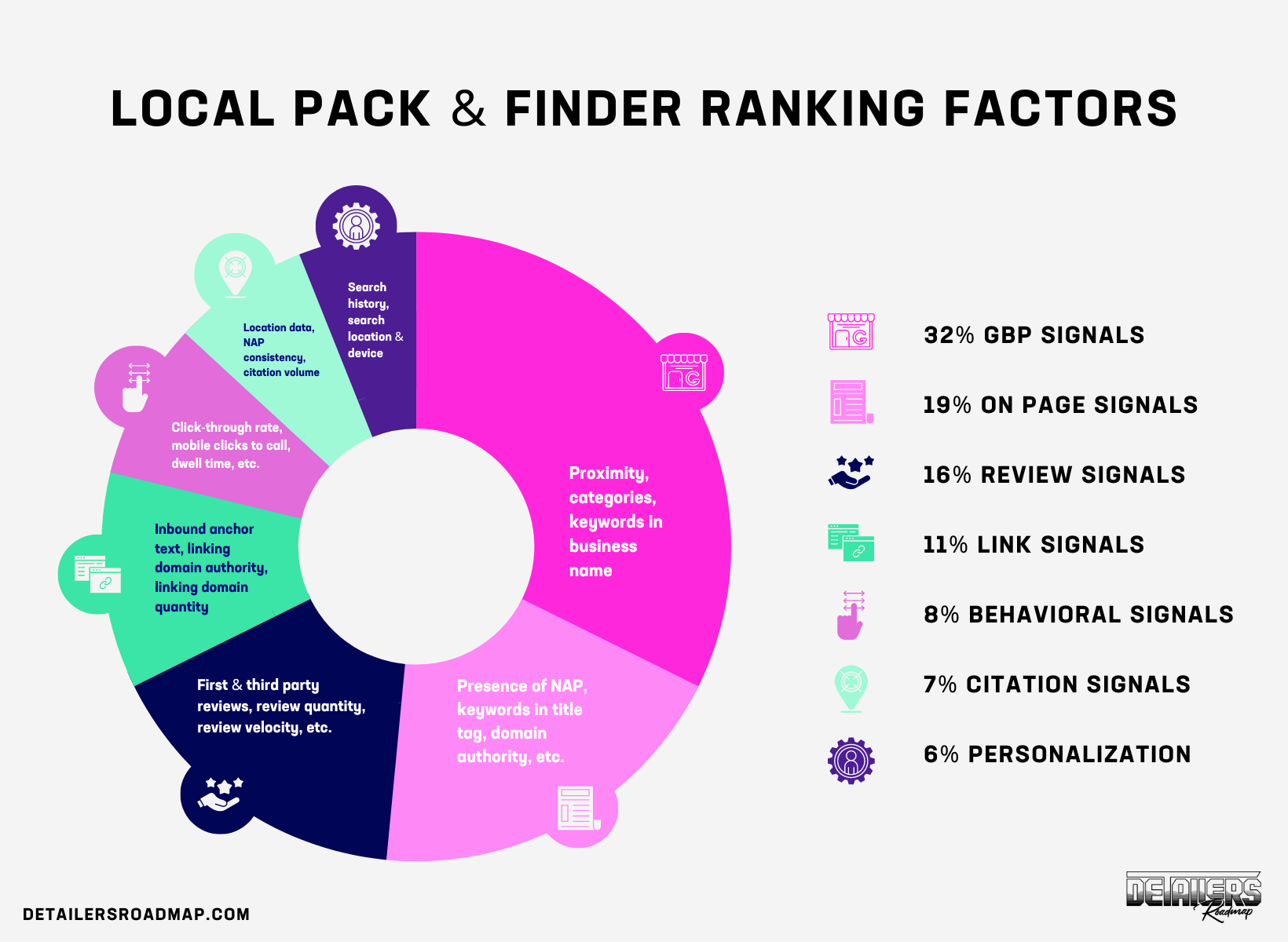
Beyond the direct customer experience, there is another dimension to accurate business hours that operates in the background and affects your visibility in search results.
Google cares deeply about the quality and accuracy of the information it presents to users. When Google shows a business in its Local Pack — the map and three business listings at the top of search results — it is making a recommendation to its users. It is saying: these are the most relevant and reliable options for what you are looking for.
If Google repeatedly shows a business that turns out to have wrong information — wrong hours, wrong phone number, wrong address — users have bad experiences and trust Google less. That is bad for Google’s business. So Google has strong algorithmic incentives to identify and demote businesses with inaccurate information.
How does Google assess whether your hours are accurate? Several ways.
First, Google collects user feedback. When someone visits your profile, Google sometimes presents them with a question: “Is this place open during these hours?” These small data points aggregate over time into a picture of whether your stated hours match reality.
Second, Google sometimes sends automated systems to verify business information — checking for consistency across directories, social media, and other data sources.
Third, other users can suggest edits to your listing. If customers keep arriving to find you closed during your stated hours, some of them will suggest a correction. Google considers these suggestions seriously.
A profile with consistently accurate information — including hours — builds what you might call a trust score with Google. And that trust score feeds into your ranking. Profiles that Google trusts are shown more often. Profiles that generate signals of inaccuracy are shown less.
Keeping your hours accurate is not just about serving your customers well. It is about maintaining your credibility with the algorithm that determines how visible you are to those customers in the first place.
The Special Problem of Public Holidays and Seasonal Changes

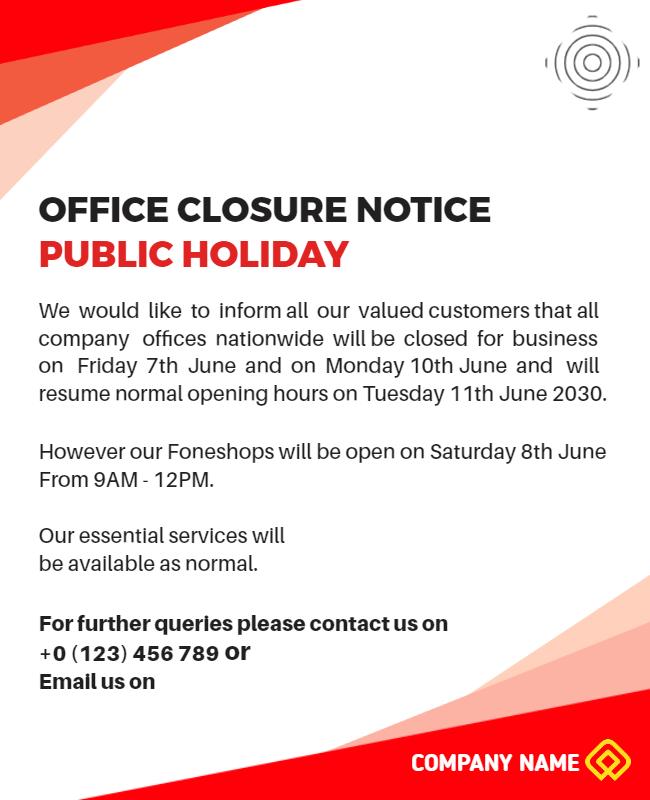
Regular weekly hours are important. But they are actually the simpler part of the problem. Where most businesses really fall down is on special cases — public holidays, seasonal changes, festivals, and unexpected closures.
Think about how many days in an Indian calendar year involve changes to normal business operations.
Republic Day. Holi. Good Friday. Eid. Independence Day. Janmashtami. Dussehra. Diwali — which typically means reduced hours or closure across multiple consecutive days. Christmas. New Year’s Eve and New Year’s Day. Regional festivals that vary by state and city.
That is potentially fifteen to twenty days per year — more in some regions and communities — where your normal hours simply do not apply. And on most of those days, your potential customers are out and about, looking for places to visit, often with more leisure time than usual and more inclination to try something new.
If your Google listing shows normal hours during a Diwali holiday weekend when you are actually closed — you are sending customers on a wasted trip on one of the highest-footfall periods of the year. That is an expensive mistake.
Google My Business has a specific feature for exactly this situation: Special Hours. It allows you to set custom hours for specific dates — you can plan these out weeks or months in advance. You can mark yourself as closed on particular dates, or you can show modified hours for days when you open late or close early.
Most business owners do not know this feature exists. Many who know about it do not use it consistently. And every time a holiday passes with the wrong hours showing on their listing, customers are lost and trust is eroded.
The “Open 24 Hours” Trap
Here is a specific mistake worth addressing because it is surprisingly common.
Some business owners — particularly those who are not very familiar with how Google My Business works — set their hours to “Open 24 hours” or to extremely wide windows like 6 AM to midnight, simply because they are not sure what to put and they do not want to accidentally show as closed when they are actually open.
This feels safe. It feels like a conservative choice that avoids missing customers.
It is actually one of the worst things you can do.
When your hours are listed as 24 hours or clearly implausible for your business type, a few things happen. Customers try to visit at genuinely odd hours, find you closed, and feel misled. Google receives signals that your hours are inaccurate and downgrades the reliability of your listing. And in some cases, Google will override your stated hours with its own estimate based on data from other sources — which may or may not match your actual schedule.
Accuracy is always better than an artificially wide window. If you are open Monday to Saturday, 10 AM to 8 PM, say exactly that. If you are open different hours on different days, set each day individually. It takes ten minutes and it pays dividends every single day.
Temporary Closures — The Most Overlooked Risk
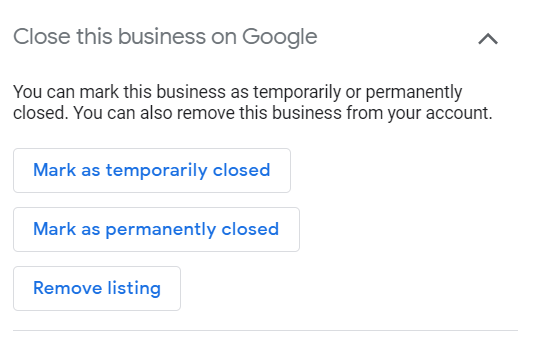
Regular hours and special holiday hours are things you can plan for. But there is a third category that catches most businesses completely off guard: unexpected or temporary closures.
Your star employee is sick and you need to close for a day. There is a water supply issue in your building and you cannot operate. Your area has a local bandh. You are attending a family event. Your equipment broke down and you are waiting for a technician.
These situations happen to every business. The question is not whether they will happen — it is what you do about your Google listing when they do.
Most business owners do nothing. They close for the day, deal with the situation, and reopen the next day — without ever thinking about their Google listing. Which means that throughout that closure, anyone who finds them on Google sees “Open now” and may be making their way to your location right now, about to have a very frustrating experience.
Google My Business allows you to mark a temporary closure quickly and easily — directly through the app on your phone. It takes about thirty seconds. You mark yourself as temporarily closed, and Google displays this to customers so they know not to come.
When you reopen, you remove the temporary closure status and you are back to normal.
Thirty seconds of updating can save multiple customers a wasted trip and save your business multiple trust-damaging experiences. There is no good reason not to do it.
The Practical Guide — How to Get Your Hours Right and Keep Them Right
Let us move from the why to the how. Here is a complete, practical guide to managing your Google Business Profile hours so this problem never affects you.
Set Your Hours Accurately From the Start
When you first set up or claim your Google Business Profile, fill in your hours with precision. Day by day. Opening time and closing time. Do not round to convenient numbers — if you open at 9:30 AM, say 9:30, not 9:00.
Be honest with yourself about what hours you actually maintain versus what hours you aspire to. If there are days where you sometimes open late or close early depending on circumstances, either reflect that accurately or set a slightly conservative window that you know you will always honor.
Review Your Hours Every Quarter
Set a calendar reminder — quarterly works well for most businesses — to sit down and review your Google Business Profile hours. Have anything changed in the last three months? New days off? Changed closing time? Expanded to serve an earlier morning crowd?
Three months is short enough that you catch changes before they cause significant damage, but long enough that this does not become an annoying daily task.
Plan Special Hours in Advance
At the beginning of each month, look at the upcoming calendar. Are there any public holidays, religious observances, or local events that will affect your hours? If yes, set your Special Hours for those dates immediately.
Do not wait until the day before. Plan ahead, set the hours, and then do not think about it again. Customers will see accurate information, Google will trust your listing, and you will not have to scramble at the last minute.
Update Immediately When Plans Change Unexpectedly
This is about building a habit, not an elaborate system. When something comes up that means you will be closed or operating differently — whether it is planned or sudden — the first thing you do after making that decision is open your Google Business Profile app and update your hours.
Before you post on WhatsApp. Before you call your staff. Before you put a note on the door. Update Google first, because that is where customers are looking.
Do Not Forget the App
If you have not already downloaded the Google Business Profile app on your phone, do it today. Managing your listing from a smartphone — including updating hours, posting photos, and responding to reviews — takes seconds when you have the app. Managing it from a desktop browser takes considerably longer and requires more steps.
Ease of access is one of the biggest factors in whether business owners actually maintain their listings consistently. Remove the friction.
Verify Your Hours Look Correct From the Customer’s Perspective
Once a month, do a simple check: search for your own business on Google from your personal phone, as if you were a customer. Look at your listing with fresh eyes. Are the hours correct? Do they match your current schedule? Does the “Open now” or “Closed” status reflect reality?
This takes two minutes and gives you the customer’s view of your listing. You will sometimes catch errors that you would never have noticed from inside the management dashboard.
What to Do If Google Shows Wrong Hours Despite Your Updates
Occasionally, business owners do everything right — they update their hours accurately, they verify the changes — and yet Google continues to show incorrect information, or it shows a message saying that the hours might not be accurate.
This can happen for a few reasons.
Sometimes Google overrides your stated hours with data from other sources — third-party directories, old social media profiles, or user-submitted suggestions — if it believes those sources are more reliable than your own input. This is more likely to happen when your profile is new, unverified, or has a history of inconsistency.
The solution is consistency and credibility. Make sure your hours on Google match your hours everywhere else — your website, your Facebook page, your Justdial listing, your Instagram bio. When Google sees that all data sources agree, it is much more likely to trust and display your stated hours.
If the problem persists, you can report incorrect information directly through the Google Business Profile dashboard and request a correction. In cases where user-suggested edits have changed your hours incorrectly, you can also revert those changes through the dashboard.
What Accurate Hours Signal to Your Customer
Let us come back to the human dimension of all this, because at the end of the day, algorithms and rankings are just the mechanism. The real story is about people.
When a customer finds your business on Google and sees accurate, detailed, carefully maintained hours — including special holiday hours and a profile that clearly reflects an active, engaged owner — something subtle but important happens in their mind.
They think: this business is organized. This business pays attention. This business cares enough about its customers to make sure they have accurate information.
That impression — formed before a single transaction has taken place — colors everything that follows. It makes them more likely to call. More likely to visit. More likely to give you the benefit of the doubt in their first experience. More likely to come back.
Trust is not built exclusively through great products and warm service. It is also built through reliability. Through meeting expectations. Through showing — in small, consistent ways — that you are a business that takes itself seriously.
Accurate business hours are one of the smallest and most consistently impactful ways to communicate that.
The Closing Thought — Simple Things Done Consistently Win


There is a temptation in business to look for the big, dramatic move. The viral marketing moment. The brilliant campaign. The stroke of genius that changes everything overnight.
Most sustainable business growth does not come from moments like that. It comes from doing simple things consistently and well over a long period of time.
Keeping your business hours accurate on Google is one of those simple things. It costs nothing. It takes minutes. It requires no technical skill, no marketing knowledge, no budget.
But done consistently — updated with every change, planned ahead for every holiday, managed in real time for every unexpected closure — it builds a foundation of trust and reliability that compounds over time into a genuinely powerful competitive advantage.
The restaurant in Lucknow that lost the family of five on a Saturday afternoon — they lost that customer over something that could have been fixed in thirty seconds.
Do not be that restaurant.
Update your hours. Keep them accurate. Treat your Google Business Profile like the powerful, living, constantly-working marketing asset that it is — because that is exactly what it is.
Your customers are checking. Make sure what they find is true.
Written by Digital Drolia — practical, no-nonsense digital marketing guidance for local businesses that want to grow without wasting time or money. If this post helped you, share it with a business owner who might be unknowingly turning customers away with an outdated Google listing.