

How a Simple FAQ Page on Your Website Can Bring Thousands of Free Visitors

Here’s a secret that most website owners overlook: one of the most powerful tools for attracting organic traffic is probably the simplest page you could create—a well-crafted FAQ (Frequently Asked Questions) page. While many businesses treat their FAQ page as an afterthought, dumping a handful of generic questions at the bottom of their site, savvy marketers understand that a strategically designed FAQ page can be a traffic-generating powerhouse that brings thousands of free visitors from Google every single month.
Think about it. When people search on Google, what are they usually doing? They’re asking questions. “How do I fix a leaking faucet?” “What’s the best diet for weight loss?” “How much does wedding photography cost?” “Can I use acrylic paint on fabric?” Every single day, billions of questions are typed into Google’s search bar, and each one represents a person looking for answers.
Now imagine if your website was there, ready to answer those exact questions. That’s precisely what a well-optimized FAQ page does. It positions your business as the helpful expert who solves problems, answers questions, and provides value—exactly what Google wants to show its users. Better yet, FAQ content is relatively easy to create compared to complex long-form articles, yet it can punch well above its weight in terms of SEO performance.
In this comprehensive guide, you’ll discover why FAQ pages are SEO gold mines, how to create one that actually drives traffic, and the specific strategies that can transform your FAQ page from a boring list of questions into a visitor magnet that works for your business 24/7.
Why FAQ Pages Are SEO Superstars
Before we dive into the how-to, let’s understand why FAQ pages have become so powerful for search engine optimization. It’s not just about having questions and answers on your site—there’s actual science and strategy behind why they work so well.
The Rise of Question-Based Searches
Search behavior has evolved dramatically over the past few years. With the proliferation of voice search and Google’s increasingly sophisticated understanding of natural language, people are searching more conversationally than ever before. Instead of typing “plumber cost Chicago,” users now ask, “How much does a plumber cost in Chicago?”
This shift toward question-based queries is exactly what FAQ pages are designed to address. When your FAQ page contains questions that match what people are actually asking Google, you create a direct path from search query to your content. It’s like having a conversation with potential customers before they even contact you.
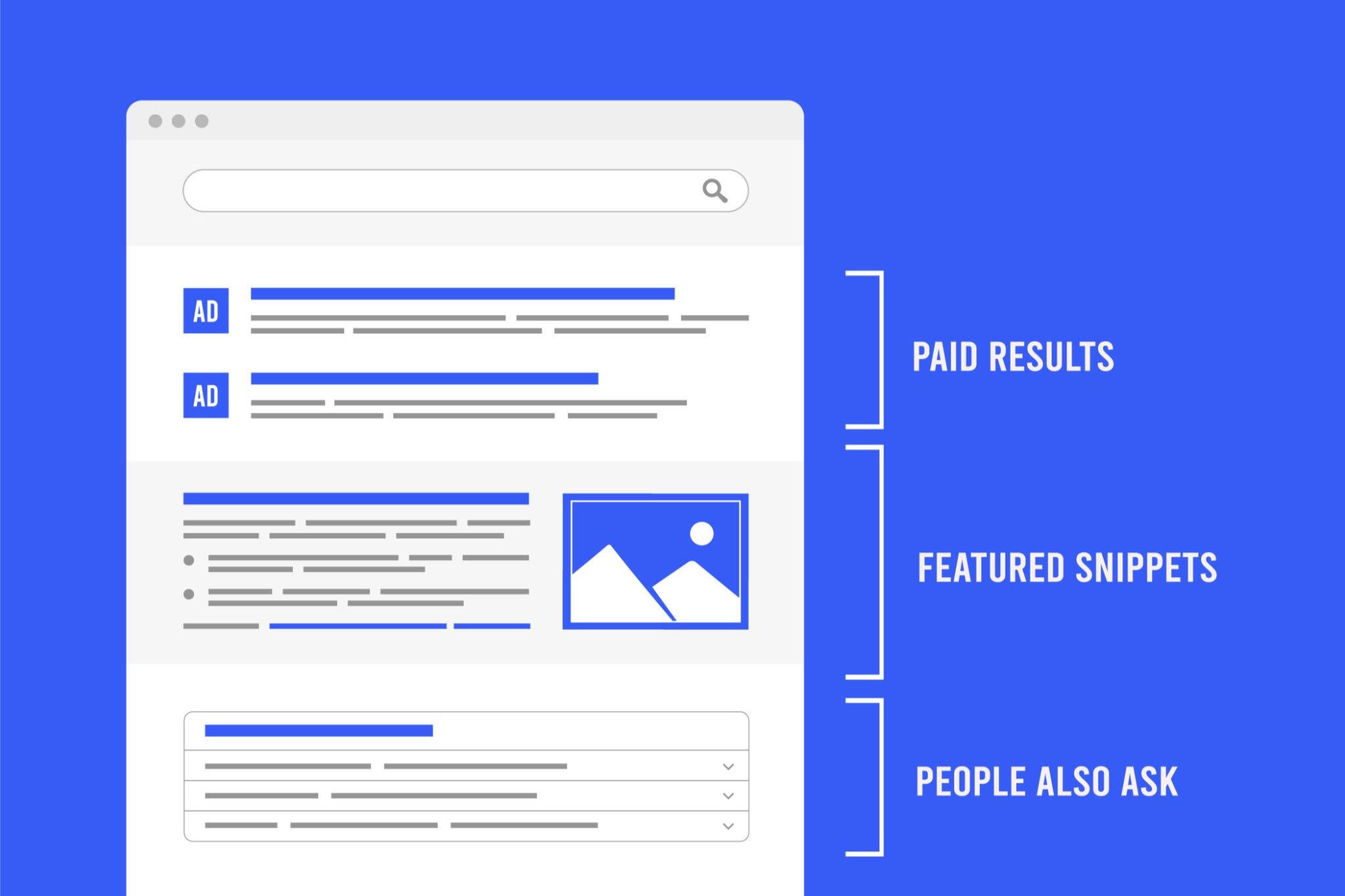
Google has responded to this trend by creating special search features specifically for question-and-answer content. You’ve probably noticed the “People Also Ask” boxes that appear in search results, showing related questions with expandable answers. These boxes are prime real estate, and FAQ content is often what Google pulls to populate them.
Featured Snippets: The Holy Grail of FAQ SEO
Perhaps the biggest reason FAQ pages are so powerful is their potential to capture featured snippets—those answer boxes that appear at the very top of Google search results, above even the first organic result. This coveted “position zero” can drive massive traffic because it’s the first thing users see, and it positions your content as the definitive answer to their question.
FAQ content is perfectly structured to win featured snippets. Each question becomes a potential featured snippet opportunity. A single FAQ page with 20 questions gives you 20 chances to appear in position zero for different queries. That’s 20 opportunities to bypass all your competitors and be the first thing potential customers see.
The beauty of featured snippets is that you don’t need to rank #1 organically to appear in them. Google pulls featured snippets from anywhere on the first page of results, sometimes even from page two. This means even newer or smaller websites can compete with established players by crafting better FAQ answers.

Long-Tail Keyword Gold Mine
FAQ pages naturally target long-tail keywords—those longer, more specific search phrases that might have lower individual search volumes but collectively represent huge traffic opportunities. While “insurance” might be impossibly competitive, “what does comprehensive insurance cover for rental cars?” is much more achievable.
Long-tail keywords also have higher conversion rates because they indicate specific intent. Someone searching “insurance” is just browsing. Someone searching “how do I file a claim with my auto insurance after an accident?” is dealing with an immediate need and is much closer to taking action.
A comprehensive FAQ page can target dozens or even hundreds of long-tail keywords simultaneously, creating a wide net that captures traffic from numerous specific queries. This cumulative effect can add up to thousands of visitors monthly from search terms you might never have thought to target individually.
Trust and Authority Signals
From Google’s perspective, websites that provide helpful, accurate answers to user questions are valuable resources that deserve to rank well. A thorough FAQ page signals that you understand your customers’ concerns, you’re transparent about your products or services, and you’re willing to educate rather than just sell.
This builds both user trust and search engine trust. When visitors find helpful answers on your FAQ page, they spend more time on your site, explore additional pages, and are less likely to bounce back to search results—all positive signals that Google uses to evaluate quality.
Moreover, when other websites link to your FAQ page as a helpful resource, those backlinks boost your domain authority. Educational, question-answering content tends to earn more natural links than overtly promotional content because people genuinely want to share helpful information.
Understanding User Intent: The Foundation of Effective FAQ Pages
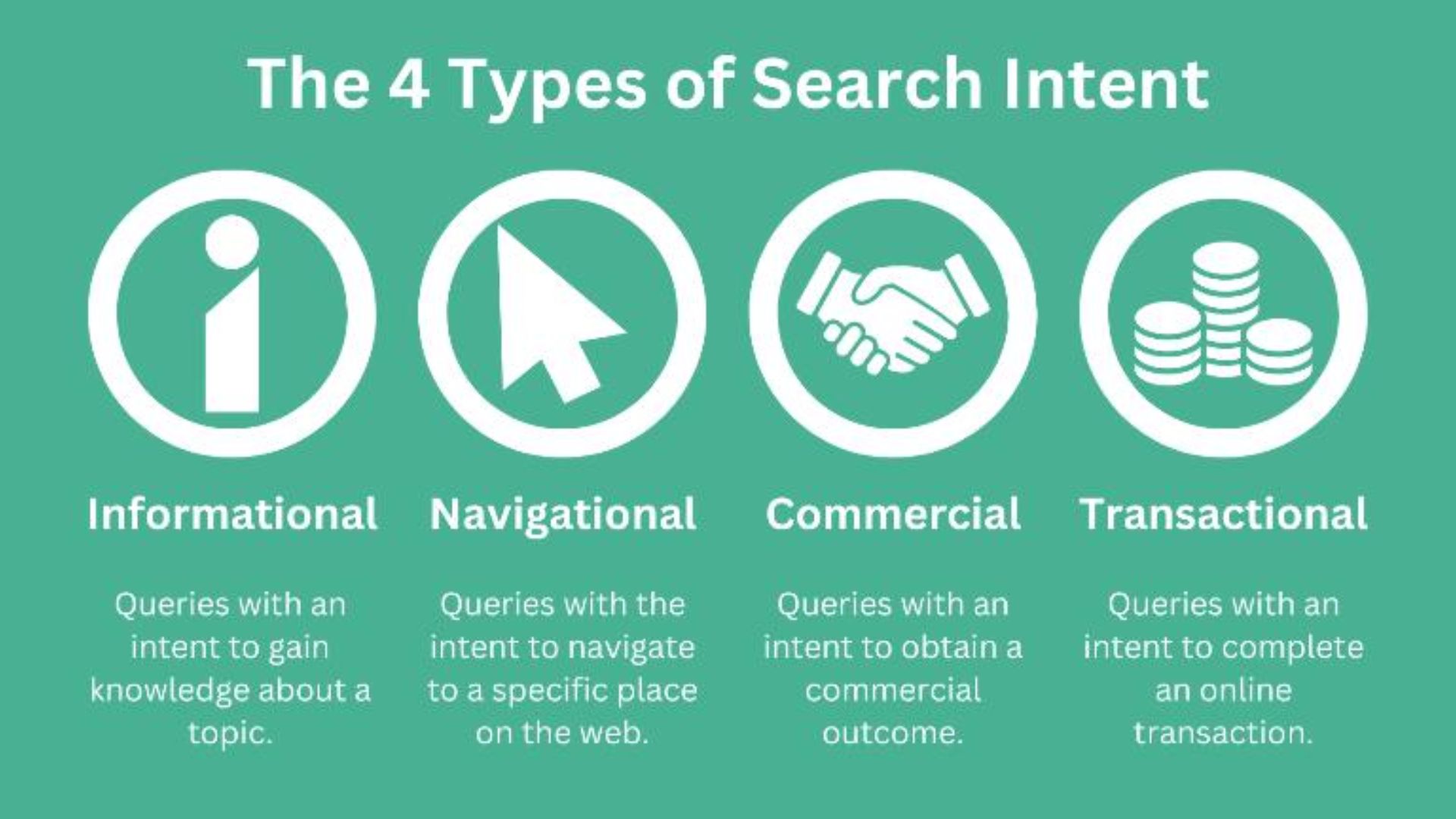
Creating an FAQ page that actually drives traffic starts with understanding what your potential customers are really asking and why they’re asking it. This goes deeper than just listing obvious questions—it requires strategic thinking about user intent and the customer journey.
Types of User Intent
Not all questions are created equal from an SEO and conversion perspective. Understanding the different types of user intent helps you prioritize which questions to include and how to answer them.
Informational intent represents users who want to learn or understand something. “What is SEO?” “How does solar energy work?” “What causes migraines?” These users are typically early in their research journey. Answering these questions establishes your expertise and introduces your brand to potential customers.
Navigational intent indicates users looking for a specific page or resource. “Where is the nearest Target?” “How do I access my account?” While these might seem less valuable, they’re actually crucial for customer service and can prevent support inquiries.
Transactional intent reveals users ready to take action. “How much does X cost?” “What’s included in your service?” “Do you offer free shipping?” These are the high-value questions because these users are closer to making a decision.
Comparison intent shows users evaluating options. “What’s the difference between X and Y?” “Which is better for [specific use case]?” These questions let you position your offering favorably while remaining helpful and honest.
A strategic FAQ page includes a mix of all these intent types, creating a resource that serves users at different stages of the customer journey while maximizing your chances of appearing in diverse search results.
Mining Questions from Real Sources
The best FAQ questions come from real people, not guesswork. Here’s where to find the actual questions your target audience is asking:
Customer Service and Sales Inquiries: Your support team and sales staff interact with customer questions daily. These are literally the FAQs—the questions that get asked frequently. Compile them. These questions represent real pain points and decision-making factors.
Google’s “People Also Ask” Feature: Search for your main keywords and look at the “People Also Ask” boxes. These questions come directly from what Google knows people are searching for. Click on questions to expand more related queries. This is free keyword research handed to you by Google itself.
Answer the Public: This free tool (with a paid option for more features) generates comprehensive lists of questions people ask around any keyword. It visualizes questions categorized by question words (what, why, how, when, where) and provides hundreds of real query variations.
Reddit, Quora, and Online Forums: These platforms are goldmines of authentic questions. Search for topics related to your industry on these sites and you’ll find endless threads of people asking questions and discussing problems. The language they use is how real people search.
Google Search Console: If your website already has some traffic, Search Console shows you actual queries people used to find your site. Look for question-based queries that brought visitors. These are proven opportunities.

Social Media Listening: Monitor hashtags, comments, and discussions on platforms like Twitter, Facebook groups, LinkedIn, and industry-specific social networks. People constantly ask questions on social media that they also search for on Google.
Competitor Analysis: Look at your competitors’ FAQ pages, but don’t just copy them. Identify gaps—questions they haven’t answered or haven’t answered well. Also analyze which of their FAQ content ranks well in search results to understand what’s working.
Structuring Your FAQ Page for Maximum SEO Impact
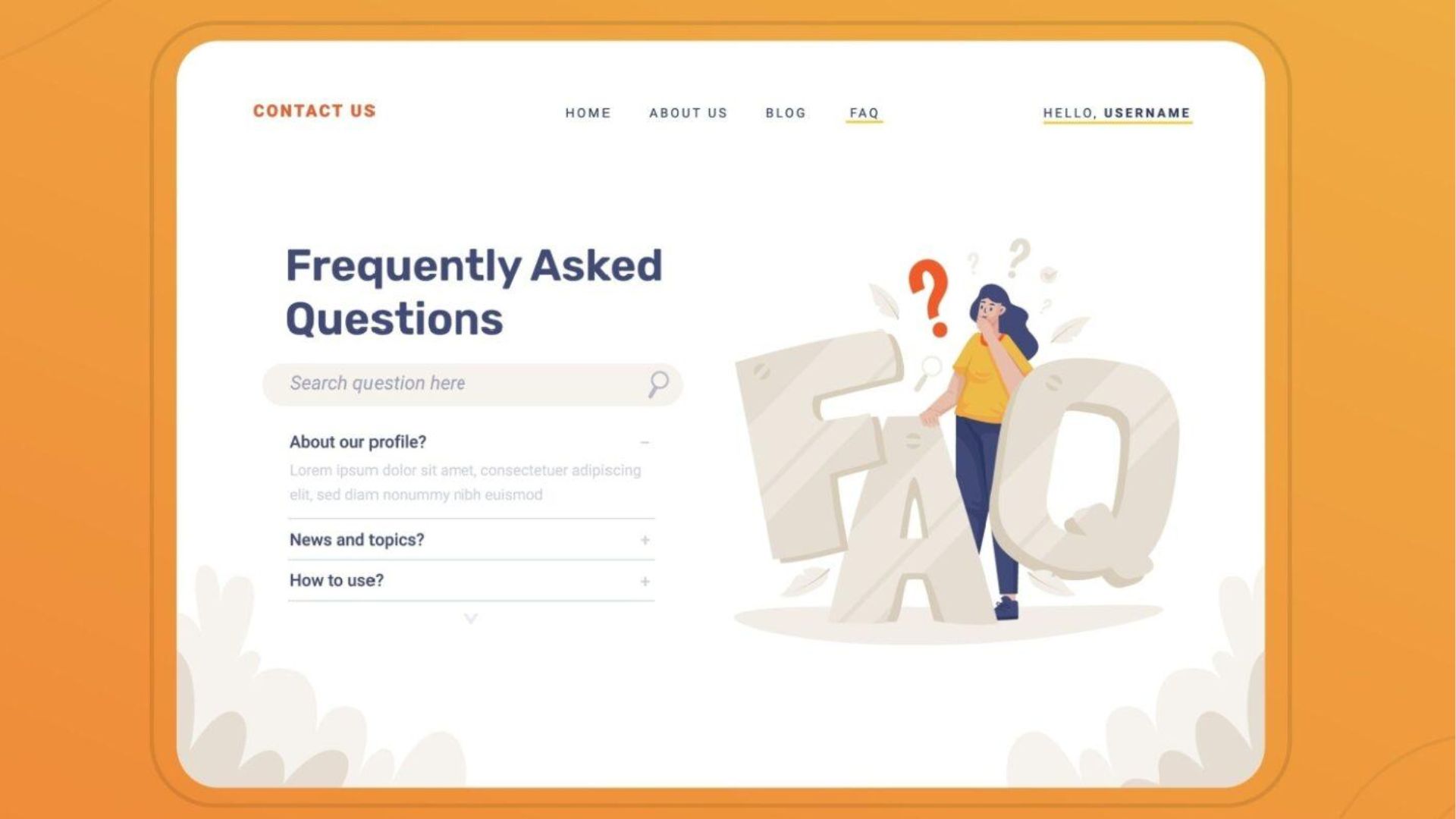
How you structure your FAQ page matters enormously for both user experience and search engine optimization. The right structure makes your content more accessible to both humans and algorithms.
Individual Pages vs. Single Page
One of the first strategic decisions is whether to create one comprehensive FAQ page or separate pages for different question categories. Both approaches have merits.
A single, comprehensive FAQ page works well for smaller businesses or those with 10-30 common questions. It provides a one-stop resource that’s easy for users to search and scan. It also consolidates authority signals to one URL, which can help it rank more strongly.
Multiple category-specific pages make sense when you have many questions (50+) or distinctly different product lines or services. For example, a software company might have separate FAQ pages for “Billing & Payments,” “Technical Support,” “Account Management,” and “Features.” This prevents overwhelming users and allows you to target more specific keyword themes.
You can also create a hybrid approach: a main FAQ page with essential questions and links to more detailed category pages. This gives users quick access to common questions while providing depth for those who need it.
Optimal Question Format
Each question on your FAQ page should be formatted as an actual question, using natural language that mirrors how people speak and search. Compare these:
- Poor: “Shipping”
- Better: “Shipping information”
- Best: “How long does shipping take?”
The third version matches how someone would actually search. It’s conversational, specific, and question-based—exactly what Google’s algorithms are designed to understand and match with search queries.
Use question words: who, what, when, where, why, how, can, does, should, will. These are the words that trigger Google’s question-answering features.
Answer Structure and Length
The ideal answer provides immediate value in the first sentence or two, then expands with additional detail. This structure works because:
- It captures featured snippets (which typically pull 40-60 word excerpts)
- It satisfies quick scanners who just want the basic answer
- It provides depth for those who want more information
Here’s a template:
Question: How long does shipping take?
Answer: Standard shipping typically takes 5-7 business days within the United States. Expedited shipping options are available at checkout, with 2-3 day and overnight delivery available for most items. International shipping times vary by destination, ranging from 7-21 business days depending on customs processing. You’ll receive a tracking number via email once your order ships, allowing you to monitor delivery progress.
Notice how the first sentence directly answers the question, while subsequent sentences provide additional helpful detail. This structure increases your chances of appearing in featured snippets while still giving complete information.
Using Headers and HTML Markup
Proper HTML structure isn’t just about aesthetics—it helps search engines understand your content organization. Use H2 or H3 tags for each question. This creates a clear hierarchy that both users and search engines can easily parse.
Many FAQ pages use accordion or expandable sections where clicking a question reveals the answer. While this can improve user experience on pages with many questions, be cautious. Google can crawl hidden content, but there’s debate about whether it values visible content more highly. If you use accordions, ensure the content is properly indexed by testing in Google Search Console.
Implementing FAQ Schema Markup
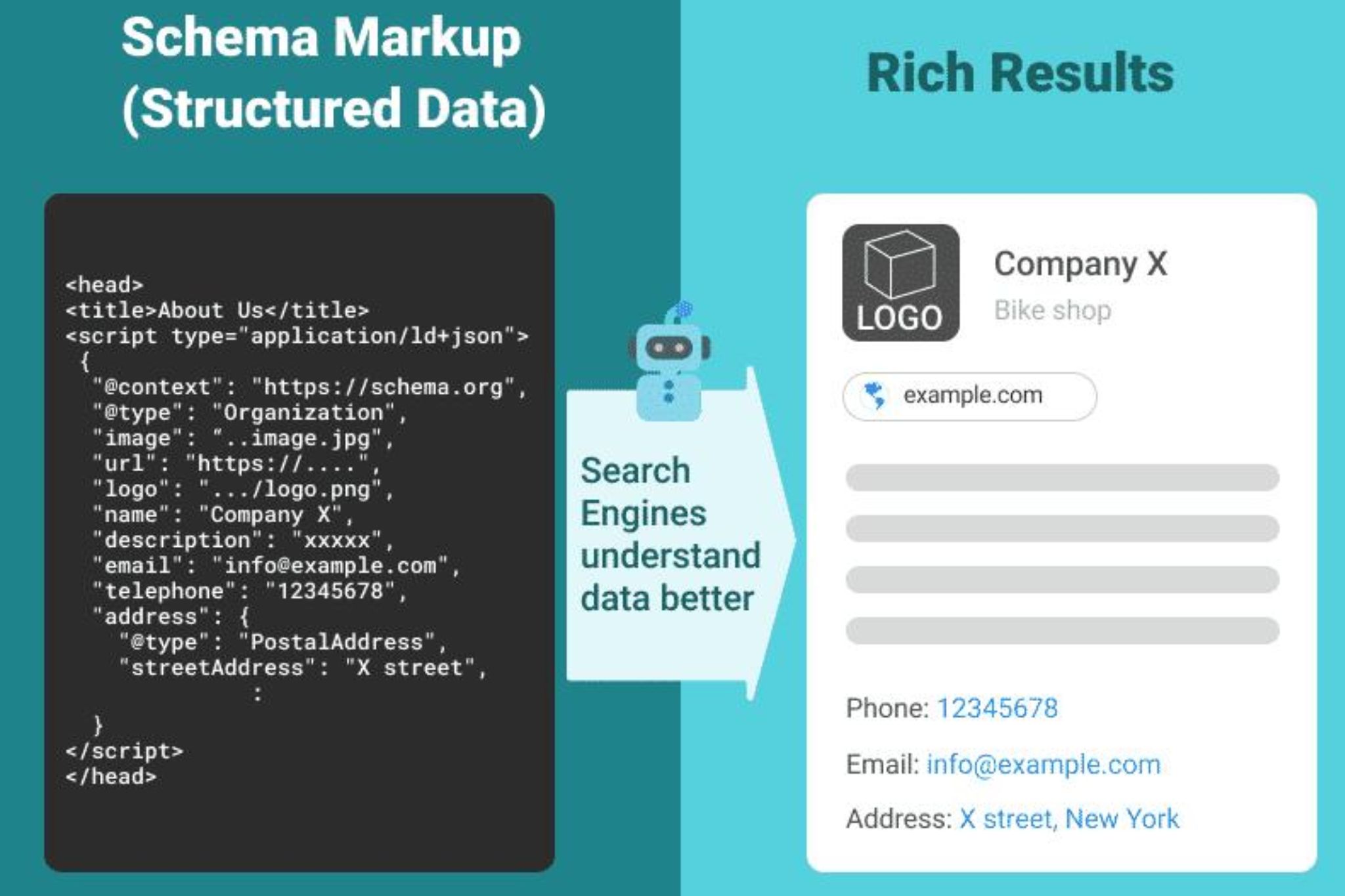
This is the secret weapon that many website owners don’t know about. FAQ schema is structured data markup that explicitly tells Google “this is a question and this is its answer.” When implemented correctly, it can make your FAQ content eligible for rich results in search—those enhanced listings that stand out with extra formatting.
FAQ schema uses JSON-LD code that you add to your page. While it sounds technical, it’s actually quite straightforward. Here’s a simplified example:
{
  "@context": "https://schema.org",
  "@type": "FAQPage",
  "mainEntity": [{
    "@type": "Question",
    "name": "How long does shipping take?",
    "acceptedAnswer": {
      "@type": "Answer",
      "text": "Standard shipping typically takes 5-7 business days within the United States."
    }
  }]
}
Most modern CMS platforms have plugins that can generate this markup automatically. For WordPress, plugins like Yoast SEO, Rank Math, or Schema Pro can add FAQ schema without coding. Google provides a Schema Markup Generator tool, and you can validate your implementation with Google’s Rich Results Test.
Implementing FAQ schema can dramatically increase your visibility in search results, making your listings more prominent and clickable.
Creating Answers That Actually Rank

Having the right questions is only half the battle. The answers themselves need to be optimized for both users and search engines. Here’s how to craft answers that rank.
Be Comprehensive Yet Concise
This seems contradictory, but it’s about layering information effectively. Start with a direct, concise answer to capture featured snippets and satisfy quick scanners. Then expand with additional context, examples, or related information for users who want depth.
Avoid fluff and filler. Every sentence should add value. If you find yourself writing “This is a common question” or “Many people wonder about this,” you’re wasting words. Get straight to the answer.
Use Natural Language and Keywords
Write how people speak. Use the same terminology your customers use, not industry jargon (unless your audience is industry professionals who use that jargon). This natural language approach helps your content match voice searches and conversational queries.
Incorporate relevant keywords naturally, but don’t force them. If you’re answering “What’s the best time to plant tomatoes?” your answer will naturally include related terms like “tomato planting,” “growing season,” “frost dates,” etc. This semantic relationship helps Google understand your content’s relevance.
Include Specifics and Numbers

Specific, concrete information ranks better and is more useful than vague generalities. Compare:
- Vague: “Shipping doesn’t take too long”
- Specific: “Standard shipping takes 5-7 business days”
Numbers, statistics, dates, and specific details make your answers more trustworthy and more likely to be selected for featured snippets. They also make your content more valuable to users, which improves engagement metrics.
Answer Completely
Don’t tease information or force users to contact you for basic answers. While it’s tempting to withhold information hoping to generate leads, this backfires in search. Google wants to send users to pages that fully answer their questions.
If someone asks “How much do your services cost?” provide real numbers or ranges. If pricing truly varies significantly, explain what factors affect cost and provide example scenarios. Complete, transparent answers build trust and are rewarded with better rankings.
Update Regularly
FAQ pages shouldn’t be static. As your business evolves, as new questions emerge, and as you learn what’s working, update your FAQ page. Add new questions, refine answers, and remove outdated information.
Regular updates signal to Google that your content is current and maintained. They also give you fresh opportunities to target new keywords and capture emerging search trends.
Advanced FAQ Strategies for Maximum Traffic
Once you’ve mastered the basics, these advanced strategies can multiply your FAQ page’s traffic potential.
Create Video FAQ Content
Video content can significantly boost your FAQ page’s performance. Creating short videos answering each question (or your most important questions) provides multiple benefits:
- Videos can rank in Google’s video results, creating an additional traffic source
- Embedding videos increases time-on-page, a positive ranking signal
- YouTube videos (if that’s where you host them) create another platform for discovery
- Video results often get featured snippets with thumbnail images, making them highly clickable
Keep FAQ videos short and focused—30 seconds to 2 minutes is ideal. Make sure to include transcripts, which provide text content for search engines while making videos accessible.
Target “Versus” and Comparison Questions
Comparison questions are particularly valuable because they target users in decision-making mode. Questions like “What’s the difference between X and Y?” or “X vs Y: which is better?” indicate someone evaluating options.
Create comprehensive comparisons that help users make informed decisions. Be honest about strengths and weaknesses. Even if you’re comparing your product to a competitor’s, objective comparison builds trust and often converts better than pure promotion.
Interlink Strategically
Your FAQ page shouldn’t be an isolated island. Link from FAQ answers to relevant detailed content on your site. If an FAQ answer mentions a specific product feature, link to the product page. If it references a process, link to a detailed guide.
This internal linking serves multiple purposes:
- It helps users discover more content
- It distributes authority throughout your site
- It helps search engines understand your site structure
- It increases pages per session, a positive engagement metric
Also link TO your FAQ page from other content. When you write blog posts or product descriptions, link to relevant FAQ questions when they naturally fit the context.
Leverage User-Generated Questions
Consider adding a feature that lets visitors submit questions. Not every question needs to be published, but this:
- Provides ongoing insights into what customers want to know
- Creates fresh content opportunities
- Can generate engagement and return visits
- Shows you’re responsive and customer-focused
Moderate submissions and only publish quality questions with quality answers, but this crowdsourced approach can uncover valuable long-tail keywords you’d never think of yourself.
Create Seasonal FAQ Content
Some questions are seasonal. “When should I plant roses?” peaks in spring. “How do I winterize my boat?” peaks in fall. “What are the best last-minute gift ideas?” peaks before holidays.
Create or update FAQ content to address seasonal questions before their peak search periods. This timing strategy can capture surges of seasonal traffic.
Optimize for Local Search
If you serve specific geographic areas, incorporate location-based FAQ questions. “Do you offer services in [city]?” “What areas do you serve?” “How long does delivery take to [neighborhood]?”
Local FAQ content helps you rank for “near me” and location-specific searches while providing genuine value to local customers who have region-specific questions.
Measuring FAQ Page Success
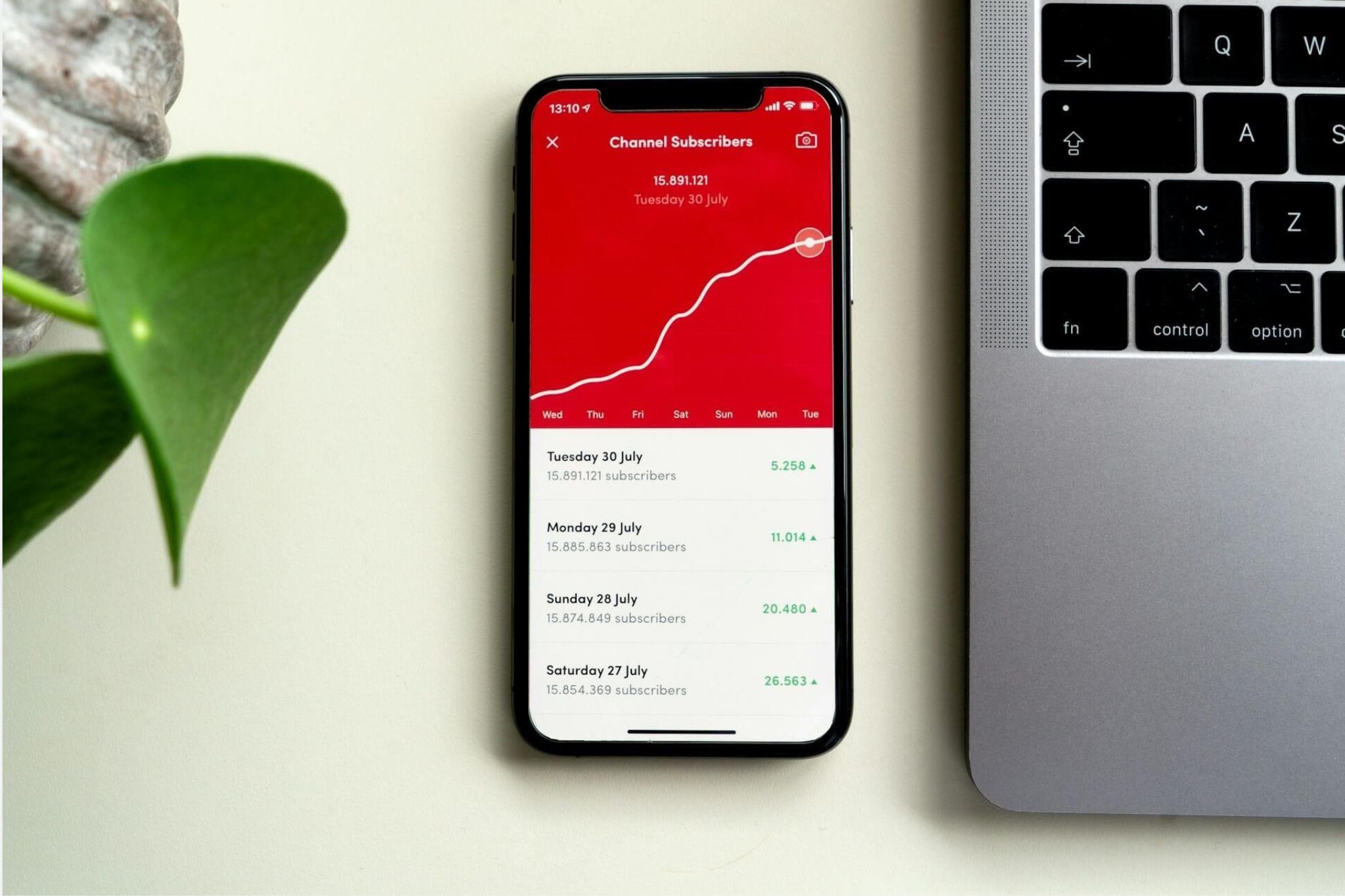
Creating a great FAQ page is just the beginning. You need to track its performance and continuously optimize based on data.
Key Metrics to Monitor
Organic Traffic: Track visits to your FAQ page over time in Google Analytics. Look for growth trends and correlate them with updates you make. Also segment by landing page traffic—how many people arrive at your site through the FAQ page versus navigating to it from other pages.
Rankings and Impressions: Use Google Search Console to see which queries your FAQ page ranks for and which questions are winning featured snippets. The “Performance” report shows impressions (how often you appear in search results) and position (where you rank) for specific queries.
Featured Snippet Capture: Track how many featured snippets your FAQ content captures. While Google Search Console doesn’t explicitly label featured snippets, you can identify them by looking for queries where your average position is above 1.0 (positions like 0.5 or 0.8 often indicate featured snippets).
Engagement Metrics: Monitor time on page, bounce rate, and pages per session for FAQ visitors. High engagement suggests your content is valuable. High bounce rates might indicate your answers don’t fully satisfy the query or your page has usability issues.
Conversion Impact: Track whether FAQ page visitors convert at higher or lower rates than visitors from other sources. Set up goal tracking to see if people who visit your FAQ page are more likely to contact you, make a purchase, or complete other valuable actions.
User Behavior: Use scroll tracking and heatmaps (tools like Hotjar or Crazy Egg can help) to see which questions get the most attention. This reveals which topics matter most to your audience.
Testing and Optimization
Based on your metrics, continuously refine your FAQ page:

Expand high-performers: If certain questions drive significant traffic, consider creating dedicated, more detailed pages about those topics. This lets you target the topic more comprehensively while keeping the FAQ answer concise.
Improve low-performers: Questions that rank poorly despite good search volume might need better answers. Research what’s currently ranking, identify what makes those answers effective, and improve yours.
A/B test answer formats: Try different answer lengths, structures, or media (text vs. video) to see what performs better. Use testing tools or simply compare performance before and after changes.
Prune or consolidate: If some questions get zero traffic or engagement, they might be irrelevant to your audience. Remove them or combine similar questions to streamline your page.
Common FAQ Page Mistakes That Kill Traffic
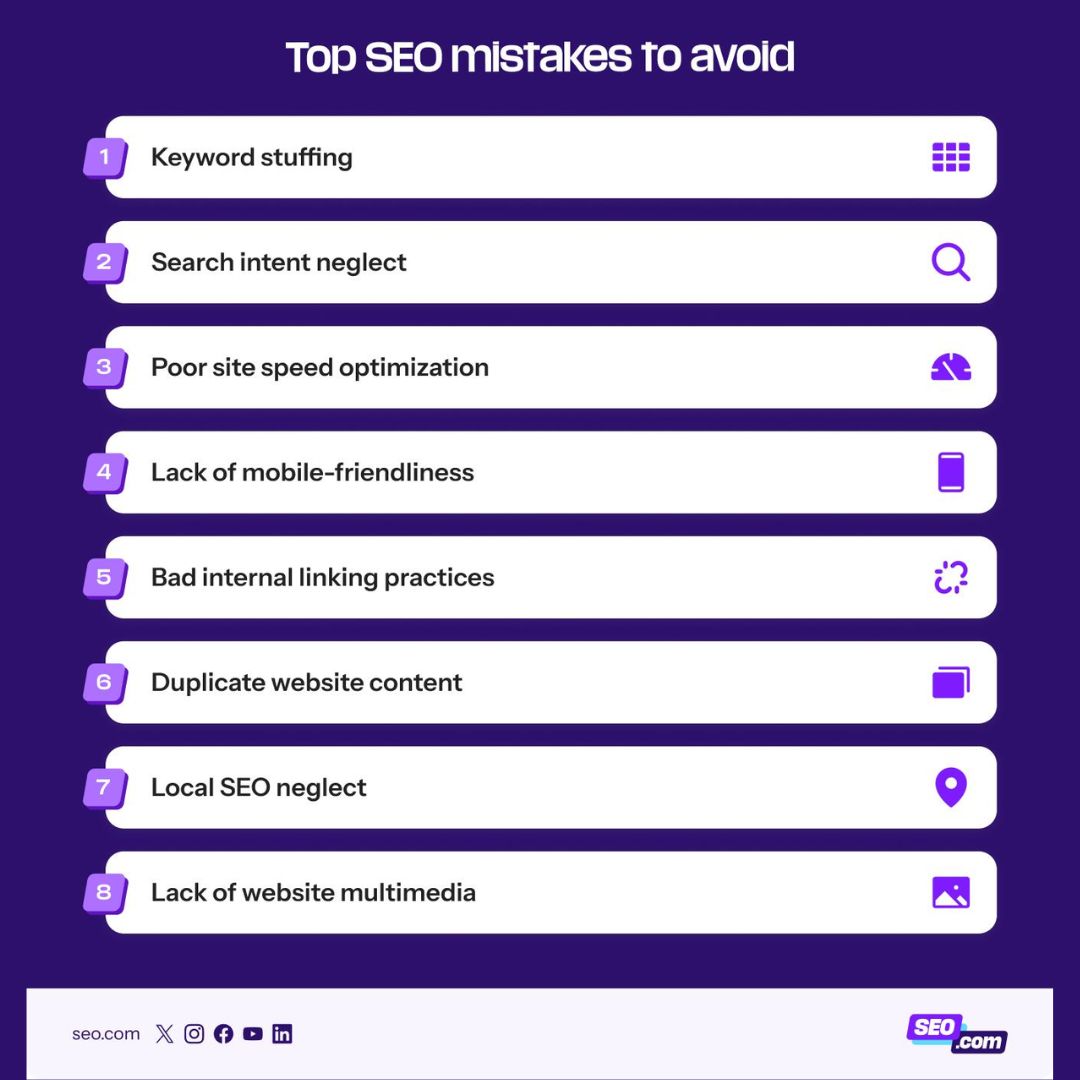
Even with the best intentions, many FAQ pages fail to deliver results because of avoidable mistakes. Here’s what to avoid:
Being Too Salesy
FAQ pages should inform, not sell. Users asking questions want answers, not marketing pitches. Overly promotional language reduces trust and makes Google less likely to feature your content.
Compare:
- Poor: “Why choose our amazing, industry-leading, award-winning service? Because we’re simply the best!”
- Good: “Our service includes 24/7 customer support, a 30-day money-back guarantee, and integration with over 50 popular tools, making it a comprehensive solution for businesses of all sizes.”
The second version provides specific, useful information without hyperbole.
Vague or Incomplete Answers
Answers like “It depends” or “Contact us for details” frustrate users and search engines. While some questions genuinely have variable answers, provide as much concrete information as possible, then explain what factors create variability.
Poor Organization
A wall of random questions is overwhelming. Group related questions into categories. Use a table of contents or jump links for long pages. Make it easy for users to find relevant questions quickly.
Ignoring Mobile Users
More than half of web traffic is mobile. If your FAQ page isn’t mobile-friendly—readable text, tappable elements, fast loading—you’re losing traffic and rankings. Test your FAQ page on actual mobile devices, not just responsive design tools.
Orphaned FAQ Pages
An FAQ page that’s not linked from your main navigation or other key pages is hard for users and search engines to find. Make your FAQ page accessible, typically in your header or footer navigation.
One-Size-Fits-All Answers
If you serve different customer segments (consumers vs. businesses, different industries, different experience levels), generic answers might not serve anyone well. Consider creating segment-specific FAQ sections or pages.
Forgetting to Update
Outdated information damages credibility and rankings. If your shipping times change, your pricing updates, or your policies evolve, update your FAQ immediately. Schedule quarterly reviews to ensure all content remains accurate.
Real-World FAQ Success Stories

Understanding theory is one thing; seeing real results is another. While I can’t share specific client data, the patterns are clear across industries:
E-commerce sites adding comprehensive FAQ pages covering product questions, sizing, shipping, and returns commonly see 20-40% increases in organic traffic within 3-6 months. More importantly, they see reduced cart abandonment and support inquiries because customers find answers pre-purchase.
Service businesses (lawyers, contractors, consultants) often see even more dramatic results because their FAQ pages target high-intent questions like “How much does X cost?” and “What’s the process for Y?” These questions indicate someone actively considering hiring help.
SaaS companies using FAQ pages to address technical questions, feature comparisons, and pricing see benefits beyond traffic. Helping users self-serve reduces support burden while moving prospects through the sales funnel independently.
Local businesses incorporating location-specific FAQ content frequently dominate “near me” and local searches, appearing in map packs and local featured snippets that drive phone calls and foot traffic.
The common thread in all these successes: strategic focus on real customer questions, comprehensive yet concise answers, proper technical implementation, and ongoing optimization based on performance data.
The FAQ Page Action Plan

Ready to create or optimize your FAQ page? Here’s your step-by-step roadmap:
Week 1: Research and Planning
- Compile questions from customer service logs, sales conversations, and social media
- Research questions using Answer the Public, Google’s People Also Ask, and forums
- Analyze competitor FAQ pages to identify gaps
- Prioritize questions based on search volume and business relevance
Week 2: Content Creation
- Write clear, comprehensive answers for each question
- Optimize for featured snippets with concise first sentences
- Include specific details, numbers, and examples
- Add internal links to related content on your site
Week 3: Technical Implementation
- Create or update your FAQ page with proper HTML structure
- Implement FAQ schema markup
- Ensure mobile responsiveness
- Add navigation links from other pages
- Submit to Google Search Console for indexing
Week 4: Optimization and Promotion
- Create video versions of top questions (if resources allow)
- Share FAQ content on social media
- Link to specific FAQ questions from blog posts and email newsletters
- Set up tracking in Google Analytics and Search Console
Ongoing: Monitor and Improve
- Review performance metrics monthly
- Add new questions as they emerge
- Update answers based on business changes
- Test different formats and approaches
- Expand high-performing questions into dedicated content
Conclusion: Your Always-On Traffic Engine

A well-crafted FAQ page is one of the highest-ROI investments you can make in your website. Unlike paid advertising that stops working when you stop paying, or social media posts that disappear from feeds after hours, an optimized FAQ page works for you continuously, bringing in free, qualified traffic month after month.
The beauty of FAQ content is its compound effect. Each question you add creates another opportunity to rank. Each featured snippet you capture brings sustained visibility. Each visitor who finds helpful answers becomes more likely to trust and choose your business.
The websites dominating search results in 2026 aren’t necessarily those with the biggest budgets or the most backlinks. They’re the ones providing the most helpful, accurate, comprehensive answers to the questions their target audience is asking. That’s exactly what a strategic FAQ page does.
Your competitors might be ignoring this opportunity, treating their FAQ page as a boring necessity rather than a traffic engine. That’s your advantage. By implementing the strategies in this guide, you can create an FAQ page that doesn’t just answer questions—it attracts thousands of visitors, builds authority, reduces support burden, and ultimately drives business growth.
The questions are out there. People are searching right now for answers you can provide. Will your FAQ page be there to meet them, or will they find your competitor instead?
Start building or optimizing your FAQ page today. Your future traffic—and customers—will thank you.