
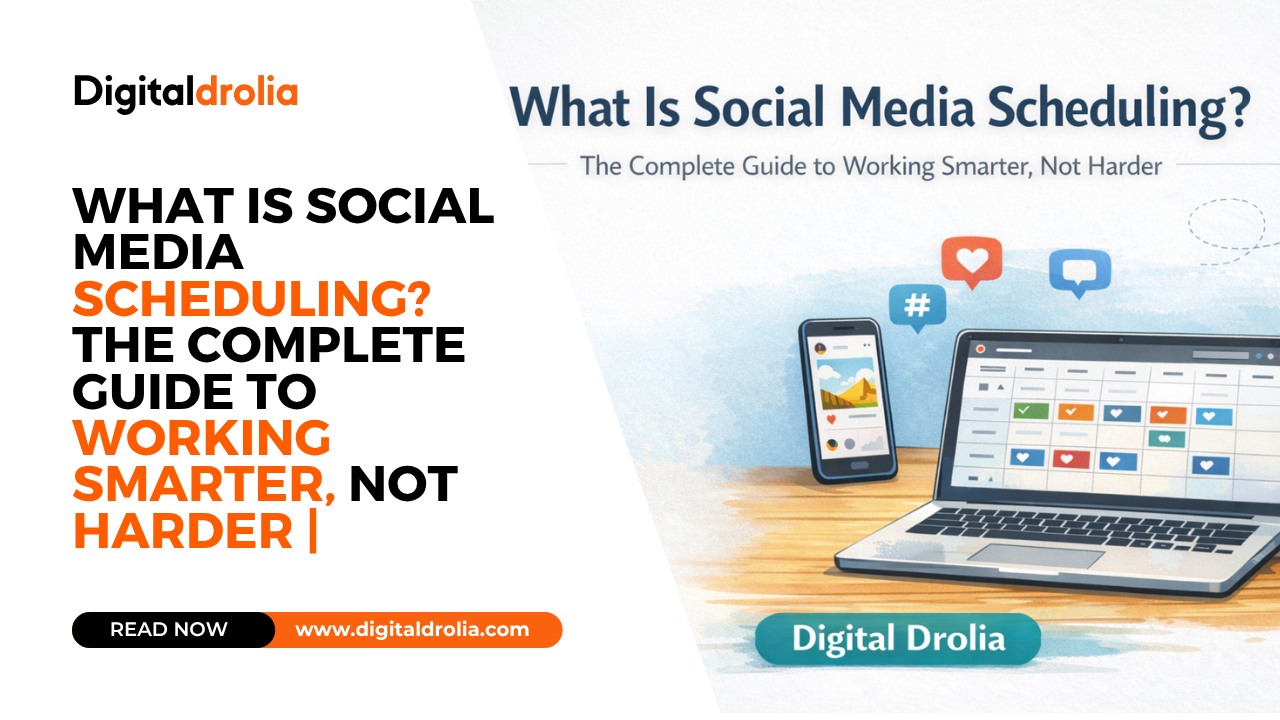
What Is Social Media Scheduling? The Complete Guide to Working Smarter, Not Harder | Digital Drolia

Picture this.
It is 7:30 in the morning. You are having your first cup of chai, still half asleep, when your phone buzzes. A notification from Instagram — your post just went live. It is getting likes. Comments are coming in. Someone just shared it to their Story.
Here is the thing — you did not post anything this morning. You scheduled that post three days ago, on a calm Tuesday afternoon when you had two free hours and a clear head. You wrote the caption thoughtfully, chose the image carefully, picked the right hashtags, and set it to publish at 7:30 AM — the time your audience is most active.
And now, while you are sipping chai and easing into your day, your content is working for you.
That is social media scheduling. And once you understand how it works and why it matters, you will wonder how you ever managed without it.
This guide covers everything — what social media scheduling actually is, how it works technically, why it is one of the most powerful habits a business owner or content creator can build, which tools to use, and exactly how to implement it in your own workflow starting today.
Let us get into it.
What Is Social Media Scheduling — The Simple Definition
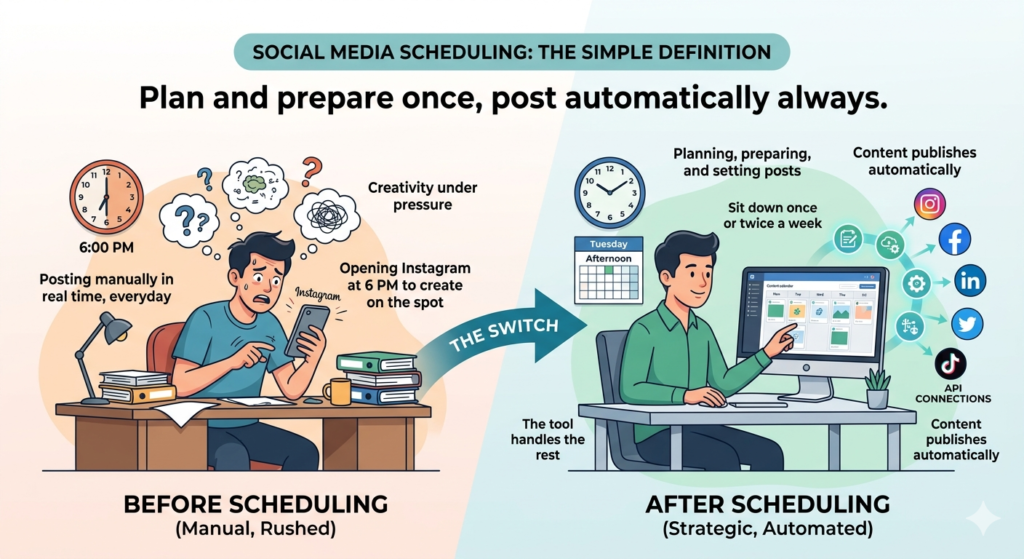
Social media scheduling is the practice of planning, preparing, and setting your social media posts to publish automatically at a specific future date and time — rather than posting them manually in real time.
Instead of opening Instagram at 6 PM every evening to write and post something on the spot, you sit down once or twice a week, create all your content for the week, and tell your scheduling tool exactly when each post should go live. The tool handles the rest — publishing each piece of content at the exact right moment, on the right platform, without you having to lift a finger.
It sounds simple because it is. The concept itself is straightforward. But the impact of building this habit into your social media workflow is profound — it changes everything about how you create, the quality of what you produce, and how consistently you show up for your audience.
Social media scheduling is not a shortcut or a cheat. It is a professional practice used by solo creators, small businesses, large brands, and everyone in between. The most successful social media accounts in the world — the ones that seem to always have the right content at the right time — are almost universally built on scheduling systems.
How Social Media Scheduling Works — The Technical Picture
To understand scheduling, it helps to understand the technical mechanics behind it.
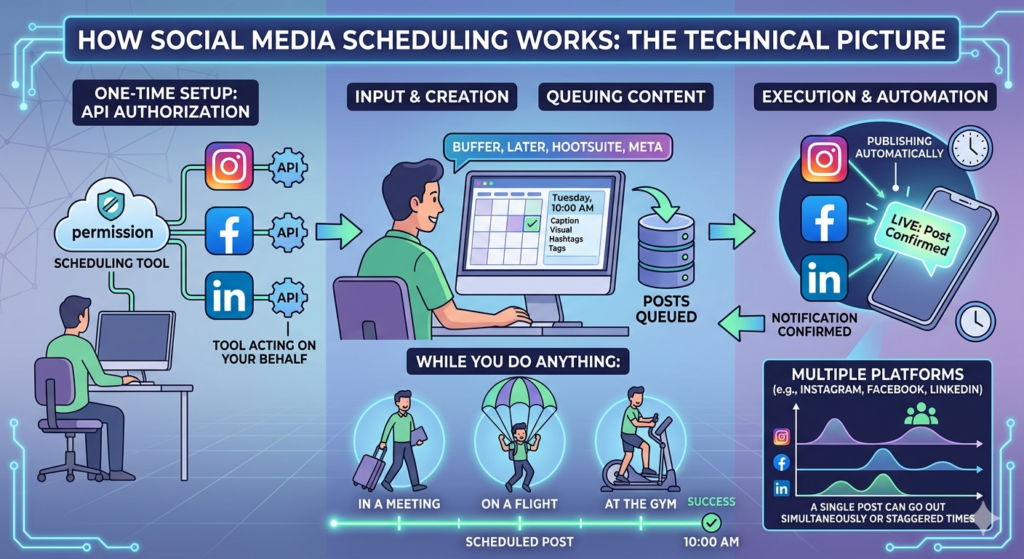
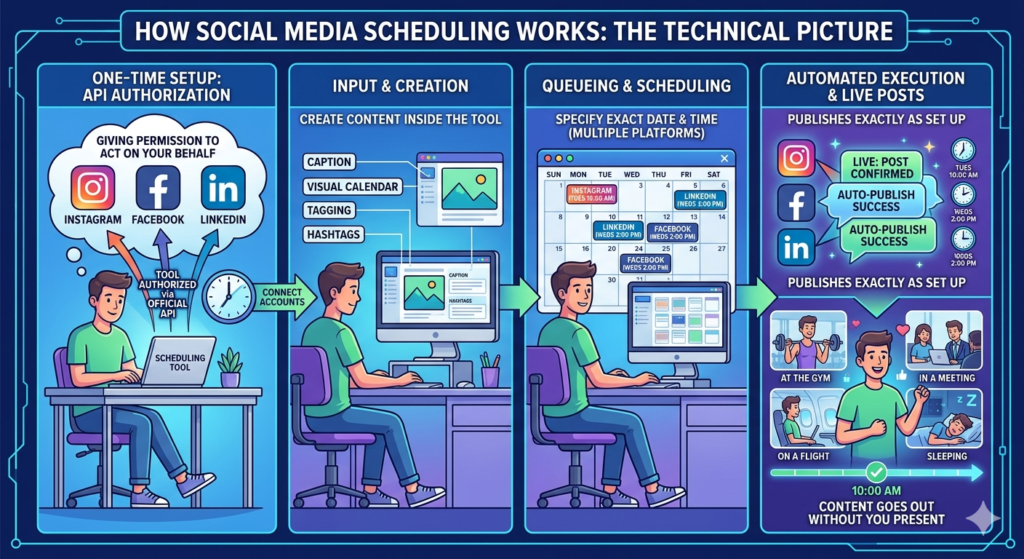
When you use a social media scheduling tool — Buffer, Later, Hootsuite, Meta Business Suite, or any of dozens of similar platforms — you are essentially giving that tool permission to act on your behalf. Through official API connections (Application Programming Interfaces) with social media platforms, these tools are authorized to post content to your accounts at specified times.
Here is the step-by-step process:
You connect your social media accounts to your scheduling tool. This is a one-time setup that involves logging into each platform and granting the scheduling tool permission to post on your behalf.
You create your content inside the scheduling tool — writing your caption, uploading your image or video, adding hashtags, and tagging any relevant accounts or locations.
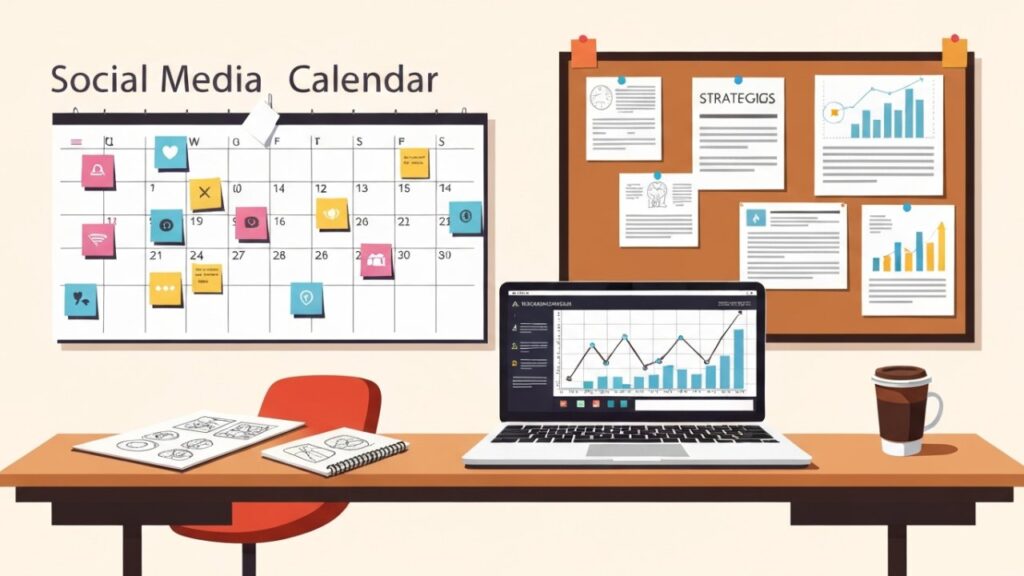
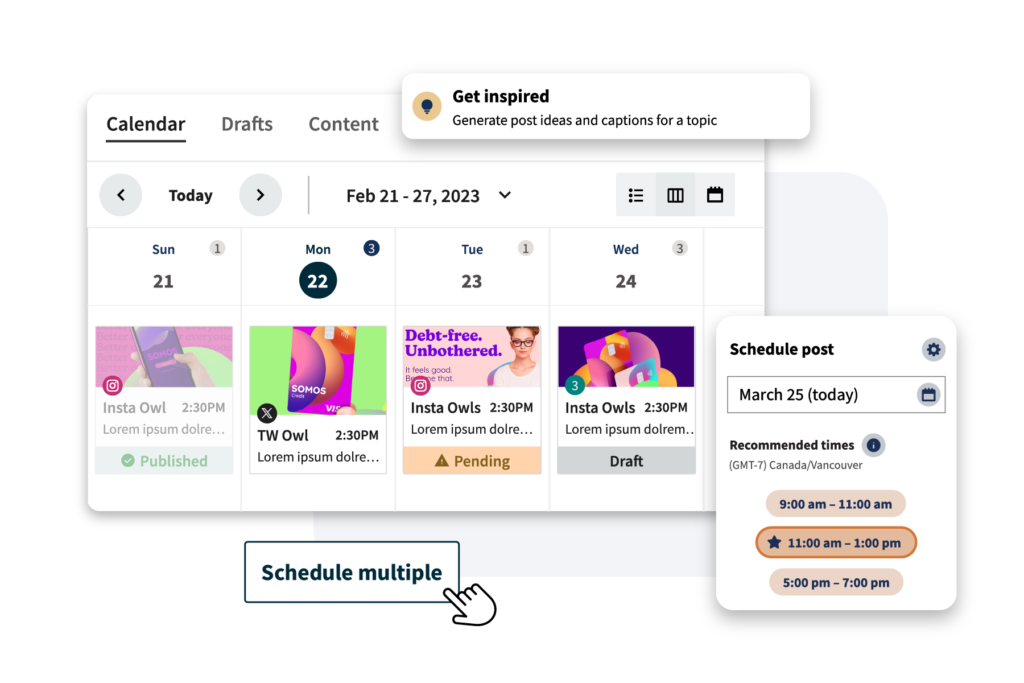
You specify the exact date and time you want the post to publish. Most tools show you a visual calendar so you can see exactly when everything is lined up.
At the scheduled time, the tool automatically publishes the post to your social media account — exactly as you set it up. You receive a notification confirming the post went live.
The entire process happens without you needing to be at your phone or computer at that moment. You could be in a client meeting, on a flight, sleeping, or at the gym — your content goes out exactly as planned.
Most scheduling tools support multiple platforms simultaneously. You can write one piece of content and schedule it to go out on Instagram, Facebook, and LinkedIn at the same time — or at different times on different platforms, depending on when each audience is most active.
Why Social Media Scheduling Matters — The Real Benefits
Understanding what scheduling is comes easily. Understanding why it genuinely transforms your social media results takes a little more depth. Let us go through the real, meaningful benefits — not the surface-level ones you will find on every marketing blog.
Benefit 1 — It Breaks the Tyranny of the Urgent
The single biggest enemy of great social media content is urgency. When you post in real time — sitting down right now to write and publish something — you are making creative decisions under pressure. You have limited time. You are distracted by other things. Your brain is in execution mode, not creative mode.
The result is predictable: rushed captions, mediocre images, vague calls to action, and posts that are published more because you feel guilty about not posting than because you have something genuinely valuable to say.
Scheduling breaks this cycle completely. When you create your content days or weeks in advance, you are making decisions in a calm, strategic state of mind. You have time to think about what your audience actually needs. You can write a caption, step away for an hour, and come back to it with fresh eyes. You can try three different hooks and choose the strongest one. You can design the perfect visual without rushing.
The content you create in two calm, uninterrupted hours on a Sunday afternoon will almost always be significantly better than the content you slap together in fifteen frantic minutes every evening. Scheduling is what makes those two calm hours possible.
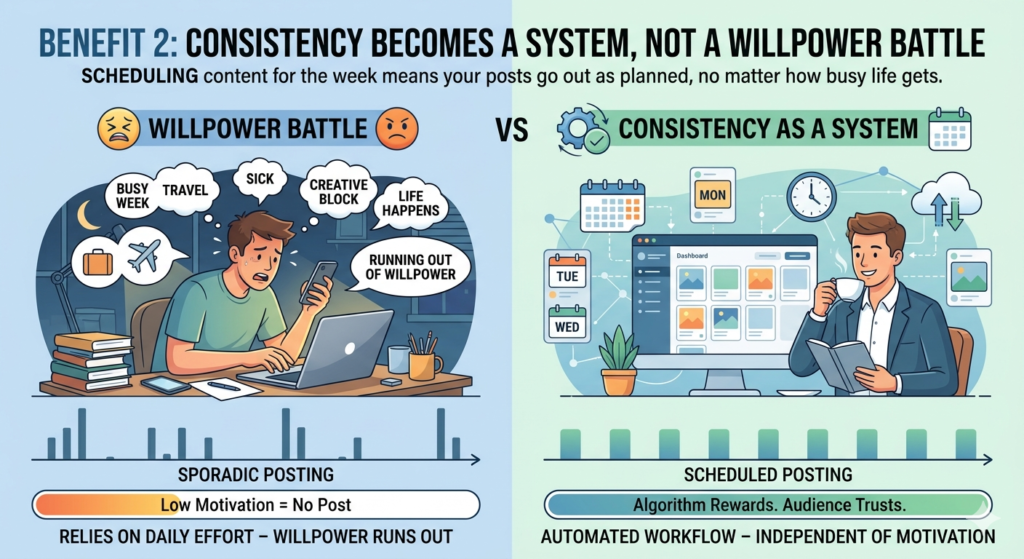
Benefit 2 — Consistency Becomes a System, Not a Willpower Battle
Every social media expert will tell you that consistency is the most important factor in building a following and growing an account. And they are right. Algorithms reward accounts that post regularly. Audiences trust accounts that show up reliably. Consistent posting builds the kind of long-term presence that casual, sporadic posting never can.
But here is the problem with relying on willpower for consistency — willpower runs out. Life gets busy. You have a difficult week at work. You travel. You get sick. You have a creative block. On any given day, a dozen things can get between you and that evening posting habit you promised yourself you would maintain.
Scheduling removes willpower from the equation entirely. When your content for the week is already written, designed, and queued — it does not matter how hectic Tuesday turns out to be. Your posts will go out as planned. Your consistency is no longer dependent on your daily motivation levels.
This is the difference between a system and an intention. An intention to post daily will fail under pressure. A system that has content scheduled for the next two weeks will not.
Benefit 3 — You Can Post at Peak Times Without Being There
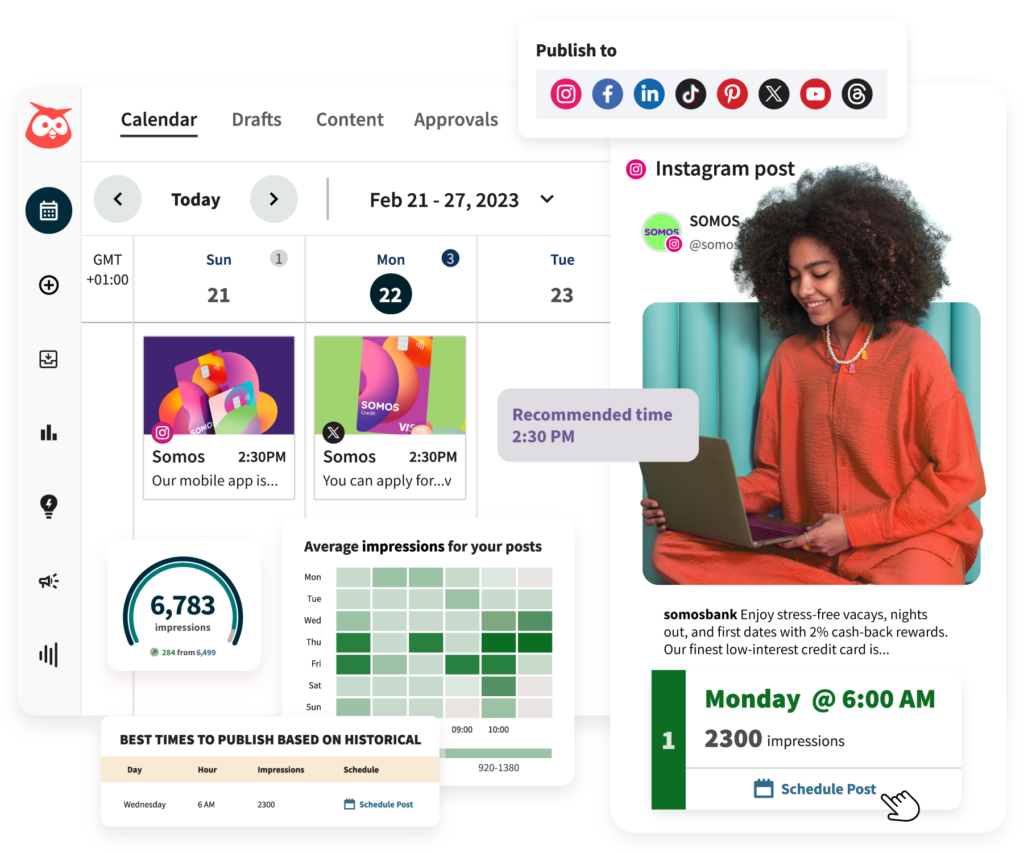
Timing matters on social media. Most platforms have specific windows when their users are most active — and posts published during these windows get significantly more initial engagement than posts published at off-peak hours. That initial burst of engagement in the first thirty to sixty minutes after posting is particularly important for algorithm-driven feeds, where strong early engagement signals the algorithm to show your content to more people.
The challenge is that peak posting times are often inconvenient times in real life.
Instagram audiences in India, for example, tend to be most active between 7 and 9 in the morning, during the lunch hour from 12 to 2, and in the evening from 7 to 10. If you are trying to post manually at these times, you need to remember to do it, stop whatever else you are doing, write and publish the post, and then engage with early comments — all at three specific points throughout a busy day.
With scheduling, you set the time once during your planning session and forget about it. The post goes live at 7:30 AM even if you are in a meeting, eating lunch, or in the middle of your evening workout. You are always publishing at the right time — regardless of what else is happening in your day.
Benefit 4 — It Enables Content Batching
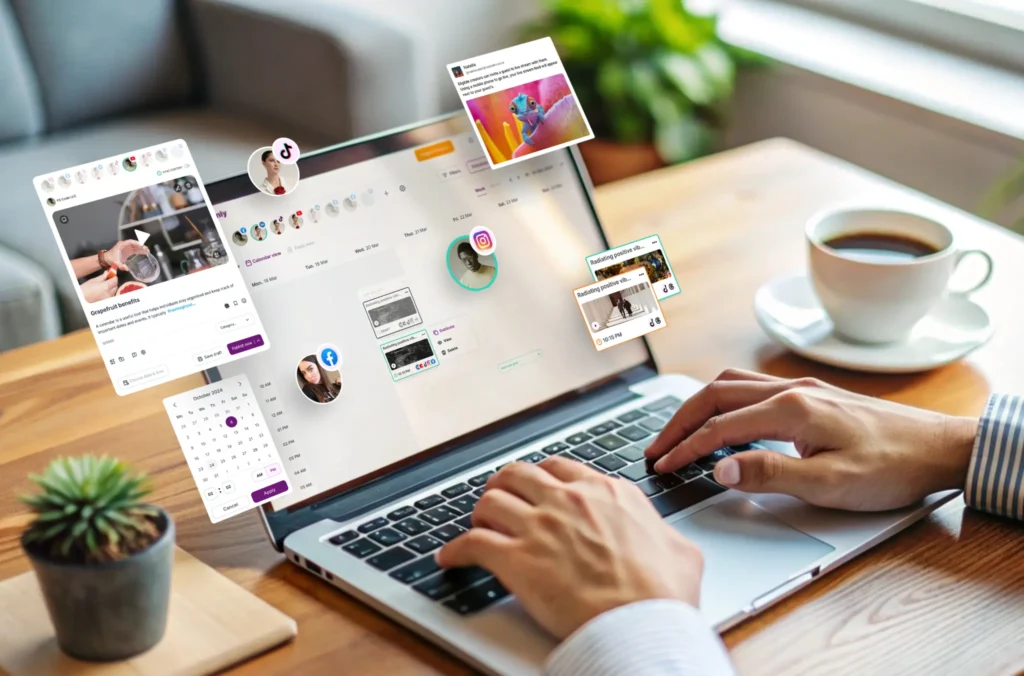
Content batching is one of the most significant productivity improvements available to anyone creating social media content. It means producing multiple pieces of content in a single focused session rather than creating one post at a time every day.
The efficiency gains from batching are enormous. When you sit down to write captions, your brain gets into writing mode — and staying in that mode for two hours produces far better results than dipping in and out of it for fifteen minutes a day. Same with photography — setting up a shoot once and capturing everything you need for two weeks is dramatically more efficient than setting up and tearing down your setup repeatedly.
Scheduling is the technology that makes batching possible. Without scheduling, batching your content creation would mean either posting everything at once in a chaotic rush, or creating content but having nowhere logical to store it until it is time to post. With scheduling, you create everything in one session and then distribute it neatly across your calendar — each post automatically going live exactly when you want it to.
Benefit 5 — It Gives You a Strategic View of Your Content
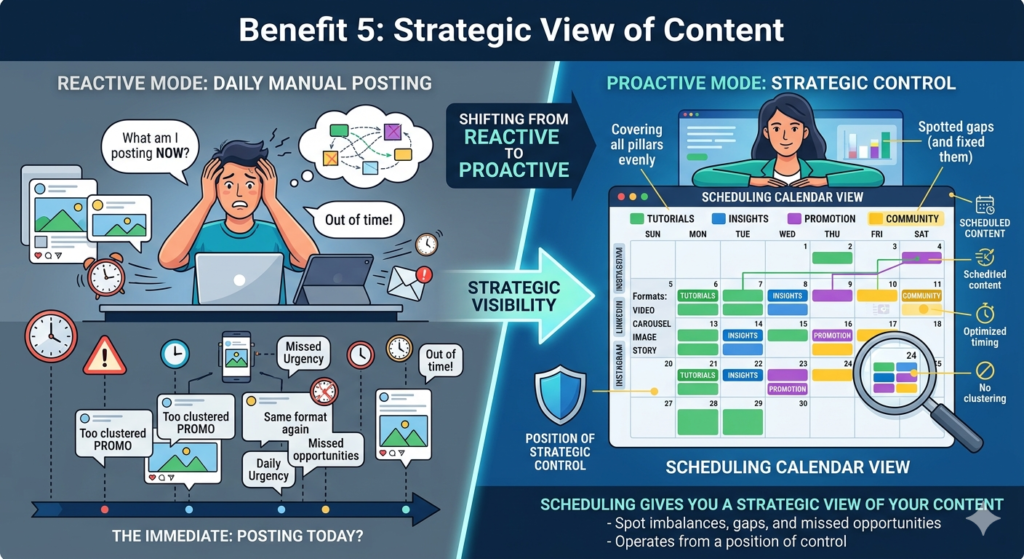
When you post manually in real time, you are always focused on the immediate — what am I posting today? You rarely step back to look at the bigger picture — what does this week’s or this month’s content look like as a whole? Is there too much of one type of content? Are my promotional posts too clustered? Am I covering all my content pillars evenly?
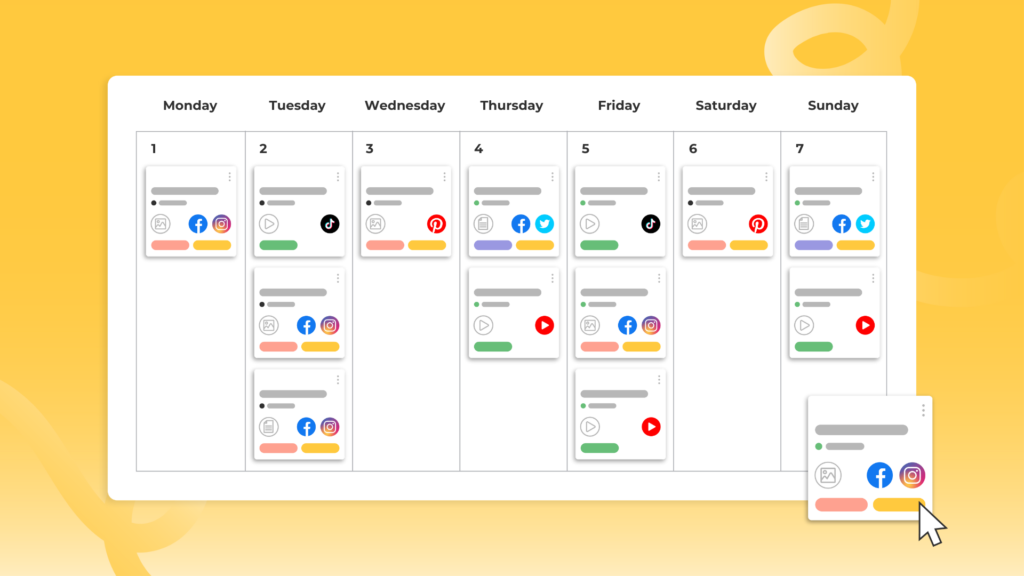
Scheduling tools show you a visual calendar view of all your upcoming content. You can see at a glance what is going out on which days, across which platforms, in which formats. This bird’s eye view makes it easy to spot imbalances, gaps, and missed opportunities — and adjust before anything is published.
This strategic visibility is impossible when you are living in the reactive mode of daily manual posting. Scheduling shifts your relationship with social media from reactive to proactive — from being pushed around by daily urgency to operating from a position of strategic control.
Benefit 6 — It Reduces Decision Fatigue
Decision fatigue is a real psychological phenomenon — the quality of your decisions deteriorates as you make more decisions throughout the day. By the time evening rolls around and you are trying to decide what to post, write a caption, choose a filter, select hashtags, and determine the best time to publish — you have already made hundreds of decisions that day. Your decision-making capacity is depleted.
The result is predictably poor content choices — vague captions, random images, generic hashtags, arbitrary posting times.
Scheduling consolidates all of these decisions into a single dedicated planning session — ideally at the beginning of the week when your mental energy is fresh. You make all your creative decisions at once, when your brain is at its best. Then execution — the actually scheduling and publishing — becomes automatic and requires almost no additional mental energy.

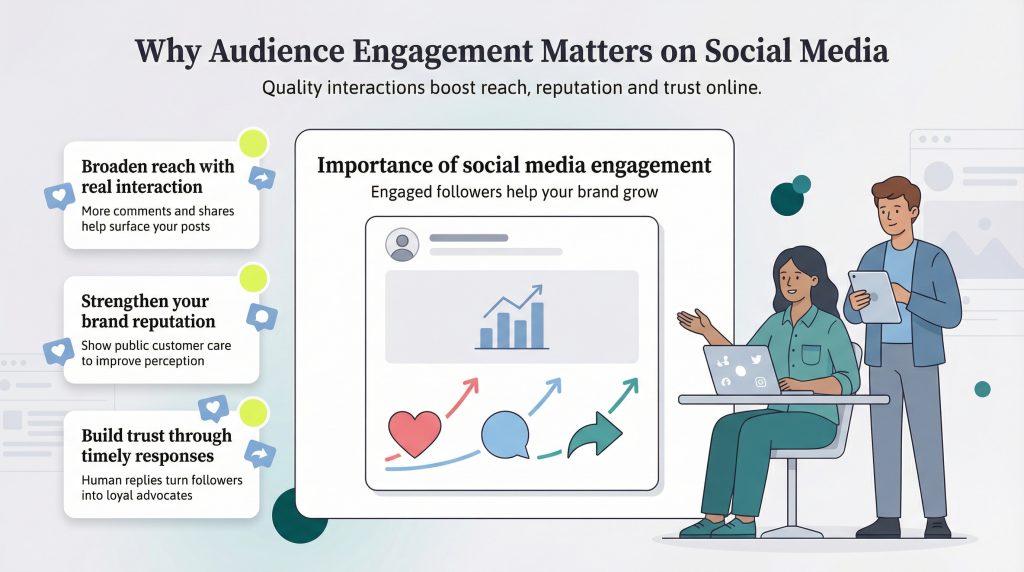
Benefit 7 — It Creates Space for Real Engagement
There is an irony that many businesses miss: the more time they spend on the act of posting, the less time they have for the thing that actually builds community — genuine engagement with their audience.
Responding to comments thoughtfully, answering DMs, engaging with followers’ content, participating in conversations in your niche — these activities are what turn a social media account into a real community. But they require focused time and attention that is impossible to give when you are also scrambling to create and publish content every day.
Scheduling your content frees you from the daily burden of creation so you can spend that reclaimed time on meaningful engagement. You are no longer the person frantically posting something at 8 PM because you forgot all day. You are the person whose content is already live and generating comments — and who has the time and headspace to respond to every single one thoughtfully.
What Can and Cannot Be Scheduled
An important practical question — what types of content can actually be scheduled, and what requires manual real-time posting?
What Can Be Scheduled
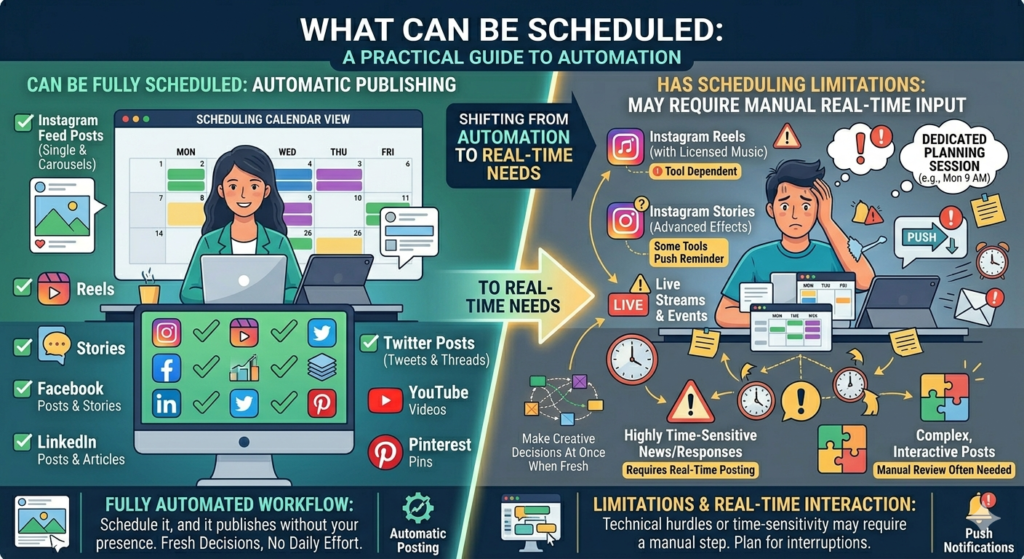
Feed posts on Instagram, Facebook, LinkedIn, Twitter, and Pinterest — these are the most commonly scheduled content types. Regular static images, carousels, text posts, and most video content can all be scheduled in advance with no limitations.
Instagram Reels can be scheduled through Meta Business Suite and most third-party tools, though some tools have limitations around Reels scheduling depending on whether the reel uses licensed music.
Facebook and Instagram Stories can be scheduled through Meta Business Suite, though some third-party tools push a notification reminding you to post rather than auto-publishing, because Stories have some technical limitations.
Tweets and Twitter threads can be fully scheduled in advance.
LinkedIn posts and articles can be scheduled through LinkedIn’s native scheduler or third-party tools.
YouTube videos can be scheduled — you upload the video, write the title and description, and set a future publish time. The video goes live automatically.
Pinterest Pins can be scheduled through tools like Tailwind or Buffer.
What Cannot Be Scheduled (or Requires Workarounds)
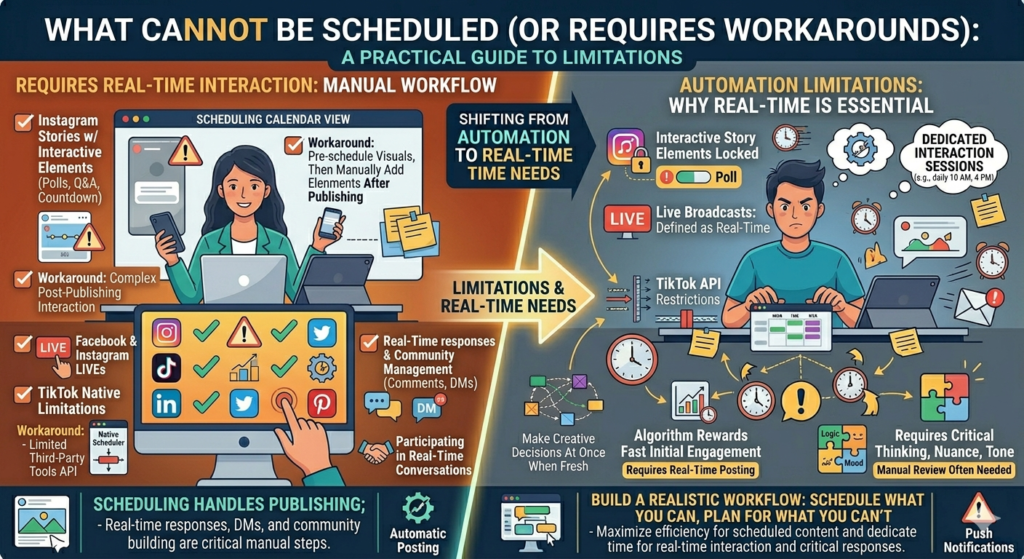
Instagram Stories with interactive elements — polls, question boxes, countdown timers — often cannot be scheduled in their full interactive form. The workaround is scheduling the visual story and adding interactive elements manually after it publishes.
Instagram and Facebook Lives — live video by definition cannot be scheduled to happen automatically, though you can schedule a notification or reminder for an upcoming live.
TikTok — TikTok’s scheduling capabilities through third-party tools are more limited than other platforms due to API restrictions. TikTok does have its own native scheduler, but it has limitations compared to what is possible on other platforms.
Real-time responses and community management — scheduling handles publishing, but responding to comments, managing DMs, and participating in real-time conversations always requires manual attention.
Understanding these limitations helps you build a realistic workflow — scheduling everything that can be scheduled and building in time for the manual elements that cannot be.
The Best Social Media Scheduling Tools in 2025
There are dozens of scheduling tools available — from completely free basic options to enterprise-grade platforms costing hundreds of dollars per month. Here is a clear breakdown of the best options for different needs and budgets.
Meta Business Suite — Best Free Option for Facebook and Instagram
If your social media presence is primarily on Facebook and Instagram (which it is for most Indian businesses), Meta Business Suite is the most powerful free tool available. It is built by Meta specifically for managing Facebook and Instagram content, so it has full access to all features — including Reels and Stories scheduling.
Meta Business Suite includes a content calendar with a visual monthly view, the ability to schedule posts, reels, and stories, a unified inbox for managing comments and DMs from both platforms, basic analytics, and the ability to boost posts and manage ads.
The limitation is that it only works for Facebook and Instagram — if you also need to manage LinkedIn, Twitter, or other platforms, you will need an additional tool or a third-party platform.
Buffer — Best Simple All-Platform Scheduler
Buffer is widely considered the most user-friendly scheduling tool available, and its free plan is genuinely useful — supporting up to three social channels with ten scheduled posts per channel at any time.
Buffer’s interface is clean and intuitive. You write your post, upload your visual, add your hashtags, set your time, and that is it. The calendar view shows you all upcoming posts across all platforms in one place. Buffer also has a built-in analytics section showing engagement performance for each scheduled post.
The paid plans — starting around $6 per month — remove the post limits and add features like a link in bio tool, engagement tracking, and team collaboration.
Buffer is ideal for solo creators and small businesses managing up to four or five social platforms who want simplicity and reliability without a steep learning curve.
Later — Best for Instagram-First Creators
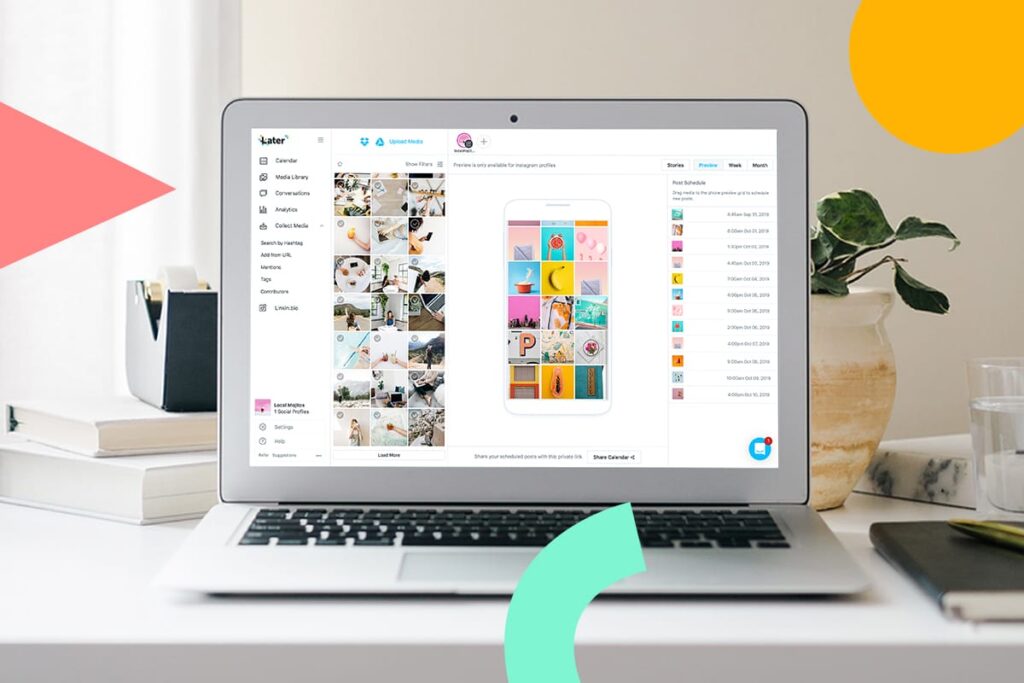
Later is particularly popular among Instagram-focused creators and businesses because of its visual first approach to scheduling. Later’s standout feature is a drag-and-drop visual Instagram feed planner — you can see exactly how your scheduled posts will look on your profile grid before they go live, allowing you to ensure visual consistency and aesthetic coherence across your feed.
Later supports Instagram, Facebook, Twitter, LinkedIn, TikTok, and Pinterest. Its free plan allows one social set (one account per platform) with thirty posts per month.
Later also has strong features for Instagram specifically — auto-publishing for feed posts and reels, a link in bio tool called Linkin.bio, hashtag suggestions, and detailed Instagram analytics.
For anyone whose primary platform is Instagram and for whom the visual appearance of their feed matters, Later is the strongest choice.
Hootsuite — Best for Teams and Agencies
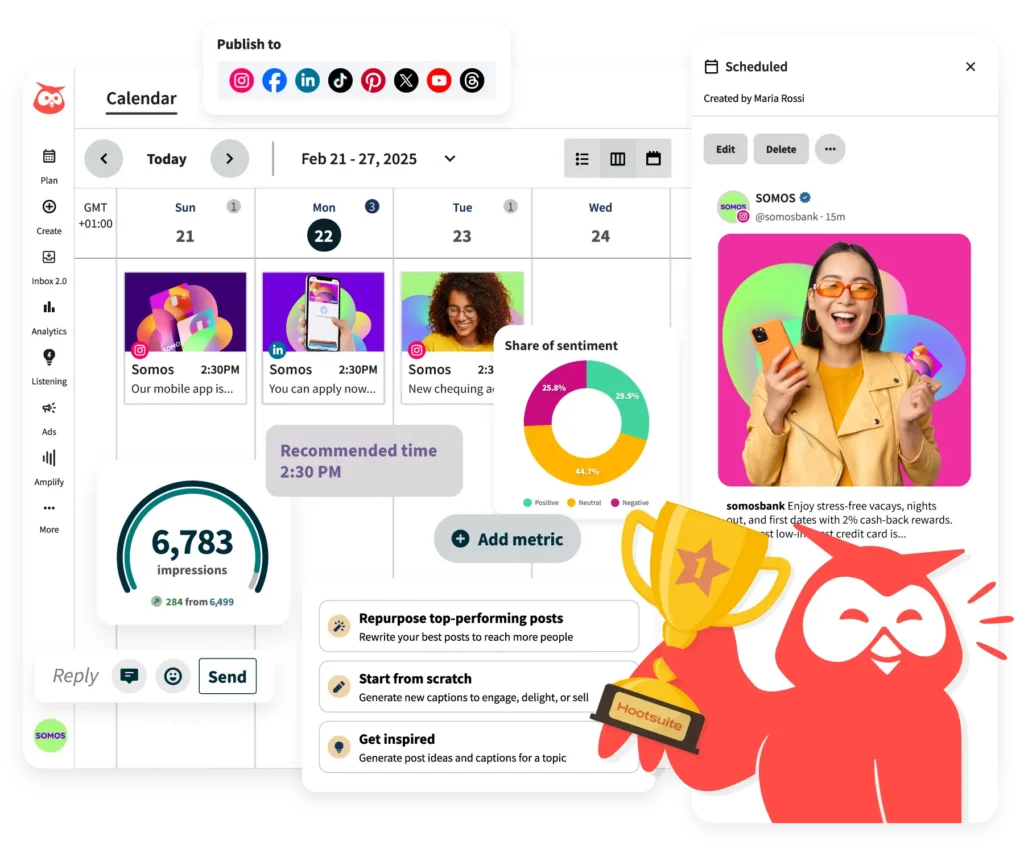
Hootsuite is one of the oldest and most comprehensive social media management platforms. It supports virtually every major social platform, has powerful team collaboration features, and includes advanced analytics, social listening tools, and ad management capabilities.
For individual creators and small businesses, Hootsuite is likely more tool than necessary — and its pricing reflects its enterprise positioning. But for agencies managing multiple client accounts, marketing teams with multiple members, or businesses with complex social media operations across many platforms, Hootsuite is the industry standard.
Sprout Social — Best Enterprise Option
Sprout Social is the premium option — powerful, feature-rich, and priced accordingly. It has the most sophisticated analytics of any scheduling tool, excellent team collaboration features, a comprehensive social listening function, and deep integration with CRM platforms.
For most small businesses and individual creators, Sprout Social is overkill. But for brands doing serious social media marketing at scale, it is worth the investment.
LinkedIn Native Scheduler — Best for LinkedIn-Only Scheduling
LinkedIn now has a native post scheduler built directly into the platform — accessible on both desktop and mobile. You write your post, click the clock icon in the post composer, and set a future time. LinkedIn will publish it automatically.
For professionals and businesses that primarily use LinkedIn and do not need a tool that manages multiple platforms, LinkedIn’s native scheduler is perfectly adequate and completely free.
Twitter / X Native Scheduler — Best for Twitter-Only Scheduling
Twitter also has a built-in scheduler — accessible through the tweet composer on desktop. Like LinkedIn’s scheduler, it is simple and free, ideal for anyone who only needs to schedule Twitter content without managing other platforms.
How to Build Your Social Media Scheduling Workflow
Knowing about scheduling tools is one thing. Actually building a sustainable scheduling workflow that you maintain week after week is another. Here is a practical, step-by-step approach to creating a workflow that works.
Step 1 — Choose Your Tool and Set It Up
Based on your platforms and needs, choose one scheduling tool and set it up completely. Connect all your social media accounts, explore the interface until you feel comfortable, and understand where the calendar view, the post composer, and the analytics live.
Do not jump between multiple tools. Pick one and commit to it for at least three months. The learning curve for any tool is real, and switching tools before you have mastered one is one of the most common productivity mistakes creators make.
Step 2 — Establish Your Posting Frequency
Decide how many times per week you will post on each platform — and be realistic. A schedule you can maintain for six months is infinitely more valuable than an ambitious schedule that collapses after two weeks.
Write this down as a commitment. “Instagram: 4 times per week plus daily Stories. LinkedIn: 3 times per week. Facebook: 3 times per week.” Knowing your target frequency is what makes the next step possible.
Step 3 — Determine Your Optimal Posting Times
Most scheduling tools have analytics that suggest optimal posting times based on when your specific audience is most active. If you are new and do not have this data yet, start with general best practices for your region and platforms — and then refine based on your own data as it accumulates.
For Indian audiences on Instagram, strong starting times are 7 to 9 AM, 12 to 2 PM, and 7 to 9 PM on weekdays. LinkedIn tends to perform best on Tuesday through Thursday between 8 and 10 AM and 5 to 6 PM. Facebook varies more by audience but generally follows similar patterns to Instagram.
Set these optimal times as recurring slots in your scheduling tool. Most tools allow you to create a posting schedule — predefined times when you want content to go out — so you only need to drop content into the queue without manually setting the time for every individual post.
Step 4 — Choose Your Batching Day
Designate one or two days per week as your content creation and scheduling days. This is when you do all your writing, design, and scheduling for the upcoming week.
Many creators use Sunday for content creation — it provides a natural weekly reset and ensures everything is ready before the working week begins. Others prefer Monday morning. The specific day matters less than the consistency of having a designated time.
Protect this time. Treat it like a client meeting or a doctor’s appointment — something that does not get cancelled because something else came up. Your content calendar depends on it.
Step 5 — Create Your Content in Batches
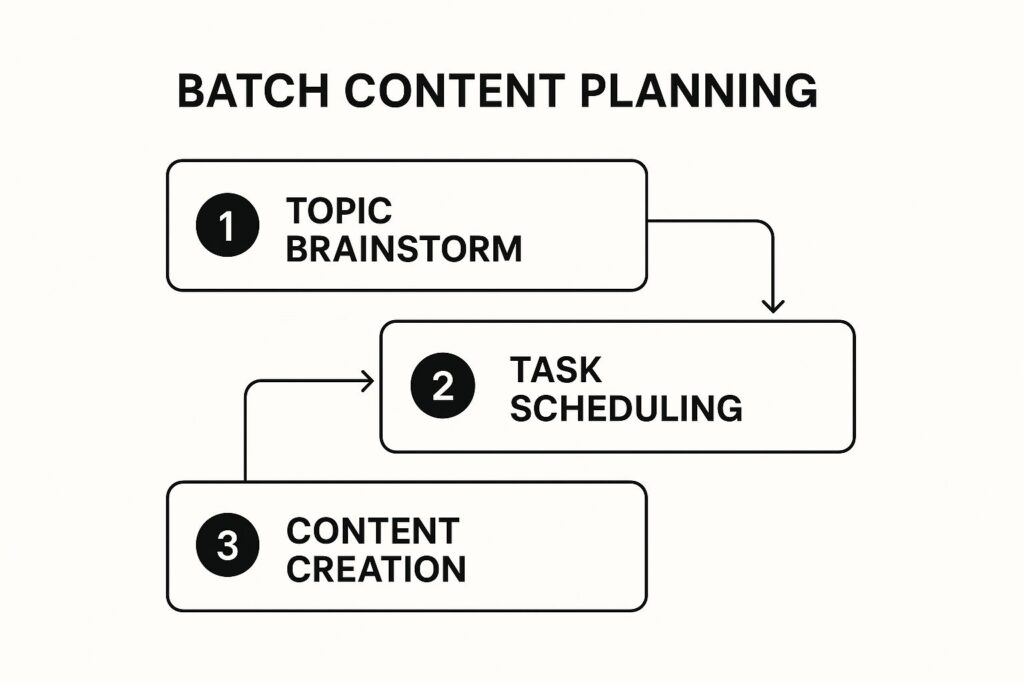
On your designated content day, create all your content for the week in one session. Write all captions. Prepare all visuals. Research and compile all hashtag sets. Review everything for quality and consistency.
Work through one type of task at a time rather than completing each post from start to finish before moving to the next. Write all captions first, then create all visuals, then compile all hashtags. This keeps you in the same cognitive mode throughout each task, which is faster and produces better results than switching between modes constantly.
Step 6 — Schedule Everything
Once your content is created and reviewed, schedule it all at once. Open your scheduling tool, create each post, set the date and time, and queue it. A full week of content on two or three platforms should take no more than thirty to forty-five minutes to schedule once you are comfortable with your tool.
After scheduling, check your calendar view to confirm everything looks right — correct times, correct platforms, correct order, no gaps or unintentional clusters.
Step 7 — Engage in Real Time
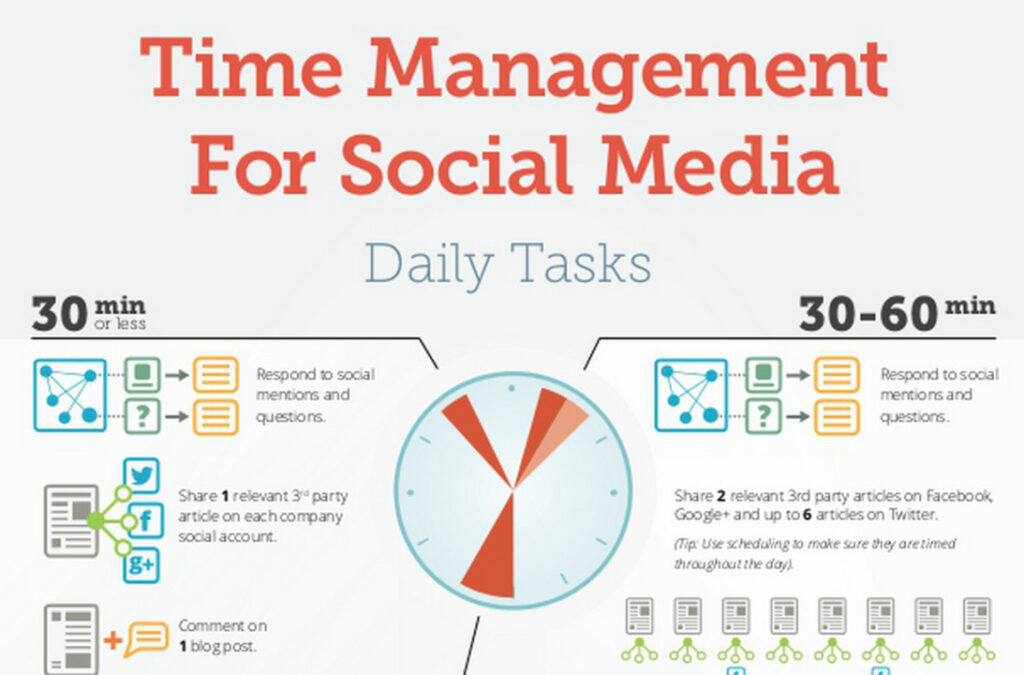
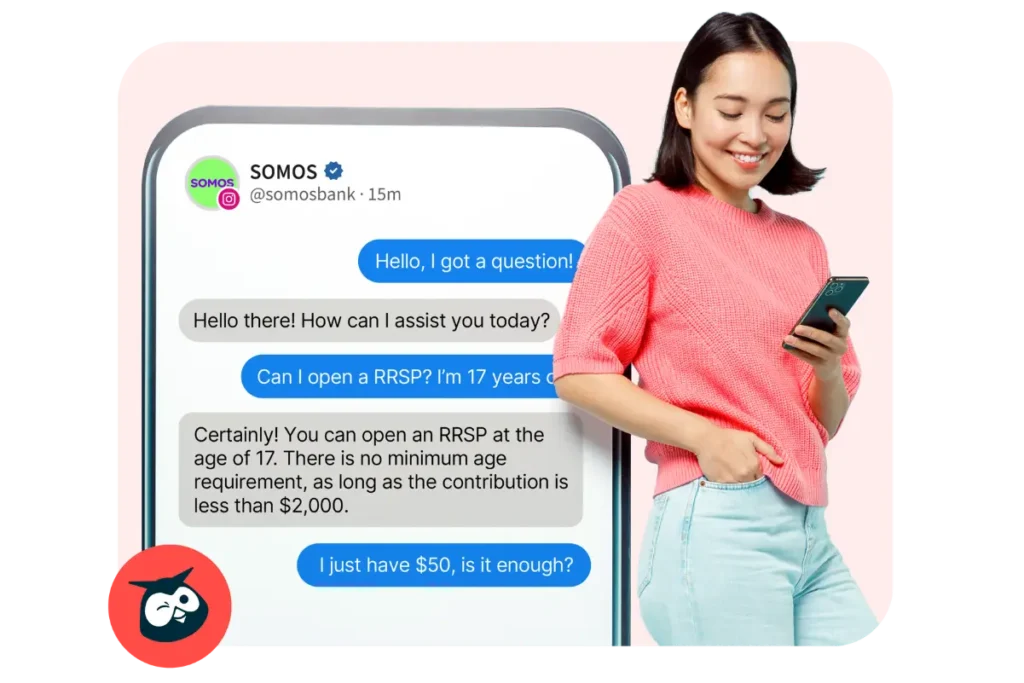
With your content scheduled and publishing automatically, your daily social media responsibility shifts from creation to engagement. Each day, spend fifteen to thirty minutes responding to comments on your scheduled posts, answering DMs, engaging with other accounts in your niche, and monitoring your notifications.
This is the engagement that builds real community — and you can give it the focused, quality attention it deserves because you are not simultaneously trying to create and publish content.
Step 8 — Review and Adjust Weekly
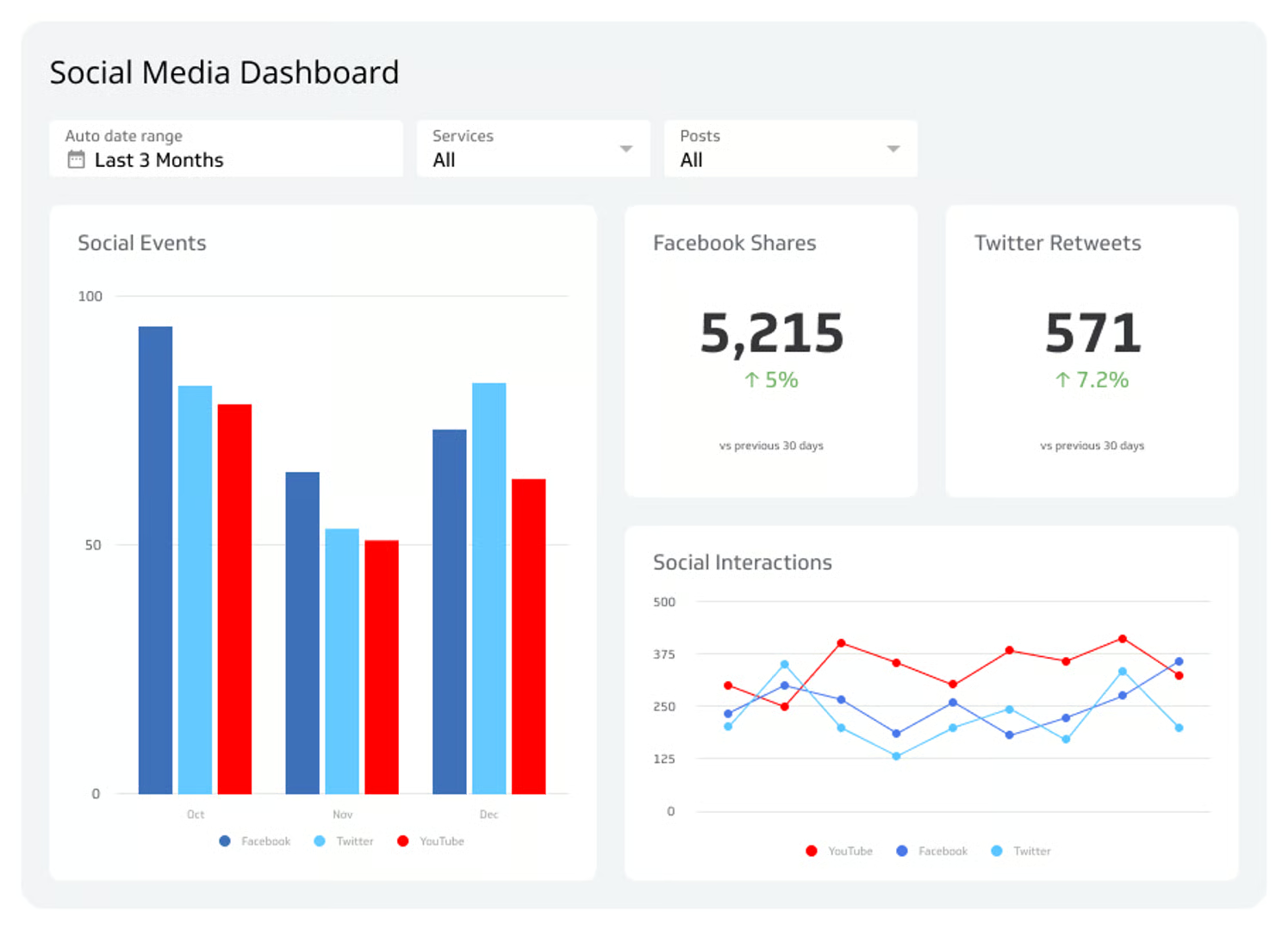
At the end of each week, before you create the next week’s content, spend ten minutes reviewing performance. Which post got the most reach? Which generated the most comments? Which fell flat? Use these insights to make small adjustments to the next week’s content — a different format for the topics that underperformed, more of the content types that performed strongly.
Over time, these weekly micro-adjustments compound into a significantly more effective content strategy. Your scheduling workflow gets smarter every week because it is informed by real data from the previous week.
Social Media Scheduling Best Practices
With the workflow established, here are the best practices that separate effective scheduling from ineffective scheduling.
Do not schedule and disappear. Scheduling is not permission to be absent from social media. Your posts will go out automatically — but the engagement they generate requires your real, human presence. Check your notifications daily and respond to every comment and DM. An account where posts appear but nobody ever responds to comments feels like a ghost account — and it erodes trust fast.
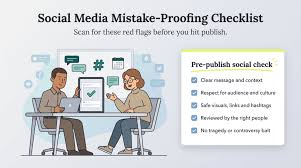
Always review scheduled content before it goes live. News changes. Trends shift. Something that felt perfectly appropriate when you scheduled it two weeks ago might feel tone-deaf given something that happened in the world since then. Make it a habit to glance at your scheduled posts for the next twenty-four hours each morning — just to confirm nothing needs to be adjusted given current events.
Do not over-automate. Scheduling is powerful, but social media is fundamentally a human, relational medium. Not every post should be pre-planned. Leave room for spontaneous, real-time content — a genuine reaction to something happening in your industry, a behind-the-scenes moment that was not planned, a response to a trend that just emerged. The best accounts blend scheduled content with authentic, in-the-moment moments.
Keep your captions conversational. One risk of scheduling — particularly when you write captions well in advance — is that they can start to sound formal, corporate, and disconnected from the real-time world. Read every caption out loud before scheduling. If it sounds like it was written by a committee rather than a human being, rewrite it until it sounds natural.
Use platform-specific formatting for each channel. If you are scheduling the same content across multiple platforms, adjust the format for each one. LinkedIn audiences respond to longer, more professional content. Instagram captions can be more casual and use more emojis. Twitter requires brevity and directness. A one-size-fits-all caption copied across all platforms will consistently underperform on most of them.
Build a content buffer. Always try to stay at least one week ahead with your scheduled content. If your current week is scheduled and Monday morning arrives without any content prepared for next week — you are already in the reactive zone. A one-week buffer is the minimum. A two-week buffer gives you real peace of mind.
Track what you schedule, not just what you post. Your scheduling tool’s calendar is a record of your content strategy. Review it periodically to spot patterns — are you always posting the same type of content? Are certain days always empty? Is one platform getting significantly less attention than another? The calendar makes these patterns visible in a way that real-time posting never does.
Common Scheduling Mistakes to Avoid
Even with a solid workflow and the best tools, certain mistakes can undermine your scheduling system. Here are the most common ones.
Scheduling without a strategy. A full content calendar that has no strategic direction — no content pillars, no defined goals, no audience clarity — is just organized randomness. Scheduling amplifies your strategy when you have one, and amplifies your confusion when you do not. Build the strategy before you build the schedule.
Ignoring platform algorithm changes. Social media platforms update their algorithms regularly. What worked six months ago may not work today. Formatting that was optimal last year may now be penalized. Scheduling tools do not automatically adapt to these changes — you need to stay informed and update your approach accordingly.
Scheduling too far in advance without review checkpoints. Scheduling content six weeks in advance sounds impressively organized — but it creates risk. Your business might pivot. An industry event might make certain content irrelevant. A post that was timely when scheduled might feel dated by its publish date. Build in weekly review checkpoints where you look at upcoming scheduled content and confirm it is still appropriate.
Using scheduling as an excuse to avoid the hard work of great content. Scheduling makes distribution easy and consistent. It does not make bad content good. The discipline of creating genuinely valuable, audience-focused content is still entirely your responsibility. Scheduling is the engine — your content strategy is the fuel. One without the other goes nowhere.
Not testing and optimizing posting times. Many people set their posting times once and never revisit them. But optimal posting times can shift as your audience grows and changes. Check your analytics every month and adjust your scheduled times if the data suggests your audience’s behavior has shifted.
The Bigger Picture — Scheduling as a Professional Discipline
There is something important that goes beyond the practical benefits of social media scheduling — something that speaks to a broader professional philosophy.
The businesses and creators who use scheduling tools are not just more organized. They think about their social media presence differently. They treat it as a serious business function that deserves deliberate time, strategic thought, and systematic execution — not an afterthought that gets whatever time is left over at the end of the day.
This mindset shift is ultimately more valuable than any tool. When you commit to planning your content a week or two in advance, you are committing to treating your audience with respect — giving them your best work, delivered consistently, rather than your rushed work, delivered whenever you happen to remember.
Your audience can feel the difference. Scheduled, strategic content feels intentional. Last-minute, reactive content feels like noise. The accounts people love and follow for years are the ones that feel like someone genuinely cares about every post — and that level of care is only possible when the creation process has enough breathing room to get things right.
Social media scheduling gives you that breathing room. Use it well.

Final Thoughts — Start Scheduling This Week
You do not need a perfect system to start. You do not need the most expensive tool. You do not need to have every detail figured out before your first scheduled post goes live.
You need one good scheduling tool — Buffer’s free plan is plenty to start. You need one dedicated content creation session this week — even just ninety minutes. You need one week of content created and scheduled before the week begins.
That is it. That is how you start.
And once you experience the feeling of waking up on Monday morning with your entire week’s content already queued and ready to go — the calm, the confidence, the clarity it brings — you will never go back to the chaotic world of daily reactive posting.
Your content is about to get better. Your consistency is about to become unshakeable. Your relationship with social media is about to shift from stressful obligation to strategic advantage.
All because you decided to schedule.

Written by Digital Drolia | Helping you work smarter on social media — one system at a time.